110
Termination standard
IDC termination system used by the tool.
Available options
Choose the termination standard used by the IDC connection.
At a glance
110
IDC termination system used by the tool.
IDC punchdown
Primary termination method and application.
High / low
Selectable impact-force behaviour.
Replaceable bayonet
Termination blade mounting and replacement format.
185 × 30 × 35 mm
Overall tool dimensions.
148 g
Net tool weight.
The 110 IDC Punchdown Tool is designed for seating conductors into compatible 110-style IDC contacts and termination blocks.
Selectable high and low impact settings allow the strike force to be matched to the termination, while the bayonet-style blade mount allows compatible termination blades to be changed when required.
Designed for compatible 110-style IDC contacts and blocks.
Selectable impact force for compatible termination work.
Bayonet-style mounting allows compatible blades to be changed.
Technical data
Compatible terminations
Products explicitly marked as compatible with 110 termination tooling.
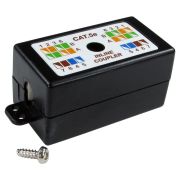
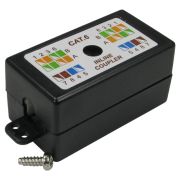
Inline termination
Inline IDC couplers explicitly supporting this termination-tool standard.
Reviews are shared across closely related product variants, so you can benefit from relevant experience across the range.
I've been using it with great success
Helpful information gathered across closely related product variants.
Browse Punchdown Tools helpIt seats an insulated conductor into an insulation-displacement contact so the contact cuts through the insulation and makes the electrical connection. On a cutting termination, it also trims the excess conductor at the same operation.
Use it on the IDC style it is designed for. The tool is there to make a controlled termination, not to provide a more elaborate way of pushing wire into any slot that happens to be nearby.
Because the IDC needs the conductor seated to the correct depth without damaging the contact. A proper punchdown tool supports the terminal and applies the force in the way the connector was designed for.
A screwdriver can spread the contact, damage the module or leave the conductor half seated. It can look finished and still give you an intermittent fault later.
They are different IDC termination patterns. The blade geometry has to match the contact block you are terminating.
The 110 tool supplied here has a replaceable 110 blade and adjustable impact. The Krone tool has its own fixed Krone-style termination head with an integrated cutter. They are not two names for the same blade shape.
Use the tool pattern specified for the IDC terminals on the patch panel, module, outlet or block. If the hardware is 110 IDC, use a 110 blade. If it is Krone IDC, use the Krone tool or another tool fitted with the correct compatible blade.
Do not choose the punchdown tool from the cable category alone. Cat5e and Cat6 tell you about the cabling performance; 110 and Krone tell you about the termination interface.
No. Leave the insulation on the individual conductors. The IDC contact is designed to displace that insulation as the conductor is seated.
Strip back the outer cable sheath only as far as needed to dress the pairs into the termination.
Put the cutting side towards the waste end of the conductor. The side you want to keep must remain on the terminal side of the cutter.
Check the orientation before you press. Cutting the cable on the wrong side is a very efficient way of turning a nearly finished termination into another attempt.
It seats an insulated conductor into an insulation-displacement contact so the contact cuts through the insulation and makes the electrical connection. On a cutting termination, it also trims the excess conductor at the same operation.
Use it on the IDC style it is designed for. The tool is there to make a controlled termination, not to provide a more elaborate way of pushing wire into any slot that happens to be nearby.
Because the IDC needs the conductor seated to the correct depth without damaging the contact. A proper punchdown tool supports the terminal and applies the force in the way the connector was designed for.
A screwdriver can spread the contact, damage the module or leave the conductor half seated. It can look finished and still give you an intermittent fault later.
They are different IDC termination patterns. The blade geometry has to match the contact block you are terminating.
The 110 tool supplied here has a replaceable 110 blade and adjustable impact. The Krone tool has its own fixed Krone-style termination head with an integrated cutter. They are not two names for the same blade shape.
Use the tool pattern specified for the IDC terminals on the patch panel, module, outlet or block. If the hardware is 110 IDC, use a 110 blade. If it is Krone IDC, use the Krone tool or another tool fitted with the correct compatible blade.
Do not choose the punchdown tool from the cable category alone. Cat5e and Cat6 tell you about the cabling performance; 110 and Krone tell you about the termination interface.
No. Leave the insulation on the individual conductors. The IDC contact is designed to displace that insulation as the conductor is seated.
Strip back the outer cable sheath only as far as needed to dress the pairs into the termination.
Yes, when the cable and the IDC hardware are compatible and the tool matches the IDC pattern. A punchdown tool is not inherently 'Cat5e' or 'Cat6'.
The category performance comes from the complete cable, connecting hardware, termination quality and finished link. The tool's job is to make the specified IDC termination correctly.
Put the cutting side towards the waste end of the conductor. The side you want to keep must remain on the terminal side of the cutter.
Check the orientation before you press. Cutting the cable on the wrong side is a very efficient way of turning a nearly finished termination into another attempt.
Dress the conductor into the correct IDC position, hold the tool square to the terminal and press straight down until the termination action completes. On a cutting position, make sure the cutter is towards the waste end first.
Do not twist the tool while it is in the contact and do not use it like a hammer. Let the mechanism and blade do the work.
Only as much as you need to place the conductors into their IDC positions. Keep the twists as close to the termination as practical.
Untwisting a long, beautifully straight fan of conductors may look organised, but those twists are part of the cable's crosstalk performance.
First check that the cutting side is facing the waste end and that the tool has completed its full termination action. If the conductor is seated but still attached, trim the waste cleanly rather than pulling it sideways through the IDC.
Repeated poor cuts are a reason to inspect the cutter or blade for damage or wear.
Avoid repeatedly working the same termination. If the conductor is wrongly placed, remove it carefully and reterminate it cleanly, following the connector manufacturer's limits for reuse of the IDC.
More impacts are not a substitute for a correct first termination. Once the wire is properly seated, leave it alone.
Yes. Check the completed cabling after termination. A basic wiremap test will find common faults such as opens, shorts and crossed conductors; a standards-compliant installation should be tested to the required cabling category with suitable certification equipment.
A neat row of punched-down wires is encouraging, but it is not test equipment.
Yes. The supplied 110 blade has a cutting function on one end. The tool body is marked 'CUT' to help identify the cutting orientation.
Use the cutting end when you want the conductor seated and the waste trimmed in the same operation.
Yes. The 110 tool uses a bayonet-style interchangeable blade system. The current tool also has a dedicated blade-release control on the handle.
Fit only a compatible blade and make sure it is locked securely before using the tool.
They change the impact force delivered at the end of the punchdown stroke. The current tool has selectable high and low impact settings.
Use the setting appropriate to the termination hardware. Higher impact is not automatically better; the object is to seat the conductor correctly without abusing the IDC.
It protects the exposed cutting end while the tool is stored or handled. Put it back on when the tool is not in use.
The cutter is small, but it is still a cutter. Toolboxes have enough sharp surprises already.
The packaging identifies the body as an interchangeable-blade design and lists variants using 110, 66, combined 110/66 and Krone-pattern blades. The product sold here is the 110-blade version.
Do not assume that an unrelated blade will fit simply because it looks similar. Any replacement or alternative needs to match the tool's bayonet mounting system.
No. Use a Krone-pattern termination tool or a correctly matched Krone blade for Krone IDC hardware. The supplied blade on this product is the 110 version.
The fact that the handle is an interchangeable-blade design does not make the 110 blade itself universal.
Buy the one that matches the IDC hardware you actually have. Choose the 110 tool for 110-style contacts and the Krone tool for Krone-style contacts.
The 110 model is the more configurable tool, with a replaceable blade and high/low impact selection. The Krone model is simpler and lighter, with an integrated cutter and fold-out ancillary tools. Neither is 'better' in the abstract; the wrong blade fitted to the wrong IDC is merely a more sophisticated mistake.
Keep the head and cutter clean, protect exposed cutting edges in storage and fold any ancillary hooks back into the handle. Do not use the blade as a general-purpose lever or screwdriver.
If a replaceable blade becomes damaged or stops cutting cleanly, replace it rather than compensating with more force.
It seats an insulated conductor into an insulation-displacement contact so the contact cuts through the insulation and makes the electrical connection. On a cutting termination, it also trims the excess conductor at the same operation.
Use it on the IDC style it is designed for. The tool is there to make a controlled termination, not to provide a more elaborate way of pushing wire into any slot that happens to be nearby.
Because the IDC needs the conductor seated to the correct depth without damaging the contact. A proper punchdown tool supports the terminal and applies the force in the way the connector was designed for.
A screwdriver can spread the contact, damage the module or leave the conductor half seated. It can look finished and still give you an intermittent fault later.
They are different IDC termination patterns. The blade geometry has to match the contact block you are terminating.
The 110 tool supplied here has a replaceable 110 blade and adjustable impact. The Krone tool has its own fixed Krone-style termination head with an integrated cutter. They are not two names for the same blade shape.
Use the tool pattern specified for the IDC terminals on the patch panel, module, outlet or block. If the hardware is 110 IDC, use a 110 blade. If it is Krone IDC, use the Krone tool or another tool fitted with the correct compatible blade.
Do not choose the punchdown tool from the cable category alone. Cat5e and Cat6 tell you about the cabling performance; 110 and Krone tell you about the termination interface.
No. Leave the insulation on the individual conductors. The IDC contact is designed to displace that insulation as the conductor is seated.
Strip back the outer cable sheath only as far as needed to dress the pairs into the termination.
Yes, when the cable and the IDC hardware are compatible and the tool matches the IDC pattern. A punchdown tool is not inherently 'Cat5e' or 'Cat6'.
The category performance comes from the complete cable, connecting hardware, termination quality and finished link. The tool's job is to make the specified IDC termination correctly.
Put the cutting side towards the waste end of the conductor. The side you want to keep must remain on the terminal side of the cutter.
Check the orientation before you press. Cutting the cable on the wrong side is a very efficient way of turning a nearly finished termination into another attempt.
Dress the conductor into the correct IDC position, hold the tool square to the terminal and press straight down until the termination action completes. On a cutting position, make sure the cutter is towards the waste end first.
Do not twist the tool while it is in the contact and do not use it like a hammer. Let the mechanism and blade do the work.
Only as much as you need to place the conductors into their IDC positions. Keep the twists as close to the termination as practical.
Untwisting a long, beautifully straight fan of conductors may look organised, but those twists are part of the cable's crosstalk performance.
First check that the cutting side is facing the waste end and that the tool has completed its full termination action. If the conductor is seated but still attached, trim the waste cleanly rather than pulling it sideways through the IDC.
Repeated poor cuts are a reason to inspect the cutter or blade for damage or wear.
Avoid repeatedly working the same termination. If the conductor is wrongly placed, remove it carefully and reterminate it cleanly, following the connector manufacturer's limits for reuse of the IDC.
More impacts are not a substitute for a correct first termination. Once the wire is properly seated, leave it alone.
Yes. Check the completed cabling after termination. A basic wiremap test will find common faults such as opens, shorts and crossed conductors; a standards-compliant installation should be tested to the required cabling category with suitable certification equipment.
A neat row of punched-down wires is encouraging, but it is not test equipment.
Yes. The supplied 110 blade has a cutting function on one end. The tool body is marked 'CUT' to help identify the cutting orientation.
Use the cutting end when you want the conductor seated and the waste trimmed in the same operation.
Yes. The 110 tool uses a bayonet-style interchangeable blade system. The current tool also has a dedicated blade-release control on the handle.
Fit only a compatible blade and make sure it is locked securely before using the tool.
They change the impact force delivered at the end of the punchdown stroke. The current tool has selectable high and low impact settings.
Use the setting appropriate to the termination hardware. Higher impact is not automatically better; the object is to seat the conductor correctly without abusing the IDC.
It protects the exposed cutting end while the tool is stored or handled. Put it back on when the tool is not in use.
The cutter is small, but it is still a cutter. Toolboxes have enough sharp surprises already.
The packaging identifies the body as an interchangeable-blade design and lists variants using 110, 66, combined 110/66 and Krone-pattern blades. The product sold here is the 110-blade version.
Do not assume that an unrelated blade will fit simply because it looks similar. Any replacement or alternative needs to match the tool's bayonet mounting system.
No. Use a Krone-pattern termination tool or a correctly matched Krone blade for Krone IDC hardware. The supplied blade on this product is the 110 version.
The fact that the handle is an interchangeable-blade design does not make the 110 blade itself universal.
Buy the one that matches the IDC hardware you actually have. Choose the 110 tool for 110-style contacts and the Krone tool for Krone-style contacts.
The 110 model is the more configurable tool, with a replaceable blade and high/low impact selection. The Krone model is simpler and lighter, with an integrated cutter and fold-out ancillary tools. Neither is 'better' in the abstract; the wrong blade fitted to the wrong IDC is merely a more sophisticated mistake.
Keep the head and cutter clean, protect exposed cutting edges in storage and fold any ancillary hooks back into the handle. Do not use the blade as a general-purpose lever or screwdriver.
If a replaceable blade becomes damaged or stops cutting cleanly, replace it rather than compensating with more force.