16 × Gigabit
Ports
Available Ethernet connections.
Available options
Choose the required number of Gigabit Ethernet ports for the 1U rack installation.
At a glance
16 × Gigabit
Available Ethernet connections.
Unmanaged
Switch management and configuration type.
19" / 1U
Rack standard and occupied rack space.
Fanless
Cooling arrangement and acoustic behaviour.
32 Gbps
Manufacturer-specified internal switching bandwidth.
440 × 140 × 44 mm
Overall switch dimensions for installation planning.
The TP-Link TL-SG1016 brings 16 auto-negotiating Gigabit RJ45 ports into a standard 19-inch rack. Its 1U steel enclosure and integrated AC power supply make it a natural fit for structured cabling cabinets where a compact desktop switch would be less appropriate.
The switch is unmanaged and fanless, providing straightforward plug-and-play Gigabit connectivity without configuration or fan noise. Its 32 Gbps switching capacity matches the full-duplex bandwidth available across 16 Gigabit ports.
Auto-negotiating 10/100/1000 Mbps Ethernet ports.
Designed for straightforward operation without normal switch configuration.
Designed for direct mounting in a standard network rack or data cabinet.
No cooling fan, avoiding fan noise in offices and other quiet spaces.
Manufacturer-specified switching capacity for traffic passing between Ethernet ports.
Physical size for planning desktop, shelf or cabinet installation.
In the box
Power and installation accessories supplied with this rackmount switch.
Technical data
Build the installation
Choose patching and rack hardware to suit the switch and the way you want to install it.
Patching
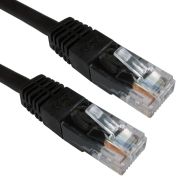
Use Cat6 patch leads to connect the switch to a patch panel, network outlet or nearby device.
19" rack installation
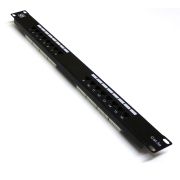
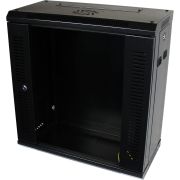
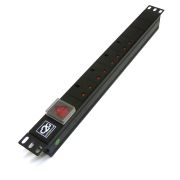
This switch mounts directly into a standard 19" rack. Compatible patching, cabinet and power options are shown below.
Patch panel
Cabinet options
Rack power
Reviews are shared across closely related product variants, so you can benefit from relevant experience across the range.
Be the first to write a review of this product.
Helpful information gathered across closely related product variants.
Browse Network Switches helpAn Ethernet switch gives several wired devices access to the same local network and forwards traffic between the ports that need it.
In a typical small installation, one port leads back towards the router and the others serve computers, access points, cameras, printers or the rack cabling. It expands the wired side of the network; it does not take over the router's job.
It means the switch does not have the normal management interface of a managed switch. There is no web console for configuring VLANs, per-port settings, SNMP or similar network-management functions.
The switch handles ordinary Ethernet forwarding automatically. Some models may still include automatic functions or simple physical mode switches, but that does not make them managed switches.
No. Power it up, connect a port back to the existing network, then plug in the devices you want to use. The ports negotiate their links automatically.
No. The switch expands Ethernet connectivity within an existing network. It does not normally provide routing, Wi-Fi, Internet access or DHCP address allocation.
A router or another suitable network device still provides the gateway to the Internet and, in most small networks, the DHCP service that assigns addresses.
Start with four things: how many wired ports you need, whether any devices need PoE, whether 100Mbps is enough, and whether the switch must mount directly in a 19-inch rack.
The Newlink NLHUB-08FE is the 10/100 model. The remaining switches in this range are Gigabit. The TL-SG1008P adds four PoE+ ports, while the TL-SG1016 and TL-SG1024 are the 16- and 24-port 19-inch rackmount choices. Leave a little room for growth, but there is no prize for buying twenty unused ports simply because they exist.
Yes. Both are 1U 19-inch rackmount switches. TP-Link supplies the rack-mounting brackets and the screws used to attach those brackets to the switch.
Use suitable rack fixings for the cabinet itself; TP-Link's installation guidance does not include the screws used to secure the completed brackets to the rack.
An Ethernet switch gives several wired devices access to the same local network and forwards traffic between the ports that need it.
In a typical small installation, one port leads back towards the router and the others serve computers, access points, cameras, printers or the rack cabling. It expands the wired side of the network; it does not take over the router's job.
It means the switch does not have the normal management interface of a managed switch. There is no web console for configuring VLANs, per-port settings, SNMP or similar network-management functions.
The switch handles ordinary Ethernet forwarding automatically. Some models may still include automatic functions or simple physical mode switches, but that does not make them managed switches.
No. Power it up, connect a port back to the existing network, then plug in the devices you want to use. The ports negotiate their links automatically.
No. The switch expands Ethernet connectivity within an existing network. It does not normally provide routing, Wi-Fi, Internet access or DHCP address allocation.
A router or another suitable network device still provides the gateway to the Internet and, in most small networks, the DHCP service that assigns addresses.
Start with four things: how many wired ports you need, whether any devices need PoE, whether 100Mbps is enough, and whether the switch must mount directly in a 19-inch rack.
The Newlink NLHUB-08FE is the 10/100 model. The remaining switches in this range are Gigabit. The TL-SG1008P adds four PoE+ ports, while the TL-SG1016 and TL-SG1024 are the 16- and 24-port 19-inch rackmount choices. Leave a little room for growth, but there is no prize for buying twenty unused ports simply because they exist.
Yes. The switch models currently in this range are fanless, so there is no cooling-fan noise from the switch itself.
That is not the same as an absolute guarantee of silence from every power adapter or item of connected equipment, but the switches do not contain a fan.
Yes. Both are 1U 19-inch rackmount switches. TP-Link supplies the rack-mounting brackets and the screws used to attach those brackets to the switch.
Use suitable rack fixings for the cabinet itself; TP-Link's installation guidance does not include the screws used to secure the completed brackets to the rack.
Start with the simple things. Make sure both devices are powered, reseat the plugs, try another known-good patch lead and try another switch port.
If the cabling is through a patch panel or wall outlet, bypass that run temporarily if you can. A missing link light is usually a physical link or negotiation problem, so prove the short direct connection before chasing anything clever.
A Gigabit port will negotiate down when the connected device, cable or intervening cabling cannot establish a 1000Mbps link. Check that the device itself supports Gigabit Ethernet, leave speed and duplex on automatic negotiation unless there is a specific reason not to, and test with a known-good Cat5e or better cable.
If a structured-cabling run is involved, test or bypass that run as well. A Gigabit switch cannot force a 1Gbps link through an endpoint or cable path that only supports 100Mbps.
Yes. They do not have to be rack-mounted. TP-Link supplies rubber feet for flat-surface installation.
Use a stable surface and leave sensible clearance for ventilation and cables.
Isolation Mode separates client traffic on ports 1–14 so that those downlink ports cannot communicate directly with one another; they can communicate with the uplink ports. This is useful where connected client devices should be kept apart without configuring a managed switch.
Loop Prevention monitors for loop-related problems and acts to reduce disruption caused by redundant paths. These are simple hardware-assisted operating modes, not a web-managed feature set.
No. These switches use ordinary auto-negotiating Ethernet ports, and any suitable port can be used for the link back to a router or another switch.
Whichever port you use for that connection is then occupied by the uplink rather than an end device.
Yes. Connecting one switch to another with a normal Ethernet link is entirely ordinary and is useful when you need more ports in another part of the network.
What you should avoid is accidentally creating two or more parallel paths between unmanaged switches. That can form a network loop and turn a perfectly quiet Ethernet network into a rather enthusiastic packet carousel.
Yes. Use a short RJ45 patch lead between the required patch-panel port and a switch port. The patch panel is passive; the switch provides the active network connection.
Use a normal RJ45 Ethernet patch lead of the appropriate category. Cat5e is suitable for ordinary Gigabit Ethernet, and Cat6 is also fine.
If the switch is connected through structured cabling, use patch leads at the equipment ends rather than treating solid installation cable as a flexible equipment cord.
Yes. Both Cat5e and Cat6 can be used with these RJ45 Ethernet ports. The Gigabit models support 1000BASE-T over suitable Cat5e or better cabling, while the Fast Ethernet model will simply operate within its 10/100Mbps capability.
The speed of the complete connection is determined by the equipment and cabling at both ends, not by the category name printed on one patch lead.
It means each port automatically agrees a supported Ethernet speed and duplex mode with the device connected to it. On the Gigabit models that can be 10, 100 or 1000Mbps; on the NLHUB-08FE it is 10 or 100Mbps.
Auto-negotiation improves compatibility, but it cannot create a speed that one end of the connection does not support.
Auto MDI/MDIX lets the Ethernet port adapt automatically to the transmit and receive wiring presented by the connected device. In normal use, you therefore do not need to choose a special crossover cable when connecting these switches to ordinary Ethernet equipment.
Yes. This model provides 10/100/1000Mbps Ethernet ports, so a compatible device and suitable cabling can establish a 1Gbps link.
That is the link speed of the Ethernet port, not a promise that an Internet connection or every data transfer will run at 1Gbps.
No. This model provides Ethernet data only and does not supply Power over Ethernet to connected devices.
If an access point, IP camera, telephone or other device requires PoE, use a suitable PoE switch or a compatible injector.
Yes. The Gigabit models support 10, 100 and 1000Mbps auto-negotiation. A 100Mbps device can therefore connect at 100Mbps while other ports continue to negotiate their own supported speeds independently.
Not simply because a switch has been added. It gives you more wired connections; your Internet speed is still constrained by the broadband service, router, connected devices and the links between them.
Replacing an old 100Mbps switch with a Gigabit model can remove a local 100Mbps bottleneck, which may make a real difference to file transfers or a faster Internet service. The switch can remove a restriction; it cannot manufacture bandwidth upstream.
An Ethernet switch gives several wired devices access to the same local network and forwards traffic between the ports that need it.
In a typical small installation, one port leads back towards the router and the others serve computers, access points, cameras, printers or the rack cabling. It expands the wired side of the network; it does not take over the router's job.
It means the switch does not have the normal management interface of a managed switch. There is no web console for configuring VLANs, per-port settings, SNMP or similar network-management functions.
The switch handles ordinary Ethernet forwarding automatically. Some models may still include automatic functions or simple physical mode switches, but that does not make them managed switches.
No. Power it up, connect a port back to the existing network, then plug in the devices you want to use. The ports negotiate their links automatically.
No. The switch expands Ethernet connectivity within an existing network. It does not normally provide routing, Wi-Fi, Internet access or DHCP address allocation.
A router or another suitable network device still provides the gateway to the Internet and, in most small networks, the DHCP service that assigns addresses.
Start with four things: how many wired ports you need, whether any devices need PoE, whether 100Mbps is enough, and whether the switch must mount directly in a 19-inch rack.
The Newlink NLHUB-08FE is the 10/100 model. The remaining switches in this range are Gigabit. The TL-SG1008P adds four PoE+ ports, while the TL-SG1016 and TL-SG1024 are the 16- and 24-port 19-inch rackmount choices. Leave a little room for growth, but there is no prize for buying twenty unused ports simply because they exist.
Yes. The switch models currently in this range are fanless, so there is no cooling-fan noise from the switch itself.
That is not the same as an absolute guarantee of silence from every power adapter or item of connected equipment, but the switches do not contain a fan.
Yes. Both are 1U 19-inch rackmount switches. TP-Link supplies the rack-mounting brackets and the screws used to attach those brackets to the switch.
Use suitable rack fixings for the cabinet itself; TP-Link's installation guidance does not include the screws used to secure the completed brackets to the rack.
Start with the simple things. Make sure both devices are powered, reseat the plugs, try another known-good patch lead and try another switch port.
If the cabling is through a patch panel or wall outlet, bypass that run temporarily if you can. A missing link light is usually a physical link or negotiation problem, so prove the short direct connection before chasing anything clever.
A Gigabit port will negotiate down when the connected device, cable or intervening cabling cannot establish a 1000Mbps link. Check that the device itself supports Gigabit Ethernet, leave speed and duplex on automatic negotiation unless there is a specific reason not to, and test with a known-good Cat5e or better cable.
If a structured-cabling run is involved, test or bypass that run as well. A Gigabit switch cannot force a 1Gbps link through an endpoint or cable path that only supports 100Mbps.
Yes. They do not have to be rack-mounted. TP-Link supplies rubber feet for flat-surface installation.
Use a stable surface and leave sensible clearance for ventilation and cables.
Isolation Mode separates client traffic on ports 1–14 so that those downlink ports cannot communicate directly with one another; they can communicate with the uplink ports. This is useful where connected client devices should be kept apart without configuring a managed switch.
Loop Prevention monitors for loop-related problems and acts to reduce disruption caused by redundant paths. These are simple hardware-assisted operating modes, not a web-managed feature set.
No. These switches use ordinary auto-negotiating Ethernet ports, and any suitable port can be used for the link back to a router or another switch.
Whichever port you use for that connection is then occupied by the uplink rather than an end device.
Yes. Connecting one switch to another with a normal Ethernet link is entirely ordinary and is useful when you need more ports in another part of the network.
What you should avoid is accidentally creating two or more parallel paths between unmanaged switches. That can form a network loop and turn a perfectly quiet Ethernet network into a rather enthusiastic packet carousel.
Yes. Use a short RJ45 patch lead between the required patch-panel port and a switch port. The patch panel is passive; the switch provides the active network connection.
Use a normal RJ45 Ethernet patch lead of the appropriate category. Cat5e is suitable for ordinary Gigabit Ethernet, and Cat6 is also fine.
If the switch is connected through structured cabling, use patch leads at the equipment ends rather than treating solid installation cable as a flexible equipment cord.
Yes. Both Cat5e and Cat6 can be used with these RJ45 Ethernet ports. The Gigabit models support 1000BASE-T over suitable Cat5e or better cabling, while the Fast Ethernet model will simply operate within its 10/100Mbps capability.
The speed of the complete connection is determined by the equipment and cabling at both ends, not by the category name printed on one patch lead.
It means each port automatically agrees a supported Ethernet speed and duplex mode with the device connected to it. On the Gigabit models that can be 10, 100 or 1000Mbps; on the NLHUB-08FE it is 10 or 100Mbps.
Auto-negotiation improves compatibility, but it cannot create a speed that one end of the connection does not support.
Auto MDI/MDIX lets the Ethernet port adapt automatically to the transmit and receive wiring presented by the connected device. In normal use, you therefore do not need to choose a special crossover cable when connecting these switches to ordinary Ethernet equipment.
Yes. This model provides 10/100/1000Mbps Ethernet ports, so a compatible device and suitable cabling can establish a 1Gbps link.
That is the link speed of the Ethernet port, not a promise that an Internet connection or every data transfer will run at 1Gbps.
No. This model provides Ethernet data only and does not supply Power over Ethernet to connected devices.
If an access point, IP camera, telephone or other device requires PoE, use a suitable PoE switch or a compatible injector.
Yes. The Gigabit models support 10, 100 and 1000Mbps auto-negotiation. A 100Mbps device can therefore connect at 100Mbps while other ports continue to negotiate their own supported speeds independently.
Not simply because a switch has been added. It gives you more wired connections; your Internet speed is still constrained by the broadband service, router, connected devices and the links between them.
Replacing an old 100Mbps switch with a Gigabit model can remove a local 100Mbps bottleneck, which may make a real difference to file transfers or a faster Internet service. The switch can remove a restriction; it cannot manufacture bandwidth upstream.