19" / 1U
Rack format
Fits standard network racks and cabinets.
Available options
Choose an option to view the corresponding patch panel.
At a glance
19" / 1U
Fits standard network racks and cabinets.
16 ports
2 banks × 8
Cat6
Up to 250 MHz
Krone-type IDC
22–24 AWG
Fixings supplied
4 cage nuts, screws & washers + 4 cable ties
Use this panel as the fixed hand-off point between permanent Cat6 installation cabling and patch leads in the rack, keeping fixed cable runs undisturbed while connections to network equipment are managed from the front.
Rear Krone-type IDC termination brings each fixed cable run to a front-facing RJ45 port, keeping permanent cabling separate from day-to-day patching.
Brings 16 front-facing patching points into a single rack unit in a standard 19" cabinet.
Groups the 16 RJ45 ports into two clear banks of eight across the front of the panel.
In the box
Rack-mounting hardware and installation accessories supplied with this panel.
Dimensional data
Proportional front-port layout generated from measured panel geometry.
Schematic dimensional outline generated from measured product data. Undimensioned component geometry is illustrative and the drawing is not intended for fabrication.
Technical data
Complete the installation
Useful products and installation guidance for this patch panel.
Patching
Choose the required length and colour for patching between the panel and your network equipment.
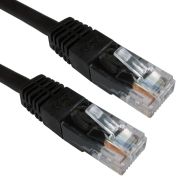 1m Black Cat6 U/UTP Copper Patch Lead
£1.35
2m Black Cat6 U/UTP Copper Patch Lead
£1.95
3m Black Cat6 U/UTP Copper Patch Lead
£2.45
1m Black Cat6 U/UTP Copper Patch Lead
£1.35
2m Black Cat6 U/UTP Copper Patch Lead
£1.95
3m Black Cat6 U/UTP Copper Patch Lead
£2.45
Permanent link
Use matching-category solid installation cable for the permanent cabling run.
 Cat6 U/UTP LSZH Installation Cable – Violet – 305m
£119.99
Cat6 U/UTP LSZH Installation Cable – Violet – 305m
£119.99
 Cat6 U/UTP LSZH Cca Installation Cable – Green – 305m
£149.99
Cat6 U/UTP LSZH Cca Installation Cable – Green – 305m
£149.99
 Cat6 U/UTP PE External Installation Cable – Black – 305m
£132.99
Cat6 U/UTP PE External Installation Cable – Black – 305m
£132.99
Rack organisation
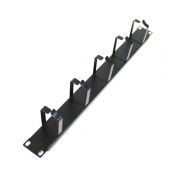
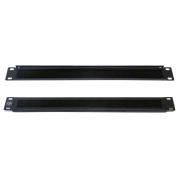
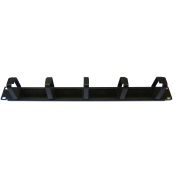
Route and organise patch leads using brush, ring or combination management.
Termination
Recommended for reliable IDC termination on this patch panel.
Reviews are shared across closely related product variants, so you can benefit from relevant experience across the range.
Excellent price. Unusual to find a 16 port panel - exactly what I needed!
Be the first to review 19" 1U 16 Port Cat6 Patch Panel.
Your review will help other customers considering this exact product.
Helpful information gathered across closely related product variants.
Browse IDC Patch Panels helpYes. Use a proper punchdown tool.
The rear of the panel is IDC, and trying to seat all those conductors with whatever happens to be in the toolbox is asking for a bad termination.
You can put plugs on permanent cables and take them straight into a switch, particularly in a very small installation.
A patch panel starts earning its place as the network grows: the building cables stay fixed and all the inevitable moving, changing and repatching happens with short leads at the front.
Without that separation, it is surprisingly easy to end up wrestling a thicket of permanent cables whenever equipment changes.
Yes. If you want a wall outlet active, patch its panel port into a suitable switch or router LAN port. A terminated port that is not patched goes nowhere.
Not when the panel is the correct category and properly terminated. A patch panel is a normal part of a structured-cabling channel; it is not a deliberate speed restriction.
If performance drops after adding one, look for a poor termination, damaged cable or a lower-category component rather than blaming the existence of the panel itself.
Yes. Gigabit Ethernet is well within the intended capability of a properly installed Cat6 channel.
If you are only seeing 100Mbps, there is almost certainly a more interesting culprit somewhere in the cable, terminations or connected equipment.
Yes. The 19-inch populated IDC panels use the standard 19-inch rack format, so they are intended for normal 19-inch network racks and cabinets.
The remaining fit questions are the ordinary ones — available rack units, depth and neighbouring equipment — rather than some peculiar proprietary mounting system.
Yes. Use a proper punchdown tool.
The rear of the panel is IDC, and trying to seat all those conductors with whatever happens to be in the toolbox is asking for a bad termination.
Keep the pair twists intact as close to the IDC termination as practical. For Cat5e and higher, industry guidance limits untwist to 13mm (0.5 in) at the termination, with less preferred where possible.
They answer different questions.
A basic tester is very useful for finding opens, shorts, crossed conductors and other wiring faults; a cable certifier goes much further and measures whether the installed link actually meets the performance limits for its category.
If somebody wants evidence that the cabling is genuinely Cat5e or Cat6 rather than merely wired in the right order, certification is the relevant test.
Check the terminations and patch leads first. Gigabit needs all four pairs; a badly seated or open conductor can leave you with a link that still works but drops back to 100Mbps.
Do not start replacing switches before checking the simple stuff.
No. The punchdown tool is not included.
The panel comes with its mounting hardware and cable ties, but the termination tool is a separate item.
Use a Krone-type impact tool.
That is what these IDC blocks are intended for. There is no reason to make the job harder with the wrong tool.
The IDC contacts are specified for 22–24AWG conductors.
Yes. We specify the IDC contacts for both solid and stranded conductors within the 22–24AWG range.
Yes. The populated IDC panels in this range are labelled for both T568A and T568B wiring schemes.
For a normal straight-through run, yes. If the panel end is T568B, terminate the wall outlet as T568B too; likewise for T568A.
Different runs can use different schemes, although a rack full of mixed A and B terminations can become a needless little labyrinth when somebody has to document it years later.
Only remove enough outer jacket to dress the pairs neatly into the IDC field. Stripping a long section just gives you more loose wire to handle.
Keep the sheath and the twists close to the terminations.
Yes. Remove the conductor and punch it down again in the correct position.
One mistake is not a problem. Just do not keep disturbing a termination that is already good.
The IDC terminals are rated for a minimum of 20 retermination cycles.
Yes. Test each run as you finish it.
Finding a bad pair now is easy; finding it later after the rack is fully patched is just wasted time.
You can put plugs on permanent cables and take them straight into a switch, particularly in a very small installation.
A patch panel starts earning its place as the network grows: the building cables stay fixed and all the inevitable moving, changing and repatching happens with short leads at the front.
Without that separation, it is surprisingly easy to end up wrestling a thicket of permanent cables whenever equipment changes.
Yes. If you want a wall outlet active, patch its panel port into a suitable switch or router LAN port. A terminated port that is not patched goes nowhere.
The permanent installation cables are punched down onto the IDC blocks at the rear. The front RJ45 sockets are then patched to switches, routers or other equipment using ordinary patch leads.
It gives the rack a useful division of labour: fixed cabling behind the panel, flexible connections in front.
It is entirely passive. There is no power supply, switching electronics or configuration hidden inside it; each port simply provides a connection between the front RJ45 socket and its rear IDC termination.
Despite the regimented row of sockets, there is very little inside the panel waiting to surprise you.
Yes. Each front port corresponds to its own rear IDC termination and normally to one permanent cable run.
The row of sockets may look like one piece of equipment, but electrically it is really a collection of independent paths sitting neatly beside one another.
No. Patch-panel port 1 does not have to connect to switch port 1. The panel number identifies the permanent cable run; the switch port can be whichever suitable port you choose.
Trying to keep both number sequences permanently married together can become an unnecessary labyrinth as switches are moved or replaced.
Yes. The ports are independent, so one panel can feed different switches or router ports quite happily.
A patch panel does not belong to one switch; it is simply the organised end of the permanent cabling.
Yes. Leave it terminated, label it and do not patch it until you need it.
Connecting every spare run just because it exists only fills the rack with leads you are not using.
Yes. Normal short Ethernet patch leads are exactly what you would usually use between the panel and the switch. Match the category to the performance you want from the channel.
Not when the panel is the correct category and properly terminated. A patch panel is a normal part of a structured-cabling channel; it is not a deliberate speed restriction.
If performance drops after adding one, look for a poor termination, damaged cable or a lower-category component rather than blaming the existence of the panel itself.
Yes. Gigabit Ethernet is well within the intended capability of a properly installed Cat6 channel.
If you are only seeing 100Mbps, there is almost certainly a more interesting culprit somewhere in the cable, terminations or connected equipment.
Potentially, yes, but Cat6 is not the straightforward answer for a full 100-metre 10GBASE-T channel.
Around 37 metres is generally the uncomplicated territory, with roughly 37–55 metres possible depending on the alien-crosstalk environment.
For a new full-length 10 Gigabit installation, Cat6A avoids a fairly convoluted collection of distance and interference caveats.
For conventional balanced-copper structured cabling, the permanent link is normally limited to 90 metres. The complete channel, including patch and equipment cords, is normally limited to 100 metres.
The panel is passive, so PoE can in principle travel through the same copper pairs, but we do not currently claim a specific PoE, PoE+ or PoE++ rating because the manufacturer has not supplied an independently verified statement.
If the job specifically requires documented PoE performance, use components whose PoE capability is explicitly verified rather than building the requirement on an assumption.
Yes. A bad punchdown can give you intermittent links, missing pairs or a lower negotiated speed.
If a new run behaves oddly, inspect and test the IDC terminations before changing anything else.
The Cat6 panels are rated to 250MHz. Category 6 uses a higher specified frequency range than Cat5e as part of its cabling-performance requirements.
No. Replacing the panel changes one component, not the cable buried through the building.
For the installed link to be treated as Cat6, the cable, outlets, panel terminations and patch leads all have to meet the relevant Cat6 requirements.
Yes, Cat5e cable can be physically terminated on the Cat6 panel, but the completed run should not then be called Cat6.
The Cat5e cable becomes the limiting component, so you have a usable mixed-category link rather than a mysteriously upgraded one.
Treat the finished link according to its lowest-category component.
A rack can quite easily grow into a forest of Cat5e and Cat6 labels over the years, but the network does not care which label is the most optimistic; the least capable required component determines the category you can honestly claim.
Yes. The familiar 100-metre channel allowance includes the fixed installation plus the patch and equipment leads at the ends; the permanent-link portion is normally up to 90 metres.
A beautifully measured 100-metre fixed run leaves no room for those leads except outside the intended channel allowance.
No. The patch panel does not generate PoE. Power has to come from a PoE switch, injector or other power-sourcing equipment.
The catalogue specification lists ISO/IEC 11801, EN 50173, ANSI/TIA-568 and the IEC 60603-7 series.
The supplied Cat5e test data records TIA Channel, TIA Permanent Link and ISO/IEC 11801 Permanent Link configurations with a Fluke DSX-8000 pass.
I would not extend that specific test result to the Cat6 variants without the equivalent Cat6 report.
Yes. Each RJ45 port is an independent passive path between its front socket and the corresponding rear IDC termination.
The panel does not internally switch, bridge or share traffic between the ports, despite the whole row sitting together like one rather imposing block.
Yes. The front ports are individually numbered. Use the numbers and label the far ends as well.
Relying on memory works until it does not.
The 12- and 16-port panels have a small writable white identification area above each port. The 24- and 48-port versions use drop-down label windows with paper inserts associated with the IDC banks.
Yes. A cable mapper, toner or probe is normally the quickest way to match an unknown wall outlet to its panel port.
Once you identify each run, label both ends; otherwise the same bundle of anonymous cables will patiently turn itself back into a labyrinth for the next person.
The front RJ45 sockets are rated for 750 mating cycles.
Yes. The 19-inch populated IDC panels use the standard 19-inch rack format, so they are intended for normal 19-inch network racks and cabinets.
The remaining fit questions are the ordinary ones — available rack units, depth and neighbouring equipment — rather than some peculiar proprietary mounting system.
Support the incoming cable bundle so its weight is not hanging from the IDC contacts. Use the supplied ties, the built-in hooks where fitted, or proper rack management.
Do not force the cable through tight bends just to make the rear of the rack look flat.
You can physically terminate the conductors, but these are unshielded panels and there is no provision for maintaining or bonding the cable screen.
If the installation genuinely requires a screened channel, letting the shield arrive at the panel and simply stop there rather defeats the purpose; use shielded hardware throughout.
Yes. Four rack fixings are supplied.
The 19-inch panels include four M6 screws, cage nuts and washers; the 10-inch versions are supplied with four fixing screws.
No. A rear cable-management bar is not included with any of these panels.
Yes. Four cable ties are supplied.
Use them rather than leaving the cable bundle unsupported behind the panel.
The 24-port panel has 16 cable hooks across 8 rear positions.
The 48-port version has twice that arrangement.
The 12- and 16-port panels do not have those built-in rear hook positions.
Yes, on the 24- and 48-port 19-inch panels. Those models support optional rear cable management, whereas the 12- and 16-port versions do not.
It becomes particularly useful once the incoming runs begin forming a proper thicket behind the rack.
There is no product earth or bonding connection specified for these unshielded panels.
That is separate from any earthing or bonding requirements that apply to the rack, cabinet or wider installation.
Yes. Use a proper punchdown tool.
The rear of the panel is IDC, and trying to seat all those conductors with whatever happens to be in the toolbox is asking for a bad termination.
Keep the pair twists intact as close to the IDC termination as practical. For Cat5e and higher, industry guidance limits untwist to 13mm (0.5 in) at the termination, with less preferred where possible.
They answer different questions.
A basic tester is very useful for finding opens, shorts, crossed conductors and other wiring faults; a cable certifier goes much further and measures whether the installed link actually meets the performance limits for its category.
If somebody wants evidence that the cabling is genuinely Cat5e or Cat6 rather than merely wired in the right order, certification is the relevant test.
Check the terminations and patch leads first. Gigabit needs all four pairs; a badly seated or open conductor can leave you with a link that still works but drops back to 100Mbps.
Do not start replacing switches before checking the simple stuff.
No. The punchdown tool is not included.
The panel comes with its mounting hardware and cable ties, but the termination tool is a separate item.
Use a Krone-type impact tool.
That is what these IDC blocks are intended for. There is no reason to make the job harder with the wrong tool.
The IDC contacts are specified for 22–24AWG conductors.
Yes. We specify the IDC contacts for both solid and stranded conductors within the 22–24AWG range.
Yes. The populated IDC panels in this range are labelled for both T568A and T568B wiring schemes.
For a normal straight-through run, yes. If the panel end is T568B, terminate the wall outlet as T568B too; likewise for T568A.
Different runs can use different schemes, although a rack full of mixed A and B terminations can become a needless little labyrinth when somebody has to document it years later.
Only remove enough outer jacket to dress the pairs neatly into the IDC field. Stripping a long section just gives you more loose wire to handle.
Keep the sheath and the twists close to the terminations.
Yes. Remove the conductor and punch it down again in the correct position.
One mistake is not a problem. Just do not keep disturbing a termination that is already good.
The IDC terminals are rated for a minimum of 20 retermination cycles.
Yes. Test each run as you finish it.
Finding a bad pair now is easy; finding it later after the rack is fully patched is just wasted time.
You can put plugs on permanent cables and take them straight into a switch, particularly in a very small installation.
A patch panel starts earning its place as the network grows: the building cables stay fixed and all the inevitable moving, changing and repatching happens with short leads at the front.
Without that separation, it is surprisingly easy to end up wrestling a thicket of permanent cables whenever equipment changes.
Yes. If you want a wall outlet active, patch its panel port into a suitable switch or router LAN port. A terminated port that is not patched goes nowhere.
The permanent installation cables are punched down onto the IDC blocks at the rear. The front RJ45 sockets are then patched to switches, routers or other equipment using ordinary patch leads.
It gives the rack a useful division of labour: fixed cabling behind the panel, flexible connections in front.
It is entirely passive. There is no power supply, switching electronics or configuration hidden inside it; each port simply provides a connection between the front RJ45 socket and its rear IDC termination.
Despite the regimented row of sockets, there is very little inside the panel waiting to surprise you.
Yes. Each front port corresponds to its own rear IDC termination and normally to one permanent cable run.
The row of sockets may look like one piece of equipment, but electrically it is really a collection of independent paths sitting neatly beside one another.
No. Patch-panel port 1 does not have to connect to switch port 1. The panel number identifies the permanent cable run; the switch port can be whichever suitable port you choose.
Trying to keep both number sequences permanently married together can become an unnecessary labyrinth as switches are moved or replaced.
Yes. The ports are independent, so one panel can feed different switches or router ports quite happily.
A patch panel does not belong to one switch; it is simply the organised end of the permanent cabling.
Yes. Leave it terminated, label it and do not patch it until you need it.
Connecting every spare run just because it exists only fills the rack with leads you are not using.
Yes. Normal short Ethernet patch leads are exactly what you would usually use between the panel and the switch. Match the category to the performance you want from the channel.
Not when the panel is the correct category and properly terminated. A patch panel is a normal part of a structured-cabling channel; it is not a deliberate speed restriction.
If performance drops after adding one, look for a poor termination, damaged cable or a lower-category component rather than blaming the existence of the panel itself.
Yes. Gigabit Ethernet is well within the intended capability of a properly installed Cat6 channel.
If you are only seeing 100Mbps, there is almost certainly a more interesting culprit somewhere in the cable, terminations or connected equipment.
Potentially, yes, but Cat6 is not the straightforward answer for a full 100-metre 10GBASE-T channel.
Around 37 metres is generally the uncomplicated territory, with roughly 37–55 metres possible depending on the alien-crosstalk environment.
For a new full-length 10 Gigabit installation, Cat6A avoids a fairly convoluted collection of distance and interference caveats.
For conventional balanced-copper structured cabling, the permanent link is normally limited to 90 metres. The complete channel, including patch and equipment cords, is normally limited to 100 metres.
The panel is passive, so PoE can in principle travel through the same copper pairs, but we do not currently claim a specific PoE, PoE+ or PoE++ rating because the manufacturer has not supplied an independently verified statement.
If the job specifically requires documented PoE performance, use components whose PoE capability is explicitly verified rather than building the requirement on an assumption.
Yes. A bad punchdown can give you intermittent links, missing pairs or a lower negotiated speed.
If a new run behaves oddly, inspect and test the IDC terminations before changing anything else.
The Cat6 panels are rated to 250MHz. Category 6 uses a higher specified frequency range than Cat5e as part of its cabling-performance requirements.
No. Replacing the panel changes one component, not the cable buried through the building.
For the installed link to be treated as Cat6, the cable, outlets, panel terminations and patch leads all have to meet the relevant Cat6 requirements.
Yes, Cat5e cable can be physically terminated on the Cat6 panel, but the completed run should not then be called Cat6.
The Cat5e cable becomes the limiting component, so you have a usable mixed-category link rather than a mysteriously upgraded one.
Treat the finished link according to its lowest-category component.
A rack can quite easily grow into a forest of Cat5e and Cat6 labels over the years, but the network does not care which label is the most optimistic; the least capable required component determines the category you can honestly claim.
Yes. The familiar 100-metre channel allowance includes the fixed installation plus the patch and equipment leads at the ends; the permanent-link portion is normally up to 90 metres.
A beautifully measured 100-metre fixed run leaves no room for those leads except outside the intended channel allowance.
No. The patch panel does not generate PoE. Power has to come from a PoE switch, injector or other power-sourcing equipment.
The catalogue specification lists ISO/IEC 11801, EN 50173, ANSI/TIA-568 and the IEC 60603-7 series.
The supplied Cat5e test data records TIA Channel, TIA Permanent Link and ISO/IEC 11801 Permanent Link configurations with a Fluke DSX-8000 pass.
I would not extend that specific test result to the Cat6 variants without the equivalent Cat6 report.
Yes. Each RJ45 port is an independent passive path between its front socket and the corresponding rear IDC termination.
The panel does not internally switch, bridge or share traffic between the ports, despite the whole row sitting together like one rather imposing block.
Yes. The front ports are individually numbered. Use the numbers and label the far ends as well.
Relying on memory works until it does not.
The 12- and 16-port panels have a small writable white identification area above each port. The 24- and 48-port versions use drop-down label windows with paper inserts associated with the IDC banks.
Yes. A cable mapper, toner or probe is normally the quickest way to match an unknown wall outlet to its panel port.
Once you identify each run, label both ends; otherwise the same bundle of anonymous cables will patiently turn itself back into a labyrinth for the next person.
The front RJ45 sockets are rated for 750 mating cycles.
Yes. The 19-inch populated IDC panels use the standard 19-inch rack format, so they are intended for normal 19-inch network racks and cabinets.
The remaining fit questions are the ordinary ones — available rack units, depth and neighbouring equipment — rather than some peculiar proprietary mounting system.
Support the incoming cable bundle so its weight is not hanging from the IDC contacts. Use the supplied ties, the built-in hooks where fitted, or proper rack management.
Do not force the cable through tight bends just to make the rear of the rack look flat.
You can physically terminate the conductors, but these are unshielded panels and there is no provision for maintaining or bonding the cable screen.
If the installation genuinely requires a screened channel, letting the shield arrive at the panel and simply stop there rather defeats the purpose; use shielded hardware throughout.
Yes. Four rack fixings are supplied.
The 19-inch panels include four M6 screws, cage nuts and washers; the 10-inch versions are supplied with four fixing screws.
No. A rear cable-management bar is not included with any of these panels.
Yes. Four cable ties are supplied.
Use them rather than leaving the cable bundle unsupported behind the panel.
The 24-port panel has 16 cable hooks across 8 rear positions.
The 48-port version has twice that arrangement.
The 12- and 16-port panels do not have those built-in rear hook positions.
Yes, on the 24- and 48-port 19-inch panels. Those models support optional rear cable management, whereas the 12- and 16-port versions do not.
It becomes particularly useful once the incoming runs begin forming a proper thicket behind the rack.
There is no product earth or bonding connection specified for these unshielded panels.
That is separate from any earthing or bonding requirements that apply to the rack, cabinet or wider installation.