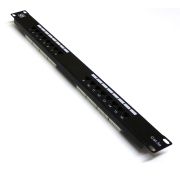
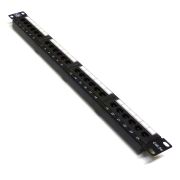
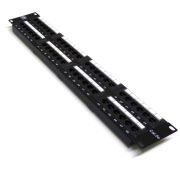
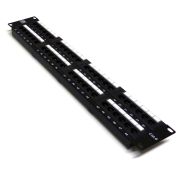
5 rings for front routing
Cable guides keep patch leads organised across the cabinet front and reduce loose cable around installed equipment.
Available options
Choose an option to view the corresponding product.
At a glance
This 19-inch 1U cable-management bar combines front cable guides with brush-lined apertures, giving patch leads a defined route across the rack and convenient pass-through points through the panel.
Cable guides keep patch leads organised across the cabinet front and reduce loose cable around installed equipment.
Brush apertures provide defined pass-through points while avoiding a completely open gap around the cables.
Mounts across the front rack rails and occupies 1U of rack space.
Technical data
Rack compatibility
Populated IDC patch panels using the same rack format.
Patch panels
Use with populated patch panels designed for the same rack format.
Reviews are shared across closely related product variants, so you can benefit from relevant experience across the range.
Very good solution, and quality. The brush is long enough to cover the opening even with cables running through it. That is not always the case even if the price is five times higher. The combination also saved me alot of rackspace, and the final result looked better than ever. The future task to replace a unit in that rack will be easy as a breeze.
Was looking to buy a brush slot and a horizontal cable tidy to go between each switch and patch panel in my rack. Considering I have 4 switches and 4 patch panels I was worried how much space these 8 x 1U items would take. Very happy to find these when searching for items to buy as saves a great deal of space in the cabinet and allows me to fit smaller patch cables too, while allowing me to route the inter-switch cables behind the main patch panel rather than down the sides. Don't expect to be able to hide dozens of gargantuan cables behind the brush. Due to the nature of the brush, each cable that passes through does leave a small gap you can see through. But the item does definitely make a tidy rack even tidier. These fit well, are of good construction and look very smart. Thanks very much!
Helpful information gathered across closely related product variants.
Browse Rack Cable Management helpAt its simplest, it gives patch leads a deliberate route through the rack instead of allowing them to hang across equipment or accumulate in loose loops.
That matters for more than appearances. A rack can be electrically impeccable and still be a nuisance to work on if changing one connection means disentangling six others.
Horizontal management gives the cabling some geography: slack has somewhere to live, routes are easier to follow and later moves or additions are less likely to become an unnecessary wiring puzzle.
They perform three related, but distinct, jobs.
The ring version organises cables travelling across the front of the rack. The brush version provides a controlled passage between the front and rear.
The combined version does both, placing rings directly in front of the brush openings so a cable can emerge and immediately join the horizontal route.
There is no hierarchy in which the combined version is automatically "better"; it simply avoids using two separate pieces of hardware when you genuinely need both functions.
No.
If a patch panel and switch sit together neatly and correctly sized short patch leads already give you a clean installation, there is no reason to use another 1U just for the sake of it.
The cable-management products in this range occupy 1U of rack space.
They can sit directly next to correctly fitted rack equipment above and below without needing an extra clearance gap.
No. It is physically the wrong rack width. Use the 10" version.
Yes. The ring openings comfortably accept thicker patch leads such as Cat6A.
The usual rule still applies: do not pack the ring so tightly that the cables are being crushed or forced into an unnecessarily sharp bend.
At its simplest, it gives patch leads a deliberate route through the rack instead of allowing them to hang across equipment or accumulate in loose loops.
That matters for more than appearances. A rack can be electrically impeccable and still be a nuisance to work on if changing one connection means disentangling six others.
Horizontal management gives the cabling some geography: slack has somewhere to live, routes are easier to follow and later moves or additions are less likely to become an unnecessary wiring puzzle.
They perform three related, but distinct, jobs.
The ring version organises cables travelling across the front of the rack. The brush version provides a controlled passage between the front and rear.
The combined version does both, placing rings directly in front of the brush openings so a cable can emerge and immediately join the horizontal route.
There is no hierarchy in which the combined version is automatically "better"; it simply avoids using two separate pieces of hardware when you genuinely need both functions.
No.
If a patch panel and switch sit together neatly and correctly sized short patch leads already give you a clean installation, there is no reason to use another 1U just for the sake of it.
The cable-management products in this range occupy 1U of rack space.
They can sit directly next to correctly fitted rack equipment above and below without needing an extra clearance gap.
No. It is a mechanical cable-management product and does not alter the Ethernet signal.
Its value is in routing, strain control, cable protection and making the installation easier to maintain.
They are black powder-coated steel rather than a plastic cable-management moulding.
Depending on the model, the main sheet is approximately 1.3 to 1.5mm thick.
That makes them reassuringly prosaic pieces of rack hardware: there is very little here to flex, sag or become an elaborate contrivance.
On the ring versions, the steel rings form a substantial part of the assembly and are permanently attached.
No. It describes the rack mounting format.
Choose the 10" product for a 10" rack and the 19" product for a standard 19" rack; the distinction is not an Ethernet category or cable-size rating.
No. It is physically the wrong rack width. Use the 10" version.
Yes. The ring openings comfortably accept thicker patch leads such as Cat6A.
The usual rule still applies: do not pack the ring so tightly that the cables are being crushed or forced into an unnecessarily sharp bend.
Physically, yes, but I would keep mains and data separately organised wherever practical.
It makes the rack easier to work on and avoids creating an unnecessary mixed bundle.
Follow the requirements for the installation you are working on.
Yes, the rings can be used as a routing aid for fibre patch leads.
The important qualification is that the fibre lead still dictates its own minimum bend radius; the fact that a cable physically fits inside a ring does not grant permission to pull it around whatever curve happens to be convenient.
Keep the route broad and relaxed, particularly where the lead leaves the horizontal manager for equipment or vertical management.
We make no separate "fibre certified" claim for the bar itself.
Yes. Fibre patch leads can pass through the brush, just as copper patch leads can.
The brush presents only light resistance and is not intended to clamp the cable.
What matters is the route on either side: a perfectly harmless passage through the bristles can still be followed by an ungainly bend if the cable is pulled immediately around an obstruction.
Respect the bend-radius requirement of the particular fibre lead and the brush itself is not the troublesome part of the journey.
Yes. The manager is passive and does not make electrical contact with the conductors, so a PoE patch lead can be routed through it in the same way as an ordinary Ethernet lead.
Avoid crushing or unnecessarily tightly packing the cable bundle.
Yes. The rings are open at the end, so you can pass the cable sideways into them.
You do not have to unplug an RJ45 lead and thread the connector all the way through each ring.
The 19" ring-only manager has approximately 52mm clear depth by 38mm clear height.
The combined 19" version has approximately 52mm clear depth by 37mm clear height.
Both use five rings.
There is no useful universal cable count. Cable diameter varies too much for a number such as "15 leads per ring" to mean very much: fifteen slim patch leads and fifteen substantial Cat6A leads are quite different propositions.
The 19" rings are also physically larger than the 10" ones and naturally accommodate a larger bundle.
I would treat capacity as a serviceability question rather than a packing competition.
Once adding or removing one lead becomes a wrestling match, divide the route instead of persuading another cable into an already crowded ring.
Yes. A normal moulded RJ45 connector passes through the ring openings comfortably.
In practice the open-ended design also means you can usually insert the cable sideways instead.
Yes. That is a normal way to use them.
Route the bundle horizontally through as many rings as you need, then let the cables leave towards equipment or vertical management at either side.
No. The rings are welded to the panel rather than being detachable accessories.
If a ring were badly damaged, I would replace the cable-management panel rather than attempt to swap the ring.
Its principal job is to provide a controlled front-to-rear cable passage.
Instead of leaving an entire 1U opening through the rack, the bristles close around the cables while still allowing them to slide through for installation or servicing.
It is worth distinguishing that from storing spare cable: the brush is a doorway, not a cupboard.
If the problem you are trying to solve is excess patch-lead length across the front, the ring version is the more relevant part of the range.
Yes. Normal moulded RJ45 plugs and the bulkier snagless styles can be passed through the brush aperture without difficulty.
Normally, no. The connectors have to pass through the brush aperture, so existing connected leads will usually need to be unplugged during installation.
The open-ended ring version is much easier to retrofit around cables that must stay connected.
It helps, but it does not seal the opening.
Compared with leaving an empty 1U aperture, the bristles close around a small group of cables and reduce the clear path through which dust and unwanted air can travel.
That is useful, particularly where only a few leads need to pass through.
It remains a brush curtain rather than a gasket, however, so describing it as dustproof would give a modest piece of rack hardware rather more authority than it possesses.
Yes, but feeding them through one at a time normally leaves the brush sitting more evenly around the cables.
There is no need to turn it into a contest to see how many connectors you can push through in one handful.
No. It creates a small amount of resistance, but cables can slide through it freely.
It is a brush pass-through rather than a strain-relief clamp.
It would be technically possible, but we do not stock the brush separately.
By the time a replacement brush is sourced, shipped and fitted, replacing the complete panel is normally the more sensible option.
No. Fixings are not supplied with these cable managers.
For a normal square-hole rack rail, use four suitable M6 cage nuts, M6 rack screws and washers.
The panels have four rack mounting slots.
Either position can be correct.
Put the manager above or below the patch panel according to where the cables actually need to travel and which arrangement produces the cleaner bend into the ports.
Rack layouts are full of local peculiarities — switch position, vertical management, cable entry and port density all matter more than a ceremonial rule about which side of the panel a manager ought to occupy.
Follow the cable path rather than a ritual.
Yes.
It occupies its own 1U and does not need an empty rack unit above or below it.
Yes.
If rear cable management suits the rack layout, the panel can be fitted to the rear rails instead of the front.
No. It mounts to one rack-rail plane using its front mounting ears and four slots.
There is no second rear-support requirement for the panel.
Yes, it is physically possible, but it is an alternative orientation rather than the arrangement the product is principally intended for.
There can be perfectly sensible racks in which facing the rings or brush towards the rear produces the better route.
I would only do it where the cabling gives you a reason, though. Reversing the panel and then creating a convoluted path merely to reach it would solve a problem of our own invention.
Yes, quite often. If a switch and patch panel sit together and correctly sized short leads make direct, tidy and serviceable connections, omitting the horizontal manager can be the better arrangement.
The manager is a means of controlling a cable route, not an obligatory item of rack furniture.
Sacrificing 1U and buying longer leads simply so they can take a procession through a cable manager would reverse the logic of the exercise.
No. Use a sensible cable length for the route.
Buying a needlessly long patch lead just creates extra cable that you then have to manage.
Yes, within reason. The rings are useful for controlling service slack and keeping it out of the way.
Avoid repeatedly winding a long lead into tight loops simply to consume surplus length; keep the route relaxed and within the cable's bend-radius requirements.
The 10" version has three rings with two brush openings between them.
The 19" version has five rings with four brush openings between them.
The rings sit immediately in front of the openings, so a cable can come through the brush and turn into the adjacent ring without an awkward detour.
Choose the combined version when the cable genuinely needs both operations in the same 1U: passing between front and rear, then immediately joining a controlled horizontal route across the rack.
The brush openings sit between adjacent rings specifically so that turn is short and natural.
Its advantage is therefore integration, not simply that it contains more parts.
If you require only horizontal organisation or only a pass-through, the dedicated version avoids an unnecessary little procession of hardware.
No. There is no useful one-manager-per-patch-panel rule.
A lightly populated panel with short routes may need very little horizontal management; a dense installation with cables travelling to both sides of the rack may justify considerably more.
Switch position, patch-lead length and any vertical management all form part of the same system.
Counting panels and buying the same number of managers is temptingly simple, but rack cabling rarely rewards that sort of arithmetic.
There is no magic number.
Start from the actual cable route and bundle size. One may be enough for a tidy installation, while a densely patched panel may be better with additional horizontal or vertical management.
Do not add hardware just to satisfy a formula.
Yes. In fact, that is one of the more natural ways for horizontal and vertical management to work together.
The rings organise the journey across the rack, then the cables leave at either side and join the vertical route.
They are handling different parts of the same journey rather than competing systems.
Trying to make a horizontal manager perform the entire vertical run as well usually produces a rather meandering result.
No. The minimum bend radius comes from the cable or patch-lead specification.
The manager should help you maintain a sensible route, not be used to force a cable around a tighter bend than its construction allows.
No. If the bundle is packed tightly enough that you have to force another lead in, use another route.
Cable management is supposed to make the cabling easier to handle, not compress it into submission.
Because there is no advantage in crushing network cables together.
If you need extra restraint, use something such as hook-and-loop and leave the bundle secure without strangling it.
Yes. Route the patch leads so their weight and spare length are supported by the cable-management path rather than hanging from the RJ45 plug.
The connector should make the electrical connection, not serve as a miniature cable hanger.
Yes. They perform complementary jobs.
The rack manager establishes the broad route through the cabinet; a reusable hook-and-loop strap can then keep a local group of cables together where that is useful.
The important distinction is restraint rather than compression.
A modest strap keeps the bundle orderly and remains easy to reopen later; hauling everything tight until the cabling behaves like one rigid object rather defeats the serviceability the manager was there to provide.
We have not seen normal movement through the brush mark or abrade ordinary PVC patch-lead jackets.
The bristles offer only light resistance.
As with any cable route, avoid dragging a dirty or damaged cable back and forth unnecessarily.
Not generally. Horizontal and vertical management deal with different axes of the same cabling problem.
The horizontal manager controls the route across a patch panel, switch or group of rack units; vertical management deals with the longer journey up and down the cabinet.
Larger installations often benefit from both.
In a small wall cabinet, however, constructing an elaborate vertical-management scheme can become more cumbersome than the handful of patch leads it was meant to tame, so the scale of the solution should still match the scale of the rack.
At its simplest, it gives patch leads a deliberate route through the rack instead of allowing them to hang across equipment or accumulate in loose loops.
That matters for more than appearances. A rack can be electrically impeccable and still be a nuisance to work on if changing one connection means disentangling six others.
Horizontal management gives the cabling some geography: slack has somewhere to live, routes are easier to follow and later moves or additions are less likely to become an unnecessary wiring puzzle.
They perform three related, but distinct, jobs.
The ring version organises cables travelling across the front of the rack. The brush version provides a controlled passage between the front and rear.
The combined version does both, placing rings directly in front of the brush openings so a cable can emerge and immediately join the horizontal route.
There is no hierarchy in which the combined version is automatically "better"; it simply avoids using two separate pieces of hardware when you genuinely need both functions.
No.
If a patch panel and switch sit together neatly and correctly sized short patch leads already give you a clean installation, there is no reason to use another 1U just for the sake of it.
The cable-management products in this range occupy 1U of rack space.
They can sit directly next to correctly fitted rack equipment above and below without needing an extra clearance gap.
No. It is a mechanical cable-management product and does not alter the Ethernet signal.
Its value is in routing, strain control, cable protection and making the installation easier to maintain.
They are black powder-coated steel rather than a plastic cable-management moulding.
Depending on the model, the main sheet is approximately 1.3 to 1.5mm thick.
That makes them reassuringly prosaic pieces of rack hardware: there is very little here to flex, sag or become an elaborate contrivance.
On the ring versions, the steel rings form a substantial part of the assembly and are permanently attached.
No. It describes the rack mounting format.
Choose the 10" product for a 10" rack and the 19" product for a standard 19" rack; the distinction is not an Ethernet category or cable-size rating.
No. It is physically the wrong rack width. Use the 10" version.
Yes. The ring openings comfortably accept thicker patch leads such as Cat6A.
The usual rule still applies: do not pack the ring so tightly that the cables are being crushed or forced into an unnecessarily sharp bend.
Physically, yes, but I would keep mains and data separately organised wherever practical.
It makes the rack easier to work on and avoids creating an unnecessary mixed bundle.
Follow the requirements for the installation you are working on.
Yes, the rings can be used as a routing aid for fibre patch leads.
The important qualification is that the fibre lead still dictates its own minimum bend radius; the fact that a cable physically fits inside a ring does not grant permission to pull it around whatever curve happens to be convenient.
Keep the route broad and relaxed, particularly where the lead leaves the horizontal manager for equipment or vertical management.
We make no separate "fibre certified" claim for the bar itself.
Yes. Fibre patch leads can pass through the brush, just as copper patch leads can.
The brush presents only light resistance and is not intended to clamp the cable.
What matters is the route on either side: a perfectly harmless passage through the bristles can still be followed by an ungainly bend if the cable is pulled immediately around an obstruction.
Respect the bend-radius requirement of the particular fibre lead and the brush itself is not the troublesome part of the journey.
Yes. The manager is passive and does not make electrical contact with the conductors, so a PoE patch lead can be routed through it in the same way as an ordinary Ethernet lead.
Avoid crushing or unnecessarily tightly packing the cable bundle.
Yes. The rings are open at the end, so you can pass the cable sideways into them.
You do not have to unplug an RJ45 lead and thread the connector all the way through each ring.
The 19" ring-only manager has approximately 52mm clear depth by 38mm clear height.
The combined 19" version has approximately 52mm clear depth by 37mm clear height.
Both use five rings.
There is no useful universal cable count. Cable diameter varies too much for a number such as "15 leads per ring" to mean very much: fifteen slim patch leads and fifteen substantial Cat6A leads are quite different propositions.
The 19" rings are also physically larger than the 10" ones and naturally accommodate a larger bundle.
I would treat capacity as a serviceability question rather than a packing competition.
Once adding or removing one lead becomes a wrestling match, divide the route instead of persuading another cable into an already crowded ring.
Yes. A normal moulded RJ45 connector passes through the ring openings comfortably.
In practice the open-ended design also means you can usually insert the cable sideways instead.
Yes. That is a normal way to use them.
Route the bundle horizontally through as many rings as you need, then let the cables leave towards equipment or vertical management at either side.
No. The rings are welded to the panel rather than being detachable accessories.
If a ring were badly damaged, I would replace the cable-management panel rather than attempt to swap the ring.
Its principal job is to provide a controlled front-to-rear cable passage.
Instead of leaving an entire 1U opening through the rack, the bristles close around the cables while still allowing them to slide through for installation or servicing.
It is worth distinguishing that from storing spare cable: the brush is a doorway, not a cupboard.
If the problem you are trying to solve is excess patch-lead length across the front, the ring version is the more relevant part of the range.
Yes. Normal moulded RJ45 plugs and the bulkier snagless styles can be passed through the brush aperture without difficulty.
Normally, no. The connectors have to pass through the brush aperture, so existing connected leads will usually need to be unplugged during installation.
The open-ended ring version is much easier to retrofit around cables that must stay connected.
It helps, but it does not seal the opening.
Compared with leaving an empty 1U aperture, the bristles close around a small group of cables and reduce the clear path through which dust and unwanted air can travel.
That is useful, particularly where only a few leads need to pass through.
It remains a brush curtain rather than a gasket, however, so describing it as dustproof would give a modest piece of rack hardware rather more authority than it possesses.
Yes, but feeding them through one at a time normally leaves the brush sitting more evenly around the cables.
There is no need to turn it into a contest to see how many connectors you can push through in one handful.
No. It creates a small amount of resistance, but cables can slide through it freely.
It is a brush pass-through rather than a strain-relief clamp.
It would be technically possible, but we do not stock the brush separately.
By the time a replacement brush is sourced, shipped and fitted, replacing the complete panel is normally the more sensible option.
No. Fixings are not supplied with these cable managers.
For a normal square-hole rack rail, use four suitable M6 cage nuts, M6 rack screws and washers.
The panels have four rack mounting slots.
Either position can be correct.
Put the manager above or below the patch panel according to where the cables actually need to travel and which arrangement produces the cleaner bend into the ports.
Rack layouts are full of local peculiarities — switch position, vertical management, cable entry and port density all matter more than a ceremonial rule about which side of the panel a manager ought to occupy.
Follow the cable path rather than a ritual.
Yes.
It occupies its own 1U and does not need an empty rack unit above or below it.
Yes.
If rear cable management suits the rack layout, the panel can be fitted to the rear rails instead of the front.
No. It mounts to one rack-rail plane using its front mounting ears and four slots.
There is no second rear-support requirement for the panel.
Yes, it is physically possible, but it is an alternative orientation rather than the arrangement the product is principally intended for.
There can be perfectly sensible racks in which facing the rings or brush towards the rear produces the better route.
I would only do it where the cabling gives you a reason, though. Reversing the panel and then creating a convoluted path merely to reach it would solve a problem of our own invention.
Yes, quite often. If a switch and patch panel sit together and correctly sized short leads make direct, tidy and serviceable connections, omitting the horizontal manager can be the better arrangement.
The manager is a means of controlling a cable route, not an obligatory item of rack furniture.
Sacrificing 1U and buying longer leads simply so they can take a procession through a cable manager would reverse the logic of the exercise.
No. Use a sensible cable length for the route.
Buying a needlessly long patch lead just creates extra cable that you then have to manage.
Yes, within reason. The rings are useful for controlling service slack and keeping it out of the way.
Avoid repeatedly winding a long lead into tight loops simply to consume surplus length; keep the route relaxed and within the cable's bend-radius requirements.
The 10" version has three rings with two brush openings between them.
The 19" version has five rings with four brush openings between them.
The rings sit immediately in front of the openings, so a cable can come through the brush and turn into the adjacent ring without an awkward detour.
Choose the combined version when the cable genuinely needs both operations in the same 1U: passing between front and rear, then immediately joining a controlled horizontal route across the rack.
The brush openings sit between adjacent rings specifically so that turn is short and natural.
Its advantage is therefore integration, not simply that it contains more parts.
If you require only horizontal organisation or only a pass-through, the dedicated version avoids an unnecessary little procession of hardware.
No. There is no useful one-manager-per-patch-panel rule.
A lightly populated panel with short routes may need very little horizontal management; a dense installation with cables travelling to both sides of the rack may justify considerably more.
Switch position, patch-lead length and any vertical management all form part of the same system.
Counting panels and buying the same number of managers is temptingly simple, but rack cabling rarely rewards that sort of arithmetic.
There is no magic number.
Start from the actual cable route and bundle size. One may be enough for a tidy installation, while a densely patched panel may be better with additional horizontal or vertical management.
Do not add hardware just to satisfy a formula.
Yes. In fact, that is one of the more natural ways for horizontal and vertical management to work together.
The rings organise the journey across the rack, then the cables leave at either side and join the vertical route.
They are handling different parts of the same journey rather than competing systems.
Trying to make a horizontal manager perform the entire vertical run as well usually produces a rather meandering result.
No. The minimum bend radius comes from the cable or patch-lead specification.
The manager should help you maintain a sensible route, not be used to force a cable around a tighter bend than its construction allows.
No. If the bundle is packed tightly enough that you have to force another lead in, use another route.
Cable management is supposed to make the cabling easier to handle, not compress it into submission.
Because there is no advantage in crushing network cables together.
If you need extra restraint, use something such as hook-and-loop and leave the bundle secure without strangling it.
Yes. Route the patch leads so their weight and spare length are supported by the cable-management path rather than hanging from the RJ45 plug.
The connector should make the electrical connection, not serve as a miniature cable hanger.
Yes. They perform complementary jobs.
The rack manager establishes the broad route through the cabinet; a reusable hook-and-loop strap can then keep a local group of cables together where that is useful.
The important distinction is restraint rather than compression.
A modest strap keeps the bundle orderly and remains easy to reopen later; hauling everything tight until the cabling behaves like one rigid object rather defeats the serviceability the manager was there to provide.
We have not seen normal movement through the brush mark or abrade ordinary PVC patch-lead jackets.
The bristles offer only light resistance.
As with any cable route, avoid dragging a dirty or damaged cable back and forth unnecessarily.
Not generally. Horizontal and vertical management deal with different axes of the same cabling problem.
The horizontal manager controls the route across a patch panel, switch or group of rack units; vertical management deals with the longer journey up and down the cabinet.
Larger installations often benefit from both.
In a small wall cabinet, however, constructing an elaborate vertical-management scheme can become more cumbersome than the handful of patch leads it was meant to tame, so the scale of the solution should still match the scale of the rack.