
Cat6
Network category
Structured Ethernet category.
Available options
Choose the required network category and form factor.
At a glance
Cat6
Structured Ethernet category.
RJ45 female ↔ RJ45 female
Connection method provided by the coupler.
Straight through
Internal connection arrangement.
Unshielded
Coupler shielding construction.
Micro
Physical size format of the coupler.
15 × 17 × 30 mm
Overall dimensions for installation planning.
This compact Cat6 inline coupler provides the same female-to-female, straight-through 8P8C connection as a conventional RJ45 coupler in a much smaller body.
At 15 × 17 × 30 mm, the Micro form factor is useful where a standard coupler would take up unnecessary space, including many trunking and confined installation locations.
Joins two already-terminated network cables without re-termination.
Compact body for restricted spaces and enclosed cable routes.
Provides a passive pin-to-pin connection through the coupler.
Technical data
Patching
Use Cat6 patch leads on either side of this inline coupler to join or extend a terminated RJ45 connection.
Patching
Representative 1 m, 2 m and 3 m leads are shown below; choose the length and colour required for the installation.
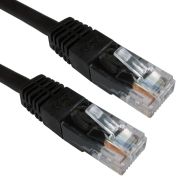 1m Black Cat6 U/UTP Copper Patch Lead
£1.35
2m Black Cat6 U/UTP Copper Patch Lead
£1.95
3m Black Cat6 U/UTP Copper Patch Lead
£2.45
1m Black Cat6 U/UTP Copper Patch Lead
£1.35
2m Black Cat6 U/UTP Copper Patch Lead
£1.95
3m Black Cat6 U/UTP Copper Patch Lead
£2.45
Reviews are shared across closely related product variants, so you can benefit from relevant experience across the range.
I was able to extend my RJ45 Ethernet cable, very good value
Is doing exactly the job it should and arrived right on time.
Be the first to review Cat6 Micro RJ45 Inline Coupler.
Your review will help other customers considering this exact product.
Helpful information gathered across closely related product variants.
Browse RJ45 Inline Couplers helpIt joins two RJ45-terminated cables end to end, giving you one continuous connection where neither cable is long enough on its own.
There is no switch, repeater or protocol conversion hidden inside it; the coupler simply carries the eight contacts from one socket straight through to the other.
No. Plug one terminated RJ45 lead into each side. There is nothing to punch down and nothing to wire.
The RJ45 plugs may connect, but these couplers are unshielded. Do not use one where you need the cable screen to remain electrically continuous through the join.
It does not contain electronics that deliberately set a lower network speed.
It does, however, add another mated connection to the channel, so contact quality and category performance still matter.
One sound, appropriately rated coupler in a healthy channel should not by itself cause a deliberate speed step-down; if the negotiated speed changes after adding it, I would investigate the join.
Not in the sense of a switch or router processing packets. It is passive, so there is no packet queue or electronic forwarding delay hiding in the box.
Its contribution is instead as another electrical connection in the copper channel, where the relevant concerns are signal margin and contact quality.
No. The coupler is part of the same copper channel; it does not regenerate the Ethernet signal and does not start a fresh 100 metre allowance.
Cable and connections on both sides still have to be considered as one complete channel.
It joins two RJ45-terminated cables end to end, giving you one continuous connection where neither cable is long enough on its own.
There is no switch, repeater or protocol conversion hidden inside it; the coupler simply carries the eight contacts from one socket straight through to the other.
No. Plug one terminated RJ45 lead into each side. There is nothing to punch down and nothing to wire.
Yes. Both connectors are RJ45 female and use the 8P8C contact format.
The coupler is intended to accept an ordinary male RJ45 plug at each end.
It means eight contact positions are present and all eight are populated. That is the modular connector format commonly referred to as RJ45 for Ethernet.
It means the pins are carried straight across the coupler: pin 1 to pin 1, pin 2 to pin 2 and so on through all eight positions. It does not deliberately cross or rearrange the pairs.
No. An inline coupler extends one connection; it does not turn one Ethernet port into two.
For several devices you need active networking equipment such as a switch rather than a passive coupler.
The RJ45 plugs may connect, but these couplers are unshielded. Do not use one where you need the cable screen to remain electrically continuous through the join.
Yes. There is no difficulty in using the Cat6 coupler with ordinary Cat5e RJ45 leads.
The higher-rated coupler does not somehow transform the rest of the cabling into Cat6, though; the complete channel is still governed by its constituent parts.
The usual RJ45 plugs can physically mate with it, but this particular coupler is specified as Cat6 and unshielded.
I would therefore not use its presence as evidence of a Cat6A channel, particularly where shield continuity or full Cat6A performance matters.
A chain is rather unhelpfully judged by its least capable link.
It does not contain electronics that deliberately set a lower network speed.
It does, however, add another mated connection to the channel, so contact quality and category performance still matter.
One sound, appropriately rated coupler in a healthy channel should not by itself cause a deliberate speed step-down; if the negotiated speed changes after adding it, I would investigate the join.
Not in the sense of a switch or router processing packets. It is passive, so there is no packet queue or electronic forwarding delay hiding in the box.
Its contribution is instead as another electrical connection in the copper channel, where the relevant concerns are signal margin and contact quality.
No. A Cat6 component does not upgrade the category or speed capability of everything connected to it. Network performance depends on the complete channel and the equipment at each end.
Do not assume PoE support merely from the connector fitting. These are passive couplers, but the current catalogue does not give this complete family a specific PoE compliance claim.
The Cat5e and Cat6 versions have 1.5A and 125 VAC component ratings, while the Cat3 model has no equivalent current or voltage ratings populated.
None of that is the same thing as a stated PoE Type 1, 2, 3 or 4 approval.
If the PoE requirement is critical, use a coupler specifically verified for it.
No. The coupler is part of the same copper channel; it does not regenerate the Ethernet signal and does not start a fresh 100 metre allowance.
Cable and connections on both sides still have to be considered as one complete channel.
There is no useful rule that says a whole procession of couplers automatically becomes acceptable.
Every join introduces another pair of mated contacts and consumes some of the channel margin. One necessary join is quite different from constructing an increasingly convoluted chain of short leads and couplers.
Use as few joins as practical, and redesign the run if several are needed.
I would not design it by arithmetic alone. The whole channel includes both cords and the connection between them, and long stranded patch leads can consume more of the signal-loss budget than an equivalent length of normal permanent cabling.
If the run is genuinely that long, treat it as a channel-design job.
Yes. Electrically it is another mated connection between the two ends of the channel. It should be included when considering the finished channel rather than treated as though it were invisible.
No. It joins the wires; it does not regenerate the signal. If you actually need another active Ethernet segment, use appropriate powered networking equipment rather than another passive join.
Space, principally. The Micro version performs the same basic female-to-female straight-through task in a much smaller body.
That is useful behind equipment, inside confined enclosures or wherever a conventional coupler becomes rather ungainly for the space available.
Choose the network category separately from the body size.
No. These five products are free-standing inline couplers, not keystone modules.
A keystone aperture expects a body with the appropriate retaining geometry; trying to persuade an ordinary free-standing coupler into the hole merely creates a rather unconvincing piece of sculpture.
Use a keystone-format coupler where panel mounting is required.
Both Micro versions measure 30mm deep by 17mm high by 15mm wide.
The normal Cat5e and Cat6 versions are 48.52mm deep by 24.6mm high by 25.6mm wide, so the difference is substantial rather than cosmetic.
Either way. There is no input side and output side. Push one RJ45 plug into each socket until the plug latches normally.
It is free-standing, but do not make the coupler carry the weight or tension of the cables.
Support the cable nearby, leave a little slack and keep strain off both RJ45 plugs.
That strongly suggests checking conductor continuity and contact quality. Gigabit Ethernet uses all four pairs, whereas a 100Mbps link can operate using only two pairs.
A damaged plug, poor contact, faulty cable or faulty coupler can therefore leave enough working conductors for 100Mbps while preventing Gigabit negotiation.
Start with the join rather than dismantling the rest of the network. Make sure both plugs are fully seated, then test each cable separately if possible and substitute a known-good coupler.
A new connection point gives you three immediate suspects: the first plug, the coupler contacts and the second plug.
No. If moving the joint makes the link come and go, something is making poor contact.
Check the plug latches, try each lead separately and replace the suspect coupler or cable rather than wedging it into a position where it happens to work.
It proves something useful, but not everything. A simple continuity tester can confirm that the eight conductors arrive at the other end in the expected order.
It does not certify insertion loss, return loss, crosstalk or category performance.
Passing continuity is therefore a good first test, not a complete performance certificate.
No meaningful backwards orientation exists. Both ports are female RJ45 and the wiring is straight through, so the coupler is electrically symmetrical for this purpose.
No special network function follows from the housing colour. In this range the colours happen to accompany particular models, but the matters worth paying attention to are category, form factor and shielding.
The electrons have shown remarkably little interest in whether their ABS surroundings are beige or black.
It joins two RJ45-terminated cables end to end, giving you one continuous connection where neither cable is long enough on its own.
There is no switch, repeater or protocol conversion hidden inside it; the coupler simply carries the eight contacts from one socket straight through to the other.
No. Plug one terminated RJ45 lead into each side. There is nothing to punch down and nothing to wire.
Yes. Both connectors are RJ45 female and use the 8P8C contact format.
The coupler is intended to accept an ordinary male RJ45 plug at each end.
It means eight contact positions are present and all eight are populated. That is the modular connector format commonly referred to as RJ45 for Ethernet.
It means the pins are carried straight across the coupler: pin 1 to pin 1, pin 2 to pin 2 and so on through all eight positions. It does not deliberately cross or rearrange the pairs.
No. An inline coupler extends one connection; it does not turn one Ethernet port into two.
For several devices you need active networking equipment such as a switch rather than a passive coupler.
The RJ45 plugs may connect, but these couplers are unshielded. Do not use one where you need the cable screen to remain electrically continuous through the join.
Yes. There is no difficulty in using the Cat6 coupler with ordinary Cat5e RJ45 leads.
The higher-rated coupler does not somehow transform the rest of the cabling into Cat6, though; the complete channel is still governed by its constituent parts.
The usual RJ45 plugs can physically mate with it, but this particular coupler is specified as Cat6 and unshielded.
I would therefore not use its presence as evidence of a Cat6A channel, particularly where shield continuity or full Cat6A performance matters.
A chain is rather unhelpfully judged by its least capable link.
It does not contain electronics that deliberately set a lower network speed.
It does, however, add another mated connection to the channel, so contact quality and category performance still matter.
One sound, appropriately rated coupler in a healthy channel should not by itself cause a deliberate speed step-down; if the negotiated speed changes after adding it, I would investigate the join.
Not in the sense of a switch or router processing packets. It is passive, so there is no packet queue or electronic forwarding delay hiding in the box.
Its contribution is instead as another electrical connection in the copper channel, where the relevant concerns are signal margin and contact quality.
No. A Cat6 component does not upgrade the category or speed capability of everything connected to it. Network performance depends on the complete channel and the equipment at each end.
Do not assume PoE support merely from the connector fitting. These are passive couplers, but the current catalogue does not give this complete family a specific PoE compliance claim.
The Cat5e and Cat6 versions have 1.5A and 125 VAC component ratings, while the Cat3 model has no equivalent current or voltage ratings populated.
None of that is the same thing as a stated PoE Type 1, 2, 3 or 4 approval.
If the PoE requirement is critical, use a coupler specifically verified for it.
No. The coupler is part of the same copper channel; it does not regenerate the Ethernet signal and does not start a fresh 100 metre allowance.
Cable and connections on both sides still have to be considered as one complete channel.
There is no useful rule that says a whole procession of couplers automatically becomes acceptable.
Every join introduces another pair of mated contacts and consumes some of the channel margin. One necessary join is quite different from constructing an increasingly convoluted chain of short leads and couplers.
Use as few joins as practical, and redesign the run if several are needed.
I would not design it by arithmetic alone. The whole channel includes both cords and the connection between them, and long stranded patch leads can consume more of the signal-loss budget than an equivalent length of normal permanent cabling.
If the run is genuinely that long, treat it as a channel-design job.
Yes. Electrically it is another mated connection between the two ends of the channel. It should be included when considering the finished channel rather than treated as though it were invisible.
No. It joins the wires; it does not regenerate the signal. If you actually need another active Ethernet segment, use appropriate powered networking equipment rather than another passive join.
Space, principally. The Micro version performs the same basic female-to-female straight-through task in a much smaller body.
That is useful behind equipment, inside confined enclosures or wherever a conventional coupler becomes rather ungainly for the space available.
Choose the network category separately from the body size.
No. These five products are free-standing inline couplers, not keystone modules.
A keystone aperture expects a body with the appropriate retaining geometry; trying to persuade an ordinary free-standing coupler into the hole merely creates a rather unconvincing piece of sculpture.
Use a keystone-format coupler where panel mounting is required.
Both Micro versions measure 30mm deep by 17mm high by 15mm wide.
The normal Cat5e and Cat6 versions are 48.52mm deep by 24.6mm high by 25.6mm wide, so the difference is substantial rather than cosmetic.
Either way. There is no input side and output side. Push one RJ45 plug into each socket until the plug latches normally.
It is free-standing, but do not make the coupler carry the weight or tension of the cables.
Support the cable nearby, leave a little slack and keep strain off both RJ45 plugs.
That strongly suggests checking conductor continuity and contact quality. Gigabit Ethernet uses all four pairs, whereas a 100Mbps link can operate using only two pairs.
A damaged plug, poor contact, faulty cable or faulty coupler can therefore leave enough working conductors for 100Mbps while preventing Gigabit negotiation.
Start with the join rather than dismantling the rest of the network. Make sure both plugs are fully seated, then test each cable separately if possible and substitute a known-good coupler.
A new connection point gives you three immediate suspects: the first plug, the coupler contacts and the second plug.
No. If moving the joint makes the link come and go, something is making poor contact.
Check the plug latches, try each lead separately and replace the suspect coupler or cable rather than wedging it into a position where it happens to work.
It proves something useful, but not everything. A simple continuity tester can confirm that the eight conductors arrive at the other end in the expected order.
It does not certify insertion loss, return loss, crosstalk or category performance.
Passing continuity is therefore a good first test, not a complete performance certificate.
No meaningful backwards orientation exists. Both ports are female RJ45 and the wiring is straight through, so the coupler is electrically symmetrical for this purpose.
No special network function follows from the housing colour. In this range the colours happen to accompany particular models, but the matters worth paying attention to are category, form factor and shielding.
The electrons have shown remarkably little interest in whether their ABS surroundings are beige or black.