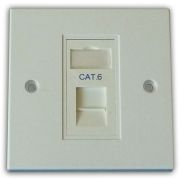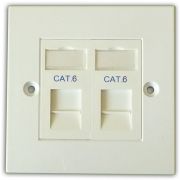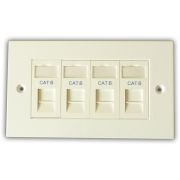
21.5 mm maximum depth
Low-profile construction keeps the rear module envelope compact where working space behind the faceplate is limited.
Available options
Choose Cat5e or Cat6 to view the corresponding 25 × 50 mm data module.
At a glance
This 25 × 50 mm RJ45 data module fits compatible modular faceplates and provides rear IDC termination behind a front-facing network outlet.
Low-profile construction keeps the rear module envelope compact where working space behind the faceplate is limited.
Eight IDC positions provide direct rear termination for the conductors in the installation cable.
The shutter keeps the RJ45 opening covered when the outlet is not in use.
In the box
Termination accessories supplied with this RJ45 data module.
Dimensional data
Proportional dimensional drawing generated from the stored component measurements.
RJ45 opening position is measured. Label-window size and top offset are measured; horizontal centring is schematic. Side profile uses measured front-face, bare-depth, rear-body and cover dimensions; vertical placement of rear elements is schematic.
Schematic dimensional outline generated from product data. Undimensioned component geometry is illustrative and the drawing is not intended for fabrication.
Technical data
Complete the installation
Compatible products and installation guidance for this data module.
Permanent link
Terminate matching-category solid installation cable directly onto this RJ45 data module.
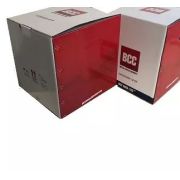 Cat6 U/UTP LSZH Installation Cable – Violet – 305m
£119.99
Cat6 U/UTP LSZH Installation Cable – Violet – 305m
£119.99
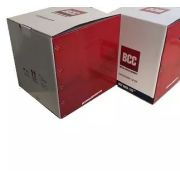 Cat6 U/UTP LSZH Cca Installation Cable – Green – 305m
£149.99
Cat6 U/UTP LSZH Cca Installation Cable – Green – 305m
£149.99
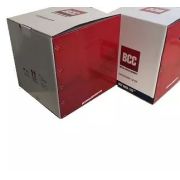 Cat6 U/UTP PE External Installation Cable – Black – 305m
£132.99
Cat6 U/UTP PE External Installation Cable – Black – 305m
£132.99
Complete outlet
These complete outlet kits contain this exact data module together with the matching faceplate components.
View complete outlet kitsCabinet end
Complete the cabinet end of the permanent link with a matching-category patch panel.
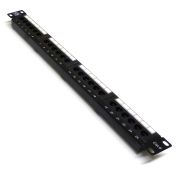 19" 1U 24 Port Cat6 Patch Panel
£30.47
19" 1U 24 Port Cat6 Patch Panel
£30.47
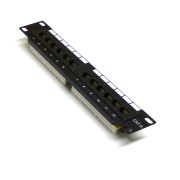 10" 1U 12 Port Cat6 Patch Panel
£24.71
10" 1U 12 Port Cat6 Patch Panel
£24.71
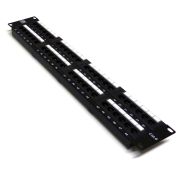 19" 2U 48 Port Cat6 Patch Panel
£41.99
19" 2U 48 Port Cat6 Patch Panel
£41.99
Termination
Use the matching impact tool for reliable IDC termination of this data module.
Reviews are shared across closely related product variants, so you can benefit from relevant experience across the range.
Be the first to write a review of this product.
Helpful information gathered across closely related product variants.
Browse RJ45 Data Modules helpYes. Use a Krone-compatible punchdown tool. That is what the IDC contacts are made for.
Trying to push the wires in with a screwdriver or another improvised tool is just making the job harder.
It is a deliberate cable-tie anchoring point.
It is not packaging, a moulding sprue or an errant piece of plastic waiting to be snapped off. The module has two possible cable-restraint points, and this projecting strip is the one used when that route gives the incoming cable the more natural approach to the IDC.
No. Leave it there. It is one of the two intended cable-tie points, not waste plastic from manufacture.
They let the incoming cable approach the termination in two different ways. There is a moulded loop at the rear and a projecting strip at the top, so the cable can be restrained according to whether the installation calls for it to leave broadly parallel with the module face or turn through roughly 90 degrees.
It is a small piece of flexibility which becomes rather valuable in a cramped backbox, where forcing every cable to adopt the same route would be an unnecessary contrivance.
Snug enough to stop the cable jacket moving around, not so tight that you crush or visibly deform the cable. It is restraint, not a hose clamp.
Either T568A or T568B is suitable. These modules are marked for both.
What matters is that each individual cable run uses the same scheme at both ends; otherwise a perfectly tidy-looking outlet can hide a surprisingly awkward wiring fault.
Yes. Use a Krone-compatible punchdown tool. That is what the IDC contacts are made for.
Trying to push the wires in with a screwdriver or another improvised tool is just making the job harder.
It is a deliberate cable-tie anchoring point.
It is not packaging, a moulding sprue or an errant piece of plastic waiting to be snapped off. The module has two possible cable-restraint points, and this projecting strip is the one used when that route gives the incoming cable the more natural approach to the IDC.
No. Leave it there. It is one of the two intended cable-tie points, not waste plastic from manufacture.
They let the incoming cable approach the termination in two different ways. There is a moulded loop at the rear and a projecting strip at the top, so the cable can be restrained according to whether the installation calls for it to leave broadly parallel with the module face or turn through roughly 90 degrees.
It is a small piece of flexibility which becomes rather valuable in a cramped backbox, where forcing every cable to adopt the same route would be an unnecessary contrivance.
Snug enough to stop the cable jacket moving around, not so tight that you crush or visibly deform the cable. It is restraint, not a hose clamp.
Either T568A or T568B is suitable. These modules are marked for both.
What matters is that each individual cable run uses the same scheme at both ends; otherwise a perfectly tidy-looking outlet can hide a surprisingly awkward wiring fault.
It clips over the terminated IDC area after the conductors have been seated and trimmed. It helps protect and contain the finished termination.
The cable tie provides the cable restraint; the cover should not be treated as a substitute for that.
It may still make an electrical connection, but I would not leave it that way.
The cable tie is supplied so normal movement or pulling on the installed cable is taken by the jacket restraint rather than by the individual IDC terminations.
Fit it after the conductors have been punched down and the surplus tails trimmed. Make sure the cable leaves through the intended opening and no conductor is trapped before snapping the cover into place.
Use a Krone-compatible impact tool. Put the conductor in the correct colour position, punch it down and let the tool seat and trim it. Keep it simple.
No. The termination tool is separate. Use a Krone-compatible punchdown tool rather than trying to seat the conductors with a screwdriver or another improvised tool.
The installation cable terminates directly onto the IDC contacts at the rear of the RJ45 module. You lay the individual conductors into the colour-coded positions and punch them down; there is no RJ45 plug on that end.
The first attempt can look like a small nest of coloured conductors, but the markings make much more sense once the pairs are actually in front of you.
Yes. The rear IDC labelling shows both T568A and T568B colour codes.
For a normal straight-through Ethernet run, yes. If this end is terminated as T568B, use T568B at the far end as well; likewise for T568A.
Different runs can use different schemes, although a building full of mixed A and B terminations can become a small labyrinth to document for no real benefit.
Yes. The IDC contacts accept 22–26AWG conductors, and solid installation cable is supported.
Yes. Stranded conductors are also supported, provided they are within the specified 22–26AWG range.
The supported conductor range is 22–26AWG, solid or stranded.
The original installation instructions suggest stripping approximately 30mm of outer jacket to give enough working length to dress the four pairs into the IDC. That is a preparation length, not a target for leaving 30mm of loose conductors behind the finished module.
Bring the cable jacket as close to the termination area as the routing allows, keep the pair twists intact until close to their IDC positions, and let the punchdown tool trim the surplus conductor.
Yes. Keep the pair twists intact as close to the IDC termination as practical. Excessive untwist can reduce the performance margin of the finished link.
Yes. The IDC contacts are rated for 199 retermination cycles, so correcting a termination is well within the module specification.
Yes. One cable tie is supplied and there are two restraint points on the module: a moulded loop at the rear and the projecting plastic strip at the top.
Choose the one that suits the cable route, then tie around the outer cable jacket so normal movement is not transferred directly to the individual IDC terminations.
Yes. Follow the colour code, use the correct punchdown tool and test the run afterwards. Take your time with the first one; the rest are the same job repeated.
Yes. The two restraint points are there partly for that reason. One arrangement suits a cable continuing roughly parallel with the module face, while the other allows a route at about 90 degrees.
Choose the one that lets the cable sit naturally in the available backbox space rather than coercing it into an unnecessarily sharp turn.
No. The 7.41mm figure is the measured diameter of the cable cut-out in the rear cover; it is not a published maximum cable-OD specification.
The verified conductor range is 22–26AWG, solid or stranded. The complete cable and cover still need to fit together without being forced.
The copper conductors may be physically terminable if they are within the supported 22–26AWG range, but the module itself is unshielded and provides no termination or bonding point for the cable screen.
So it should not be used where you intend to maintain a properly shielded channel from end to end. In that case, use connecting hardware designed to continue the screen rather than leaving the shielding to expire quietly behind the faceplate.
No. Both the Cat5e and Cat6 versions are unshielded modules.
We do not currently publish a verified product-specific PoE or remote-powering rating for these modules.
The Cat5e or Cat6 marking by itself is not enough for us to invent one.
If a particular PoE class, especially higher-power 802.3bt operation, is a firm design requirement, use connecting hardware with an explicit remote-powering rating for that application.
Yes. Gigabit Ethernet is comfortably within a correctly installed Cat6 channel.
If a link is only negotiating at 100Mbps, the Cat6 marking on the outlet is unlikely to be the interesting part; the cable, terminations and connected equipment are where the trail usually leads.
No. PoE does not inherently require a shielded Ethernet outlet; power is delivered over the copper pairs used by the structured cabling. Shielding and remote powering are separate design questions.
Whether this particular module carries a published PoE rating is another matter, and we do not currently have one to claim.
The supplier documentation states TIA/EIA-568-B and ISO 11801.
We preserve that published claim rather than silently promoting the module to a later TIA revision or adding a PoE-specific compliance claim that has not been verified.
Yes, provided the conductors are within the module’s 22–26AWG range. The run should still be treated as Cat5e because the cable is now the lower-category component.
Physical compatibility and category performance are two slightly different creatures.
The lowest-category component sets the claimed category of the completed link.
Cat6 cable, a Cat5e module and Cat6 patch leads do not average themselves into something in between; the Cat5e component remains the limiting part.
No. Changing the socket does not change the cable in the wall. If the installed run is Cat5e, fitting a Cat6 module still leaves you with a Cat5e-limited link.
No, not if the aim is to turn the whole installed link into Cat6. The permanent cable, outlet module, patch-panel termination and patch leads all contribute.
Replacing only the visible faceplates can leave you with very impressive Cat6 labels at either end of exactly the same old Cat5e cable.
Yes. Standard RJ45-compatible Cat7 or Cat8 patch leads will physically mate with these 8P8C RJ45 sockets.
The outlet itself remains Cat5e or Cat6 according to the fitted module.
Yes. Older 10/100Mbps Ethernet equipment is backward compatible with these outlets.
The connected devices negotiate a speed they both support, so an older printer or television does not require a different wall module simply because it runs at 100Mbps.
Yes. The RJ45 insert can be unclipped and fitted into another compatible 25 × 50mm Euro-module plate.
The format is designed for this kind of mixing and matching, although with an unusual third-party plate it is still sensible to check the fit before planning an entire wall of them.
Push the RJ45 plug against the shutter and lift upwards. The shutter moves out of the way and the plug can then be inserted normally.
No meaningful physical difference is apparent between the two versions: the format, body, shutter, IDC layout, cover and cable-management arrangement are the same.
Their distinction is the network category and corresponding performance specification. That is why the category marking matters; attempting to identify one by silhouette would be a fairly futile exercise.
Yes. These are the same 25 × 50mm RJ45 modules used in the outlet kits. Match the required Cat5e or Cat6 version, unclip the old module and terminate the replacement normally.
Yes. The RJ45 inserts use the standard 25 × 50mm Euro-module format.
It keeps the socket aperture closed while the outlet is unused, reducing the direct path for dust and debris into the connector.
It is a useful little door, not an environmental seal; the module should not be mistaken for a waterproof or dustproof connector because the shutter happens to close behind it.
Use the user-defined marking area behind the hinged transparent label holder. Open the holder, fit your identifier and close it again so the marking remains visible and protected.
The measured label window is approximately 21mm wide by 10mm high.
The published specification gives phosphor-bronze RJ45 contacts with 50 microinches of gold plating over nickel.
Gold is used at the mating surface because it gives a stable, corrosion-resistant electrical contact over repeated plug insertions.
The plating is one small part of making a connector dependable; it should not be treated as a talisman which determines the network category by itself.
The published mechanical durability is 750 RJ45 insertion and withdrawal cycles.
Yes. Each RJ45 module clips into the faceplate independently.
With the DCD modules, remove the faceplate from the wall first, then unclip the required module by hand from the rear of the assembly. Some other Euro modules may provide front-release mechanisms, but the DCD RJ45 modules are intended to be released from behind.
Yes. Remove the faceplate from the wall, unclip the damaged module from the rear and replace that module only. The neighbouring modules and the faceplate do not need to be replaced simply because one socket has failed.
Yes, provided the other insert uses the compatible Euro-module format.
An RJ45 module can sit beside blanks or other suitable Euro modules, which is one of the useful peculiarities of the system: the faceplate can be assembled for the room rather than every aperture having to do the same job.
The module is approximately 25mm wide by 50mm high by 21.5mm deep overall. The bare module body is approximately 20mm deep.
It means the termination body projects only a little over 20mm behind the face, which is useful where backbox depth is limited.
It does not abolish the need for space behind the module altogether: the cover, incoming cable and the cable's bend still have to live somewhere.
Low profile is assistance, not a licence to compress the installation into an impossibly shallow box.
Give the cable enough depth to curve naturally into the module. Do not force it through a sharp bend just to make a shallow box fit. If it is tight, use a deeper box.
Yes. Use a Krone-compatible punchdown tool. That is what the IDC contacts are made for.
Trying to push the wires in with a screwdriver or another improvised tool is just making the job harder.
It is a deliberate cable-tie anchoring point.
It is not packaging, a moulding sprue or an errant piece of plastic waiting to be snapped off. The module has two possible cable-restraint points, and this projecting strip is the one used when that route gives the incoming cable the more natural approach to the IDC.
No. Leave it there. It is one of the two intended cable-tie points, not waste plastic from manufacture.
They let the incoming cable approach the termination in two different ways. There is a moulded loop at the rear and a projecting strip at the top, so the cable can be restrained according to whether the installation calls for it to leave broadly parallel with the module face or turn through roughly 90 degrees.
It is a small piece of flexibility which becomes rather valuable in a cramped backbox, where forcing every cable to adopt the same route would be an unnecessary contrivance.
Snug enough to stop the cable jacket moving around, not so tight that you crush or visibly deform the cable. It is restraint, not a hose clamp.
Either T568A or T568B is suitable. These modules are marked for both.
What matters is that each individual cable run uses the same scheme at both ends; otherwise a perfectly tidy-looking outlet can hide a surprisingly awkward wiring fault.
It clips over the terminated IDC area after the conductors have been seated and trimmed. It helps protect and contain the finished termination.
The cable tie provides the cable restraint; the cover should not be treated as a substitute for that.
It may still make an electrical connection, but I would not leave it that way.
The cable tie is supplied so normal movement or pulling on the installed cable is taken by the jacket restraint rather than by the individual IDC terminations.
Fit it after the conductors have been punched down and the surplus tails trimmed. Make sure the cable leaves through the intended opening and no conductor is trapped before snapping the cover into place.
Use a Krone-compatible impact tool. Put the conductor in the correct colour position, punch it down and let the tool seat and trim it. Keep it simple.
No. The termination tool is separate. Use a Krone-compatible punchdown tool rather than trying to seat the conductors with a screwdriver or another improvised tool.
The installation cable terminates directly onto the IDC contacts at the rear of the RJ45 module. You lay the individual conductors into the colour-coded positions and punch them down; there is no RJ45 plug on that end.
The first attempt can look like a small nest of coloured conductors, but the markings make much more sense once the pairs are actually in front of you.
Yes. The rear IDC labelling shows both T568A and T568B colour codes.
For a normal straight-through Ethernet run, yes. If this end is terminated as T568B, use T568B at the far end as well; likewise for T568A.
Different runs can use different schemes, although a building full of mixed A and B terminations can become a small labyrinth to document for no real benefit.
Yes. The IDC contacts accept 22–26AWG conductors, and solid installation cable is supported.
Yes. Stranded conductors are also supported, provided they are within the specified 22–26AWG range.
The supported conductor range is 22–26AWG, solid or stranded.
The original installation instructions suggest stripping approximately 30mm of outer jacket to give enough working length to dress the four pairs into the IDC. That is a preparation length, not a target for leaving 30mm of loose conductors behind the finished module.
Bring the cable jacket as close to the termination area as the routing allows, keep the pair twists intact until close to their IDC positions, and let the punchdown tool trim the surplus conductor.
Yes. Keep the pair twists intact as close to the IDC termination as practical. Excessive untwist can reduce the performance margin of the finished link.
Yes. The IDC contacts are rated for 199 retermination cycles, so correcting a termination is well within the module specification.
Yes. One cable tie is supplied and there are two restraint points on the module: a moulded loop at the rear and the projecting plastic strip at the top.
Choose the one that suits the cable route, then tie around the outer cable jacket so normal movement is not transferred directly to the individual IDC terminations.
Yes. Follow the colour code, use the correct punchdown tool and test the run afterwards. Take your time with the first one; the rest are the same job repeated.
Yes. The two restraint points are there partly for that reason. One arrangement suits a cable continuing roughly parallel with the module face, while the other allows a route at about 90 degrees.
Choose the one that lets the cable sit naturally in the available backbox space rather than coercing it into an unnecessarily sharp turn.
No. The 7.41mm figure is the measured diameter of the cable cut-out in the rear cover; it is not a published maximum cable-OD specification.
The verified conductor range is 22–26AWG, solid or stranded. The complete cable and cover still need to fit together without being forced.
The copper conductors may be physically terminable if they are within the supported 22–26AWG range, but the module itself is unshielded and provides no termination or bonding point for the cable screen.
So it should not be used where you intend to maintain a properly shielded channel from end to end. In that case, use connecting hardware designed to continue the screen rather than leaving the shielding to expire quietly behind the faceplate.
No. Both the Cat5e and Cat6 versions are unshielded modules.
We do not currently publish a verified product-specific PoE or remote-powering rating for these modules.
The Cat5e or Cat6 marking by itself is not enough for us to invent one.
If a particular PoE class, especially higher-power 802.3bt operation, is a firm design requirement, use connecting hardware with an explicit remote-powering rating for that application.
Yes. Gigabit Ethernet is comfortably within a correctly installed Cat6 channel.
If a link is only negotiating at 100Mbps, the Cat6 marking on the outlet is unlikely to be the interesting part; the cable, terminations and connected equipment are where the trail usually leads.
No. PoE does not inherently require a shielded Ethernet outlet; power is delivered over the copper pairs used by the structured cabling. Shielding and remote powering are separate design questions.
Whether this particular module carries a published PoE rating is another matter, and we do not currently have one to claim.
The supplier documentation states TIA/EIA-568-B and ISO 11801.
We preserve that published claim rather than silently promoting the module to a later TIA revision or adding a PoE-specific compliance claim that has not been verified.
Yes, provided the conductors are within the module’s 22–26AWG range. The run should still be treated as Cat5e because the cable is now the lower-category component.
Physical compatibility and category performance are two slightly different creatures.
The lowest-category component sets the claimed category of the completed link.
Cat6 cable, a Cat5e module and Cat6 patch leads do not average themselves into something in between; the Cat5e component remains the limiting part.
No. Changing the socket does not change the cable in the wall. If the installed run is Cat5e, fitting a Cat6 module still leaves you with a Cat5e-limited link.
No, not if the aim is to turn the whole installed link into Cat6. The permanent cable, outlet module, patch-panel termination and patch leads all contribute.
Replacing only the visible faceplates can leave you with very impressive Cat6 labels at either end of exactly the same old Cat5e cable.
Yes. Standard RJ45-compatible Cat7 or Cat8 patch leads will physically mate with these 8P8C RJ45 sockets.
The outlet itself remains Cat5e or Cat6 according to the fitted module.
Yes. Older 10/100Mbps Ethernet equipment is backward compatible with these outlets.
The connected devices negotiate a speed they both support, so an older printer or television does not require a different wall module simply because it runs at 100Mbps.
Yes. The RJ45 insert can be unclipped and fitted into another compatible 25 × 50mm Euro-module plate.
The format is designed for this kind of mixing and matching, although with an unusual third-party plate it is still sensible to check the fit before planning an entire wall of them.
Push the RJ45 plug against the shutter and lift upwards. The shutter moves out of the way and the plug can then be inserted normally.
No meaningful physical difference is apparent between the two versions: the format, body, shutter, IDC layout, cover and cable-management arrangement are the same.
Their distinction is the network category and corresponding performance specification. That is why the category marking matters; attempting to identify one by silhouette would be a fairly futile exercise.
Yes. These are the same 25 × 50mm RJ45 modules used in the outlet kits. Match the required Cat5e or Cat6 version, unclip the old module and terminate the replacement normally.
Yes. The RJ45 inserts use the standard 25 × 50mm Euro-module format.
It keeps the socket aperture closed while the outlet is unused, reducing the direct path for dust and debris into the connector.
It is a useful little door, not an environmental seal; the module should not be mistaken for a waterproof or dustproof connector because the shutter happens to close behind it.
Use the user-defined marking area behind the hinged transparent label holder. Open the holder, fit your identifier and close it again so the marking remains visible and protected.
The measured label window is approximately 21mm wide by 10mm high.
The published specification gives phosphor-bronze RJ45 contacts with 50 microinches of gold plating over nickel.
Gold is used at the mating surface because it gives a stable, corrosion-resistant electrical contact over repeated plug insertions.
The plating is one small part of making a connector dependable; it should not be treated as a talisman which determines the network category by itself.
The published mechanical durability is 750 RJ45 insertion and withdrawal cycles.
Yes. Each RJ45 module clips into the faceplate independently.
With the DCD modules, remove the faceplate from the wall first, then unclip the required module by hand from the rear of the assembly. Some other Euro modules may provide front-release mechanisms, but the DCD RJ45 modules are intended to be released from behind.
Yes. Remove the faceplate from the wall, unclip the damaged module from the rear and replace that module only. The neighbouring modules and the faceplate do not need to be replaced simply because one socket has failed.
Yes, provided the other insert uses the compatible Euro-module format.
An RJ45 module can sit beside blanks or other suitable Euro modules, which is one of the useful peculiarities of the system: the faceplate can be assembled for the room rather than every aperture having to do the same job.
The module is approximately 25mm wide by 50mm high by 21.5mm deep overall. The bare module body is approximately 20mm deep.
It means the termination body projects only a little over 20mm behind the face, which is useful where backbox depth is limited.
It does not abolish the need for space behind the module altogether: the cover, incoming cable and the cable's bend still have to live somewhere.
Low profile is assistance, not a licence to compress the installation into an impossibly shallow box.
Give the cable enough depth to curve naturally into the module. Do not force it through a sharp bend just to make a shallow box fit. If it is tight, use a deeper box.