A rack-mounted termination point for permanent Cat5e cabling, bringing 24 cable runs from rear IDC terminations to front-facing RJ45 ports for orderly patching to network equipment.
Choose an option to view the corresponding patch panel.
£29.36
ex VAT:
£24.47
ex VAT:
Only 3 available
Limited stock — order now for dispatch next working day.
Price
At a glance
Key features
19" / 1U
Rack format
Fits standard network racks and cabinets.
24 ports
Ports
4 banks × 6
Cat5e
Performance
Up to 100 MHz
Krone-type IDC
Termination
22–24 AWG
16 cable-tie hooks
Cable management
1 rear management bar compatible
Fixings supplied
Included
4 cage nuts, screws & washers + 4 cable ties
Overview
Bring 24 permanent network runs neatly onto the front of the rack.
Use this panel as the fixed hand-off point between permanent Cat5e installation cabling and patch leads in the rack, keeping fixed cable runs undisturbed while connections to network equipment are managed from the front.
Permanent cabling, accessible patching
Rear Krone-type IDC termination brings each fixed cable run to a front-facing RJ45 port, keeping permanent cabling separate from day-to-day patching.
24 ports in 1U
Presents a full 24 patching points while using only one rack unit in a 19" cabinet.
Rear cable organisation
16 cable-tie hooks help restrain terminated cable, with provision for 1 compatible rear management bar.
In the box
What’s included
Rack-mounting hardware and installation accessories supplied with this panel.
✓
4 × Cage nuts
✓
4 × Rack screws
✓
4 × Washers
✓
4 × Cable ties
Dimensional data
Patch panel technical drawing
Proportional front-port layout generated from measured panel geometry.
Front elevation
Side elevation
Overall
483 × 44 × 31 mm
Body width
Approx. 438 mm
Mounting centres
465 mm
Mounting slots
11 × 7 mm
Port layout
1 × 24
RJ45 aperture
15 × 16 mm
Port array span
404 mm
Label strip
92 × 9 mm
IDC bank
109 × 43 mm
Metal return
11 mm
Schematic dimensional outline generated from measured product data. Undimensioned component geometry is illustrative and the drawing is not intended for fabrication.
Technical data
Specifications
Configuration
Product type
Populated patch panel
Rack standard
19"
Rack height
1U
Network category
Cat5e
Port count
24 ports
Port arrangement
1 row × 24 ports
Port grouping
4 banks × 6 ports
Shielding
Unshielded
Connections & termination
Front connection
RJ45
Rear termination
IDC
Conductor gauge
22–24 AWG
IDC retermination life
≥20 cycles
Recommended tool
Krone Type Impact Tool
Front layout & labelling
Port banks
4 × 6-port banks
Port carrier size
109 × 32 mm
Label strip size
92 × 9 mm
Label positions per strip
6
Label type
Removable paper inserts behind clear window
Mechanical
Overall dimensions
483 × 44 × 31 mm
Main body width
Approx. 438 mm
Mounting centres
465 mm
Mounting slots
11 × 7 mm
Weight & packaging
Net product weight
529 g
Packaged weight
662 g
Carton dimensions
515 × 60 × 92 mm
Supplied items
Cage nuts
4
Rack screws
4
Washers
4
Cable ties
4
Performance
Rated frequency
Up to 100 MHz
Performance verification
Fluke DSX-8000 tested — Pass
Test platform
Fluke Networks Versiv / DSX-8000
Test configurations
TIA Channel / Permanent Link; ISO/IEC 11801 Permanent Link
Channel compliance
Cat5e channel compliant
Tested to
ANSI/TIA-568 and ISO/IEC 11801
Standards & compliance
ISO/IEC 11801
Compliant
EN 50173
Compliant
ANSI/TIA-568
Compliant
IEC 60603-7 series
Compliant
RoHS
Supplier listed
REACH
Supplier listed
Construction & contacts
Metal material
SPCC steel
Plastic material
ABS
Metal thickness
1.5 mm
Finish
Powder coated
Colour
Black
RJ45 / IDC housing
PBT
Flammability rating
94-V1
RJ45 contact material
Phosphor bronze
RJ45 contact plating
Nickel
Gold plating thickness
3 μin
Rear IDC & cable management
Rear IDC banks
4 × 6-port banks
IDC bank size
109 × 43 mm
IDC strip length
94 mm
Clear gap between IDC strips
8 mm
Wiring-code label area
70 × 18 mm
Integrated cable-tie hooks
16 hooks at 8 positions
Compatible rear management bars
1
Rear management bar supplied
No
Electrical & durability
Contact resistance
≤ 20 mΩ
Insulation resistance
≥100 MΩ
Dielectric withstand
1000 VDC contact-to-contact for 60 s
Current rating
1.5 A
Plug retention force
50 N
Plug mating life
750 cycles
Environmental
Operating temperature
-10°C to +60°C
Storage temperature
-20°C to +70°C
Complete the installation
Works with this product
Useful products and installation guidance for this patch panel.
Patching
Cat6 Patch Leads
Cat6 patch leads are suitable for this Cat5e patch panel and can also be reused in Cat6 installations.
Reviews are shared across closely related product variants, so you can benefit from relevant experience across the range.
How ratings are collected
Some customers leave a star rating without a written review, so the number of ratings may be higher than the number of written reviews. Where available, written reviews display the original review date and the product variant reviewed. For privacy, some earlier reviewer display names have been shortened or replaced.
★★★★★
5.0
3 ratings
1 written review
Showing
of
written reviews
No written reviews for this item
matching reviews
★★★★★
Five Stars
Excellent price. Unusual to find a 16 port panel - exactly what I needed!
No written reviews for this item yet
Be the first to review 19" 1U 24 Port Cat5e Patch Panel.
Your review will help other customers considering this exact product.
No matching reviews
Try a different word or phrase.
Range knowledge
Questions & answers
Helpful information gathered across closely related product variants.
Do I need a punchdown tool to wire this patch panel?
Installation & termination
Yes. Use a proper punchdown tool.
The rear of the panel is IDC, and trying to seat all those conductors with whatever happens to be in the toolbox is asking for a bad termination.
How close to the IDC terminals should I keep the cable pairs twisted?
Installation & termination
Keep the pair twists intact as close to the IDC termination as practical. For Cat5e and higher, industry guidance limits untwist to 13mm (0.5 in) at the termination, with less preferred where possible.
Is a basic network cable tester enough, or is certification testing something different?
Installation & termination
They answer different questions.
A basic tester is very useful for finding opens, shorts, crossed conductors and other wiring faults; a cable certifier goes much further and measures whether the installed link actually meets the performance limits for its category.
If somebody wants evidence that the cabling is genuinely Cat5e or Cat6 rather than merely wired in the right order, certification is the relevant test.
Everything is wired, but the link only negotiates at 100Mbps. What should I check first?
Installation & termination
Check the terminations and patch leads first. Gigabit needs all four pairs; a badly seated or open conductor can leave you with a link that still works but drops back to 100Mbps.
Do not start replacing switches before checking the simple stuff.
Does the panel come with the punchdown tool?
Installation & termination
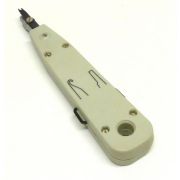
No. The punchdown tool is not included.
The panel comes with its mounting hardware and cable ties, but the termination tool is a separate item.
Which type of punchdown tool should I use on the rear IDC terminals?
Installation & termination
Use a Krone-type impact tool.
That is what these IDC blocks are intended for. There is no reason to make the job harder with the wrong tool.
What cable gauge will the IDC contacts accept?
Installation & termination
The IDC contacts are specified for 22–24AWG conductors.
Can I punch down both solid and stranded cable?
Installation & termination
Yes. We specify the IDC contacts for both solid and stranded conductors within the 22–24AWG range.
Are the IDC labels marked for both T568A and T568B?
Installation & termination
Yes. The populated IDC panels in this range are labelled for both T568A and T568B wiring schemes.
Does the wiring scheme at the patch panel need to match the wall socket at the other end?
Installation & termination
For a normal straight-through run, yes. If the panel end is T568B, terminate the wall outlet as T568B too; likewise for T568A.
Different runs can use different schemes, although a rack full of mixed A and B terminations can become a needless little labyrinth when somebody has to document it years later.
How much of the outer cable jacket should I strip back before terminating?
Installation & termination
Only remove enough outer jacket to dress the pairs neatly into the IDC field. Stripping a long section just gives you more loose wire to handle.
Keep the sheath and the twists close to the terminations.
If I punch a conductor into the wrong position, can I terminate it again?
Installation & termination
Yes. Remove the conductor and punch it down again in the correct position.
One mistake is not a problem. Just do not keep disturbing a termination that is already good.
How many times are the IDC terminals rated to be reterminated?
Installation & termination
The IDC terminals are rated for a minimum of 20 retermination cycles.
Should I test each cable run after punching the panel down?
Installation & termination
Yes. Test each run as you finish it.
Finding a bad pair now is easy; finding it later after the rack is fully patched is just wasted time.
Why use a patch panel instead of putting plugs straight onto the permanent cables and connecting them to a switch?
Cabling & connections
You can put plugs on permanent cables and take them straight into a switch, particularly in a very small installation.
A patch panel starts earning its place as the network grows: the building cables stay fixed and all the inevitable moving, changing and repatching happens with short leads at the front.
Without that separation, it is surprisingly easy to end up wrestling a thicket of permanent cables whenever equipment changes.
Does every wall outlet I want to use need a patch lead from the panel to a switch or router?
Cabling & connections
Yes. If you want a wall outlet active, patch its panel port into a suitable switch or router LAN port. A terminated port that is not patched goes nowhere.
What connects to the back of the patch panel, and what plugs into the front?
Cabling & connections
The permanent installation cables are punched down onto the IDC blocks at the rear. The front RJ45 sockets are then patched to switches, routers or other equipment using ordinary patch leads.
It gives the rack a useful division of labour: fixed cabling behind the panel, flexible connections in front.
Is this an active network device, or does the patch panel work without power?
Cabling & connections
It is entirely passive. There is no power supply, switching electronics or configuration hidden inside it; each port simply provides a connection between the front RJ45 socket and its rear IDC termination.
Despite the regimented row of sockets, there is very little inside the panel waiting to surprise you.
Does each patch-panel port represent its own cable run?
Cabling & connections
Yes. Each front port corresponds to its own rear IDC termination and normally to one permanent cable run.
The row of sockets may look like one piece of equipment, but electrically it is really a collection of independent paths sitting neatly beside one another.
If I use patch-panel port 1, does it have to connect to switch port 1?
Cabling & connections
No. Patch-panel port 1 does not have to connect to switch port 1. The panel number identifies the permanent cable run; the switch port can be whichever suitable port you choose.
Trying to keep both number sequences permanently married together can become an unnecessary labyrinth as switches are moved or replaced.
Can different ports on the same patch panel be connected to different switches?
Cabling & connections
Yes. The ports are independent, so one panel can feed different switches or router ports quite happily.
A patch panel does not belong to one switch; it is simply the organised end of the permanent cabling.
Can I terminate a port at the panel now and leave it unpatched until I need it?
Cabling & connections
Yes. Leave it terminated, label it and do not patch it until you need it.
Connecting every spare run just because it exists only fills the rack with leads you are not using.
Are normal short Ethernet patch leads suitable between the panel and my switch?
Cabling & connections
Yes. Normal short Ethernet patch leads are exactly what you would usually use between the panel and the switch. Match the category to the performance you want from the channel.
Does adding a patch panel to the cable run reduce the network speed?
Speed & compatibility
Not when the panel is the correct category and properly terminated. A patch panel is a normal part of a structured-cabling channel; it is not a deliberate speed restriction.
If performance drops after adding one, look for a poor termination, damaged cable or a lower-category component rather than blaming the existence of the panel itself.
Will the Cat5e patch panel handle Gigabit Ethernet?
Speed & compatibility
Yes. Cat5e is suitable for 1000BASE-T Gigabit Ethernet when the complete channel is correctly installed.
The 100MHz figure on the panel is a cabling-frequency rating, not a 100Mbps speed limit — two similar-looking numbers that have caused plenty of unnecessary confusion.
How long can the permanent cable run from the patch panel to the outlet be?
Speed & compatibility
For conventional balanced-copper structured cabling, the permanent link is normally limited to 90 metres. The complete channel, including patch and equipment cords, is normally limited to 100 metres.
Can I run PoE through these patch panels?
Speed & compatibility
The panel is passive, so PoE can in principle travel through the same copper pairs, but we do not currently claim a specific PoE, PoE+ or PoE++ rating because the manufacturer has not supplied an independently verified statement.
If the job specifically requires documented PoE performance, use components whose PoE capability is explicitly verified rather than building the requirement on an assumption.
Can a poor punchdown cause intermittent connections or slower link speeds?
Speed & compatibility
Yes. A bad punchdown can give you intermittent links, missing pairs or a lower negotiated speed.
If a new run behaves oddly, inspect and test the IDC terminations before changing anything else.
What does the 100MHz rating on the Cat5e panel actually mean?
Speed & compatibility
The 100MHz figure is the specified operating frequency range for Category 5e cabling performance. It is not the Ethernet data rate. These Cat5e panels are rated to 100MHz.
What happens if I terminate Cat6 cable onto the Cat5e panel?
Speed & compatibility
It will work, but the Cat5e panel remains the limiting component.
Cat6 cable cannot confer its category on a Cat5e termination simply by touching it; the finished link is assessed as a chain, and the least capable link sets the ceiling.
If the installation mixes Cat5e and Cat6 components, what category does the finished link count as?
Speed & compatibility
Treat the finished link according to its lowest-category component.
A rack can quite easily grow into a forest of Cat5e and Cat6 labels over the years, but the network does not care which label is the most optimistic; the least capable required component determines the category you can honestly claim.
Do the patch leads at the rack and device end count towards the Ethernet cable-length limit?
Speed & compatibility
Yes. The familiar 100-metre channel allowance includes the fixed installation plus the patch and equipment leads at the ends; the permanent-link portion is normally up to 90 metres.
A beautifully measured 100-metre fixed run leaves no room for those leads except outside the intended channel allowance.
Does the patch panel itself supply PoE power?
Speed & compatibility
No. The patch panel does not generate PoE. Power has to come from a PoE switch, injector or other power-sourcing equipment.
What standards and test requirements are these patch panels specified against?
Speed & compatibility
The catalogue specification lists ISO/IEC 11801, EN 50173, ANSI/TIA-568 and the IEC 60603-7 series.
The supplied Cat5e test data records TIA Channel, TIA Permanent Link and ISO/IEC 11801 Permanent Link configurations with a Fluke DSX-8000 pass.
I would not extend that specific test result to the Cat6 variants without the equivalent Cat6 report.
Are the RJ45 ports on the panel electrically independent from one another?
Ports & panel layout
Yes. Each RJ45 port is an independent passive path between its front socket and the corresponding rear IDC termination.
The panel does not internally switch, bridge or share traffic between the ports, despite the whole row sitting together like one rather imposing block.
Are the front ports individually numbered?
Ports & panel layout
Yes. The front ports are individually numbered. Use the numbers and label the far ends as well.
Relying on memory works until it does not.
What sort of labelling space is provided on the panel?
Ports & panel layout
The 12- and 16-port panels have a small writable white identification area above each port. The 24- and 48-port versions use drop-down label windows with paper inserts associated with the IDC banks.
I’ve inherited an unlabelled installation. Can I work out which wall socket goes to which panel port?
Ports & panel layout
Yes. A cable mapper, toner or probe is normally the quickest way to match an unknown wall outlet to its panel port.
Once you identify each run, label both ends; otherwise the same bundle of anonymous cables will patiently turn itself back into a labyrinth for the next person.
How many plug insertions are the front RJ45 sockets rated for?
Ports & panel layout
The front RJ45 sockets are rated for 750 mating cycles.
Will the 19-inch versions fit a normal 19-inch network rack or cabinet?
Rack mounting & cable management
Yes. The 19-inch populated IDC panels use the standard 19-inch rack format, so they are intended for normal 19-inch network racks and cabinets.
The remaining fit questions are the ordinary ones — available rack units, depth and neighbouring equipment — rather than some peculiar proprietary mounting system.
How should I support the incoming cables behind the patch panel?
Rack mounting & cable management
Support the incoming cable bundle so its weight is not hanging from the IDC contacts. Use the supplied ties, the built-in hooks where fitted, or proper rack management.
Do not force the cable through tight bends just to make the rear of the rack look flat.
Can I use shielded installation cable with these panels?
Rack mounting & cable management
You can physically terminate the conductors, but these are unshielded panels and there is no provision for maintaining or bonding the cable screen.
If the installation genuinely requires a screened channel, letting the shield arrive at the panel and simply stop there rather defeats the purpose; use shielded hardware throughout.
Are the rack-mounting fixings supplied with the panel?
Rack mounting & cable management
Yes. Four rack fixings are supplied.
The 19-inch panels include four M6 screws, cage nuts and washers; the 10-inch versions are supplied with four fixing screws.
Is a rear cable-management bar included?
Rack mounting & cable management
No. A rear cable-management bar is not included with any of these panels.
Are cable ties supplied with the patch panel?
Rack mounting & cable management
Yes. Four cable ties are supplied.
Use them rather than leaving the cable bundle unsupported behind the panel.
Do the panels have built-in tie points behind the IDC blocks?
Rack mounting & cable management
The 24-port panel has 16 cable hooks across 8 rear positions.
The 48-port version has twice that arrangement.
The 12- and 16-port panels do not have those built-in rear hook positions.
Can I add an optional rear cable manager?
Rack mounting & cable management
Yes, on the 24- and 48-port 19-inch panels. Those models support optional rear cable management, whereas the 12- and 16-port versions do not.
It becomes particularly useful once the incoming runs begin forming a proper thicket behind the rack.
Does the metal patch panel need an earth or bonding connection?
Rack mounting & cable management
There is no product earth or bonding connection specified for these unshielded panels.
That is separate from any earthing or bonding requirements that apply to the rack, cabinet or wider installation.
No matching questions
Try a different word or phrase.


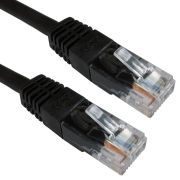 1m Black Cat6 U/UTP Copper Patch Lead
£1.35
 Cat5e U/UTP LSZH Installation Cable – Violet – 305m
£99.99
 Cat5e U/UTP LSZH Cca Installation Cable – Green – 305m
£124.99
 Cat5e U/UTP PE External Installation Cable – Black – 305m
£106.99