Cat5e
Network category
Structured Ethernet outlet category.
Available options
Choose an option to view the corresponding product.
At a glance
Cat5e
Structured Ethernet outlet category.
2 outlets
2-way faceplate
25 × 50 mm
Low Profile RJ45 module
IDC
8 positions
Spring-loaded
Protected RJ45 opening
Backbox included
Surface-mount box supplied
Create a neat, permanent two-port network outlet for a home, office or commercial installation. The Cat5e RJ45 sockets terminate independently, giving each cable run its own wired connection while sharing one faceplate.
Add two wired network points without needing a second wall position.
Low-profile modules leave extra room for cable routing and termination, particularly where backbox depth is limited.
Rear IDC termination gives each outlet its own fixed connection to the installation cable.
In the box
The components supplied as part of this complete data outlet kit.
Dimensional data
Dimensional views generated from measured faceplate, module and backbox component data.
Front population follows the product BOM and measured component dimensions. Dashed details show the RJ45 opening and label window; label-window horizontal centring is schematic. Side profile shows the confirmed flush assembly relationship.
Technical data
Complete the installation
Compatible products and installation guidance for this data outlet kit.
Patching
Cat6 patch leads are suitable for this Cat5e outlet and can also be reused in Cat6 installations.
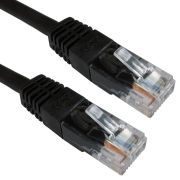 1m Black Cat6 U/UTP Copper Patch Lead
£1.35
2m Black Cat6 U/UTP Copper Patch Lead
£1.95
3m Black Cat6 U/UTP Copper Patch Lead
£2.45
Cabinet end
Complete the permanent cabling run with a matching-category patch panel at the rack or cabinet.
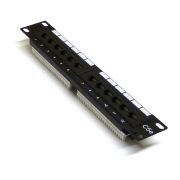 10" 1U 12 Port Cat5e Patch Panel
£18.71
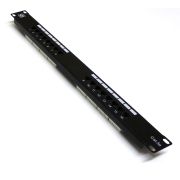 19" 1U 16 Port Cat5e Patch Panel
£20.63
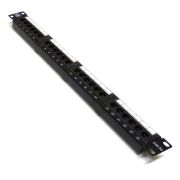 19" 1U 24 Port Cat5e Patch Panel
£24.47
Permanent link
Choose matching-category solid installation cable for the permanent link between this outlet and the patch panel.
 Cat5e U/UTP LSZH Installation Cable – Violet – 305m
£99.99
 Cat5e U/UTP LSZH Cca Installation Cable – Green – 305m
£124.99
 Cat5e U/UTP PE External Installation Cable – Black – 305m
£106.99
Termination
This module uses Krone-style IDC termination on its 8-position rear termination block.
Reviews are shared across closely related product variants, so you can benefit from relevant experience across the range.
Works great
good value does what it should
No travelling to source material
"Comms2Go CAT6 Single Port Faceplate - Socket - RJ45 - Ethernet - Network - Face Plate Module (1 Port)" - perfect and for only £2 and change. Really happy, have bought 6 of them after I found cat5 behind blank plates in a new house. Gigabit speeds and they look pro
A good piece of kit. Although I wired it up, I didn’t end up using it as I thought it would act as a splitter, but obviously networking doesn’t work like that. It doesn’t say that in the description, but since it also doesn’t come with instructions, I presume that they assume you know what you’re doing. Still, I can’t fault the socket, it was just my understanding of what it did.
Brilliant
Bought for a DIY project at home, I already have the punch tool, this was a nice addition instead of a loose cable. Looks a lot smarter and neater. Since purchasing I have purchased more from this seller.
Everything you need and easy to connect up. Just get it if you need one.
Works perfectly, looks good, wiring is easy once you understand what the colours are actually telling you. I've attached a photo showing T-568B wiring for any noobs like myself. Basically you match the wires colours to the 'B' side of the wiring diagram in the middle. (Obviously the wires need trimming, and if you have a decent punchdown tool it'll trim the wires for you. My punchdown tool is not decent.)
Easy to work with and plenty of room for installing the wiring
Well made, easy to fit and clearly marked connections on the socket.
So far so good. Delivery arrived ahead of time. Have not whipped out the ol krone tool yet as it's been a long ol time since I did any networking so I've been off googling as there's no instructions whatsoever included (in the deliver or on this product page) So, the colour indicators are not exactly clear. At least they are not clear enough for you to avoid doubt so here's some info (hint to seller please include these on the product page to save yourself expanse/a few trees) OK the back shows cabling options for T568A & T568B. My understanding is : * It does not matter which standard you use if you are making a *new* network (B is more common) * It does matter which is used if you are expanding an existing network * One or two peeps have referred to T568A as "special circumstance", I've always wired B. A Friend who just started a commercial broadband installation job..having previously taught English??.. was trained to wire using the B standard Module Wiring [ pin : A (B) | A (B) : pin ] 2 : Green (Orange) | Brown : 8 1 : Green White (Orange White) | Brown White : 7 6 : Orange (Green) | Blue : 4 3 : Orange White (Green White) | Blue White : 5 This does not really help me with what I have planned as I'm sort of turning these into "the patch panel" and having no wall sockets (My equipment is all local (I just want to be able to configure/adjust which network stuff is on, on the fly). So, effectively I need to know what wiring standard my network cables use prior to chopping them up. If you plan to do something similar, see attached picture, to work out what standard your cables use, although I'd be surprised if they are not all B. The things I can't find using google (perhaps the supplier can comment on this review). 1) There's a thing sticking out of the RJ45 module, like a long T. Do I : A: Use this to cable tie the cable to? B: stick this over, or under, the cable (as some kind of "protector") and cable tie to the hoop at the top of the RJ45 plug itself?? ..so many options 2) The dust cover, which appears to have a cut out specifically for the cable, does it matter which way round it goes?? A: cut out being on the RJ45 Module side, cable passing through it, might suit answer A above B: cut out being on the long T side, cable passing through it, might suit answer B above C: the cable shaped cut out is a red herring (second picture attached shows a "similar" module and there ain't no way the cable is "bent back" Possibly I'm getting all het up over nothing as this is an exercise in strain relief (that may not be needed), but the OCD in me needs answers to sleep well ;) Extra info... 1) Network economisers. * Wiring Diagram included * Needs repeating at both ends * Are limited to 10/100 as this only uses 4 cores ... and gigabit uses all 8 cores * (unconfirmed) if used with gigabit devices they will detect the core restriction & switch to 10/100 mode Main Difference between 6 and 6A/7 * CAT 6 "may" handle 10gigabit * it "may" handle 10gigabit between 30 & 50m (gigabit max length is 100m) * cat 6A and above are designed for 10g at the full limit ...so for most peeps wiring up houses, allowing for 10gigabit to become a common standard, you're probably fine with CAT6 If you own a mansion that requires very long runs you're probably paying someone else to do this for ya so you just wasted your time ;)
Easy to connect using kroning tool or punch down tool well made includes back box as well if needed
OK
Look good
Very good quality with a more logical connection sequence than some I have used previously. Would buyagain
Solid, good stuff. I just can't believe I Duraplugged* the damn thing though! * The "Duraplug" is a UK power plug which, unlike all other UK power plugs, has an outer cowling through which the power cable passes. This means that if you are used to wiring standard power plugs where the cowling can be fitted at the end, you will usually end up wiring a Duraplug twice (or you simply cut the cowling once you realise your mistake). The term has since been generalised to other wiring situations in which you forget to pass the wire through something before spending the time and effort to do the wiring.
Great product highly recommended
Great product highly recommend
Nice well made socket.
I bought this quad connection box, some singles and a double from the same people. All arrived quickly, and seem very solid quality for the price. The prices were a fraction of anything else I could easily source and function very well. The network modules are separate from the faceplate, and clip in. I find this better than the all-in-one faceplates I had before, as it allowed me more leeway in wiring up individual modules one at a time. The connections are clearly marked with A and B colouring, with the layout designed to send two pairs left and two pairs right. Tie wrap and cover were also supplied if needed.
good product
Great Product
Good Quality product and outstanding value for money
Excellent price but not cheap quality. Would be happy to buy more if I needed them.
Just what I needed, at a very reasonable price. The construction quality is very good and everything fits together properly.
Great quality outlet, well designed and easy to terminate connections. The colour guide is very clear and worked first time with solid connections being made. For this price I cant imagine a better socket and would not spend any more. These are perfect and will buy again for sure.
Well made, arrived early.
Excellent would recommend to anyone
Great Product and Great Service.
Does the job perfectly. Quality looks fine, can't see any problems.
Good product.
Strong solid product!!
Strong Product and no problems installing
Pleased
easy to fit and wire up just make sure u have the inserter
Needed a complete re wiring to work!!
OK
Does what it says on the tin.
What can I say, it does what it should.
Perfect for a busy point
Excellent price. Had one faulty module which the seller replaced immediately
Nice, simple wall-mounted boxes. These are three-way but looks as if one might be able to remove the spacers between the sockets and later add a fourth socket (I have not explored that option). I've used these in conjunction with a reel of solid core copper cable. To terminate the cables I used this "Krone tool", also bought online. With the tool, wiring is simple with the colour layouts clearly displayed on the back of the socket units. Note, there are two wiring plans (A and B). I understand one can use either but it is important to be consistent and use the same layout at both ends.
Looks good and it was cheap great
Complete and good quality, not much else to say other than they work perfectly.
Good value, "does what it says on the tin." ;-)
This is exactly what you need when creating your own home network. The faceplate fits nicely onto any standard single back box and the keystone jack (to connect to the cat6 cable) is removable, so can be swapped if it ever needs to be updated. Screws were included in the package, along with instructions. All you need is your own ethernet cable and a krone tool to go with this and you're good to go - no more need to depend on wireless networks.
Taught my 14 year old how to wire up this RJ45 socket. It came with the connectors, just had to buy a cheap wire push tool. Worked first time. No problems.
Be the first to review Cat5e 2-Way Data Outlet Kit with Backbox.
Your review will help other customers considering this exact product.
Helpful information gathered across closely related product variants.
Browse Network Outlet Kits helpYes. Use a Krone-compatible punchdown tool. That is what the IDC contacts are made for.
Trying to push the wires in with a screwdriver or another improvised tool is just making the job harder.
It is a deliberate cable-tie anchoring point.
It is not packaging, a moulding sprue or an errant piece of plastic waiting to be snapped off. The module has two possible cable-restraint points, and this projecting strip is the one used when that route gives the incoming cable the more natural approach to the IDC.
No. Leave it there. It is one of the two intended cable-tie points, not waste plastic from manufacture.
They let the incoming cable approach the termination in two different ways. There is a moulded loop at the rear and a projecting strip at the top, so the cable can be restrained according to whether the installation calls for it to leave broadly parallel with the module face or turn through roughly 90 degrees.
It is a small piece of flexibility which becomes rather valuable in a cramped backbox, where forcing every cable to adopt the same route would be an unnecessary contrivance.
Snug enough to stop the cable jacket moving around, not so tight that you crush or visibly deform the cable. It is restraint, not a hose clamp.
Either T568A or T568B is suitable. These modules are marked for both.
What matters is that each individual cable run uses the same scheme at both ends; otherwise a perfectly tidy-looking outlet can hide a surprisingly awkward wiring fault.