
10"
Rack standard
Equipment mounting format specified for this cabinet.
Compatible with this cabinet
30 compatible products across 9 categories
Select a category below to see its compatible products on this page. All results use the Cabinet Builder compatibility rules.
Checked for this cabinet
Available options
Select another size or assembly option to view its price, stock, included accessories and compatible equipment.
Add compatible power, shelves, cooling, cable management and accessories.
At a glance
10"
Equipment mounting format specified for this cabinet.
4U
Vertical mounting capacity, measured in rack units.
300mm
Nominal cabinet depth; not the available equipment depth.
250mm
Available internal depth stated for this cabinet variant.
SOHO / Compact
Specified installation or mounting arrangement.
Ready Assembled
How this cabinet variant is supplied.
Our compact 10-inch Miniline cabinets combine sturdy steel construction with a premium black powder-coated finish. The lockable toughened-glass front door can be removed or reversed, and both side panels are independently lockable and removable.
Adjustable front and rear mounting profiles, covered top and bottom cable entries and integrated ventilation help keep smaller network installations organised. The smaller removable rear panel is designed for cable access, and one optional roof-mounted cooling fan can be fitted.
Supplied ready assembled, with the front-door earth-bonding strap already fitted. Wall-mounting fixings are not included; select fixings suitable for your wall and the total installed weight.
Compare equipment depth with the stated recommendation and allow room for connectors and cable bends.
Allow sufficient U-space for patching, switching, power distribution and any future additions.
Leave access for terminating, routing and maintaining installed cables.
Supplied with this cabinet


The cabinet is supplied assembled with its front-door bonding strap already fitted. Wall-mounting fixings are not supplied.
Dimensional data
Dimensions for this cabinet. The outlines are illustrative and are not installation or fabrication drawings.
Width and height envelope. Door hardware and mounting positions are not dimensioned.
This is the nominal cabinet depth, which may differ from a measured outside dimension.
Equipment fit guide
Using this cabinet’s 200mm recommended and 260mm maximum equipment-depth values.
Within the recommended equipment-depth allowance, which leaves practical space for cables and connectors.
May fit with the front mounting profiles moved forwards. Check connectors, cable bends and clearances carefully; this is not the recommended installation depth.
Exceeds this cabinet’s absolute maximum equipment depth.
The bar compares depth thresholds, not the cabinet’s internal geometry. Nominal depth is not a measured installation clearance. Also confirm rack format, height, fixing, ventilation and other equipment requirements.
Technical data
Internal depth is measured from the front face of the normal front mounting-profile position to the rear of the cabinet. It is not the recommended equipment depth.
Recommended depth allows space for cabling. The absolute maximum assumes the front mounting profiles are moved forwards and is not necessarily a practical fit. Check rear plugs, cable bends, rail adjustment and equipment mounting before installation.
Select wall fixings to suit the actual wall construction and the complete installed load. Wall-mounting hardware is not supplied.
This cabinet supports up to 60 kg of installed equipment. The maximum loaded cabinet weight is the cabinet’s net weight plus the 60 kg equipment allowance. Check that the wall, fixings and installation method can safely support the total installed weight.
Compatible with this cabinet
30 products have been checked against this cabinet. Select a category to see its products here, or use the Cabinet Builder to assemble a complete configuration.
4 compatible products
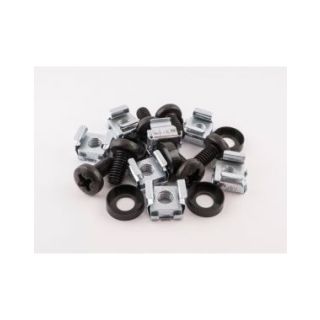
Compatible with this cabinet
DLX-C-CN-M6-B10
…
…
Checking availability…
View product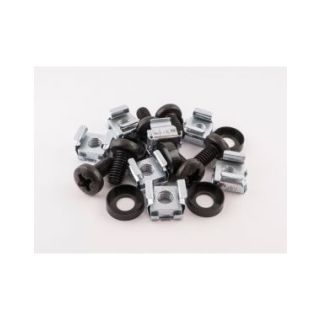
Compatible with this cabinet
DLX-C-CN-M6-S10
…
…
Checking availability…
View product
Compatible with this cabinet
DLX-C-CN-M6-PB10
…
…
Checking availability…
View product
Compatible with this cabinet
…
…
Checking availability…
1 compatible product
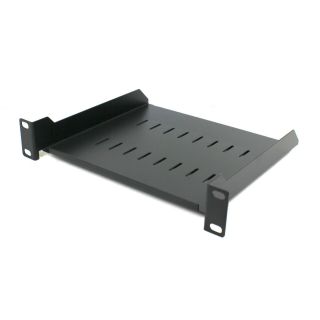
Compatible with this cabinet
DLX-C-MINILINE-SHELF-10-200F
…
…
Checking availability…
View product6 compatible products

Compatible with this cabinet
DLX-C-MINILINE-DRAWER-1U-200MM
…
…
Checking availability…
View product
Compatible with this cabinet
DLX-C-MINILINE-DRAWER-1U-260MM
…
…
Checking availability…
View product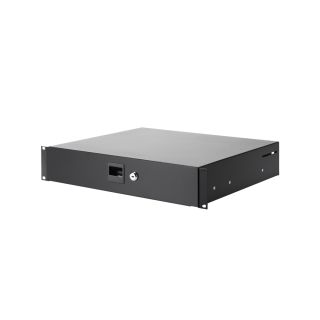
Compatible with this cabinet
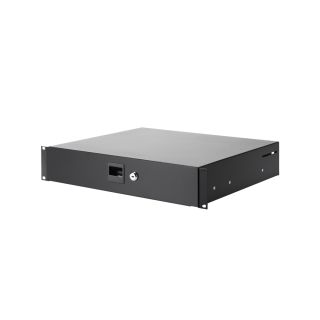
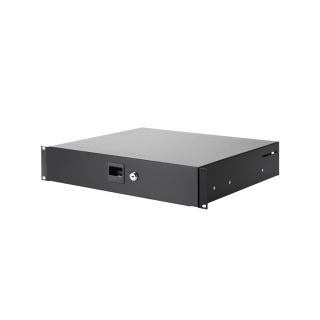
DLX-C-MINILINE-DRAWER-2U-200MM
…
…
Checking availability…
View product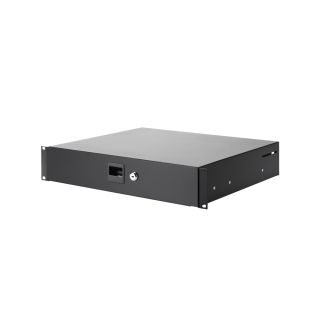
1 compatible product
Compatible with this cabinet
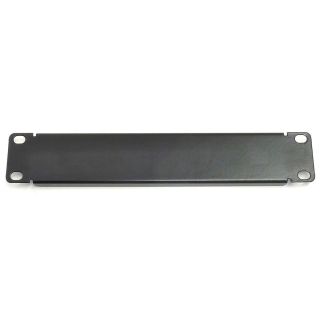
DLX-C-MINILINE-BLANK-1U
…
…
Checking availability…
View product3 compatible products
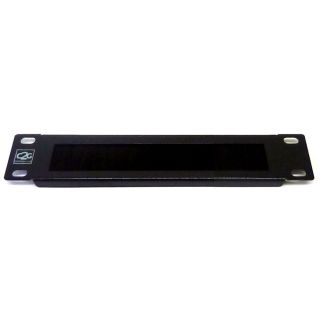
Compatible with this cabinet
DLX-C-MINILINE-CMB-1-C2G
…
…
Checking availability…
View product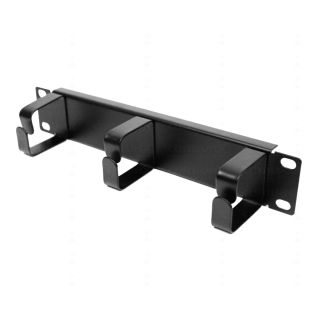
Compatible with this cabinet
DLX-C-MINILINE-JTB
…
…
Checking availability…
View product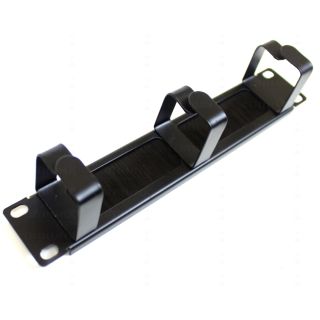
Compatible with this cabinet
DLX-C-MINILINE-JTB/BRUSH
…
…
Checking availability…
View product3 compatible products
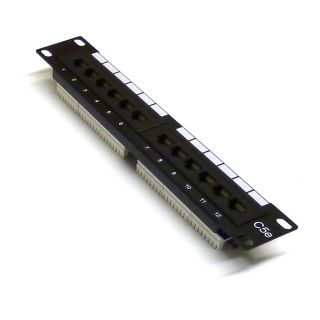
Compatible with this cabinet
DLX-C-MINILINE-PP-12E-C5E
…
…
Checking availability…
View product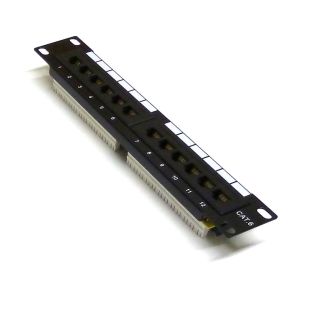
Compatible with this cabinet
DLX-C-MINILINE-PP-12E-C6
…
…
Checking availability…
View product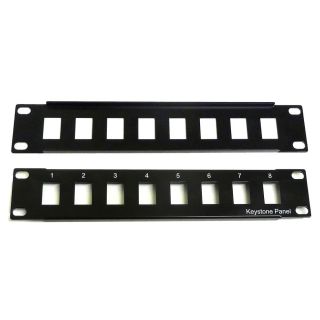
Compatible with this cabinet
DLX-C-MINILINE-KSP-8-1U
…
…
Checking availability…
View product4 compatible products
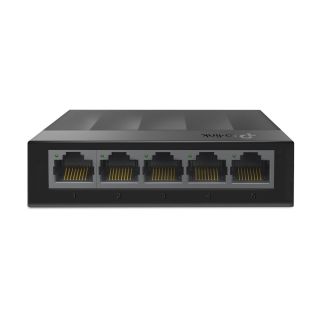
Compatible · shelf support available
LS1005G
…
…
Checking availability…
View product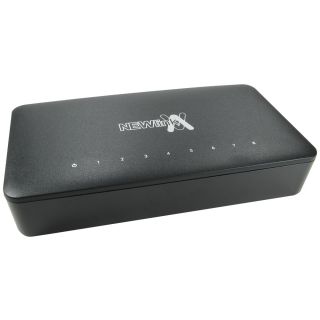
Compatible · shelf support available
NLHUB-08FE
…
…
Checking availability…
View product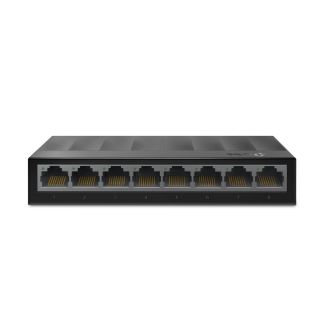
Compatible · shelf support available
LS1008G
…
…
Checking availability…
View product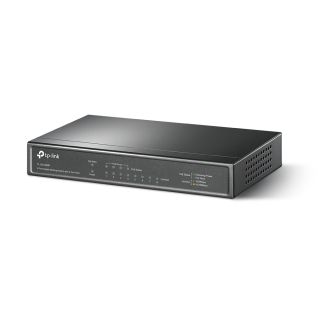
Compatible · shelf support available
…
…
Checking availability…
7 compatible products
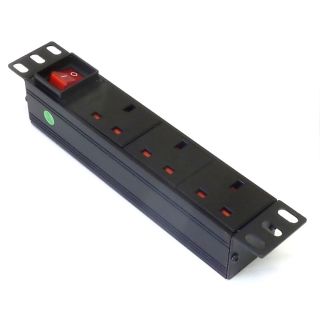
Compatible with this cabinet
PLX-C-MINILINE-UK3H-1UBE
…
…
Checking availability…
View product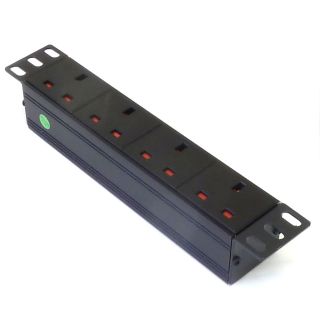
Compatible with this cabinet
PLX-C-MINILINE-UK4H-1UBE
…
…
Checking availability…
View product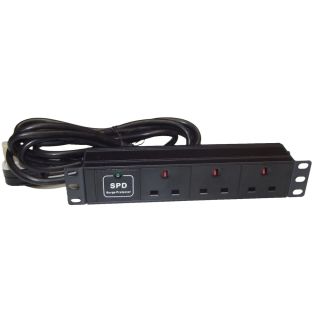
Compatible with this cabinet
PLX-C-MINILINE-UK3H-1UBESPD
…
…
Checking availability…
View product
Compatible with this cabinet
…
…
Checking availability…
Compatible with this cabinet
…
…
Checking availability…
Compatible with this cabinet
…
…
Checking availability…
1 compatible product
Compatible with this cabinet
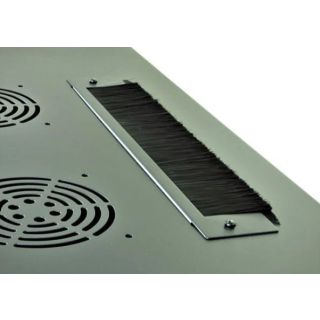
DLX-C-CAB-BRUSH-10
…
…
Checking availability…
View productReviews are shared across closely related product variants, so you can benefit from relevant experience across the range.
great little cabinet
Very decent little cab, we usually install the 19" racks but a client needed something for a small office to fit in a certain space - this did the job perfectly. Well made, the sides come off and there is the holes for a fan if you need to fit one - very pleased.
Robust, modular little cabinet. Using it to host my home network from the attic. What I have in mine: Patch Panel (TRENDnet TC-P12C6 Cat 6) Switch (Ubiquiti 8-Switch 150w) Cloud computer (Ubiquiti CloudKey) Vented Shelf One thing I particularly like about this rack is the door - you can pop it off for better access, or even rotate the orientation so it is left / right swing. That said, a 10" rack may or may not work for you - at first I thought it'd be fine (I pre-measured everything to fit in 10") but in the end it turned into a bit of a squeeze due to the mounting holes which I didn't accommodate for. After that, I also had to modifications to the case to allow the kettle-lead powercord for my Switch to fit through and that was not fun at all (I had to essentially rip open one of the existing power-holes in the rack with pillars, then file it down). I can't complain about the build quality, and I'm happy with the finished product with it all said and done. Could do with bigger holes to allow more power leads through.
great products all of them
As expected. Minor scuff on top though :(.
Very nice product, all the bits fit fine and you can move around the bars inside of you need to reconfigure - well made and very decent 10" cabinet.
Well made and ideal for tight locations. Door comes off for easier access during install. Managed to fit 12 way patch panel, PDU, telephone socket, TV distribution amp and an ADSL router and switch without trying too hard. Cable access options at top, bottom and rear. Does not have an earth lug, but this was easily added to one of the rack bolts.
Be the first to review 4U 300mm Deep 10" P Series Miniline Data Cabinet - Black - Ready Assembled.
Your review will help other customers considering this exact product.
Helpful information gathered across closely related product variants.
Browse Network Cabinets helpA data cabinet gives network equipment a common home: patch panels, switches, PDUs, cable management and other equipment can be mounted, protected and organised in one place rather than gradually colonising shelves, desks and the top of the printer.
It also gives you a defined structure for cabling, access, ventilation and future expansion. It doesn’t, by itself, provide mains power, active cooling, weather protection or miraculous immunity from untidy patch leads — those are separate considerations.
Rack-mounted equipment such as patch panels, network switches, PDUs, cable managers and suitable rack-mounted UPS units can be installed directly on the mounting profiles.
Non-rack equipment such as routers, modems, small UPS units, NAS devices or CCTV recorders can also be housed on a suitable rack shelf. Check the equipment's width, height, depth, weight, connector clearance and ventilation requirements before installation.
No. Our current cabinets are intended for indoor use and should not be treated as weatherproof outdoor enclosures.
They should be protected from rain, condensation, excessive moisture and other environmental exposure. We do not currently publish an IP rating for the range.
You add the PDU separately.
The cabinet itself is a passive enclosure. Pick the PDU with the socket type, number of outlets and switching arrangement you need.
The optional roof fan kit has its own mains connection.
Choose Miniline when compact size is particularly important and the equipment you intend to use is available in the 10-inch format. It works particularly well for smaller home, SOHO and compact networking installations.
Choose 19-inch when you want the widest equipment choice, more room to work and greater scope for future expansion. The 19-inch ecosystem includes a much broader range of switches, patch panels, shelves, PDUs and specialist rack equipment.
The smaller cabinet is attractive when your requirements are genuinely small. The 19-inch cabinet is attractive when your definition of “genuinely small” has a habit of changing six months after installation.
Yes.
A rack unit, or 1U, is 44.45mm high in both formats. The difference between 10-inch and 19-inch racks is principally their horizontal mounting format; the vertical U system remains the same.
A 4U Miniline cabinet and a 4U 19-inch cabinet therefore provide the same nominal rack height, even though their widths and equipment ecosystems are quite different.
A data cabinet gives network equipment a common home: patch panels, switches, PDUs, cable management and other equipment can be mounted, protected and organised in one place rather than gradually colonising shelves, desks and the top of the printer.
It also gives you a defined structure for cabling, access, ventilation and future expansion. It doesn’t, by itself, provide mains power, active cooling, weather protection or miraculous immunity from untidy patch leads — those are separate considerations.
Rack-mounted equipment such as patch panels, network switches, PDUs, cable managers and suitable rack-mounted UPS units can be installed directly on the mounting profiles.
Non-rack equipment such as routers, modems, small UPS units, NAS devices or CCTV recorders can also be housed on a suitable rack shelf. Check the equipment's width, height, depth, weight, connector clearance and ventilation requirements before installation.
No. Our current cabinets are intended for indoor use and should not be treated as weatherproof outdoor enclosures.
They should be protected from rain, condensation, excessive moisture and other environmental exposure. We do not currently publish an IP rating for the range.
You add the PDU separately.
The cabinet itself is a passive enclosure. Pick the PDU with the socket type, number of outlets and switching arrangement you need.
The optional roof fan kit has its own mains connection.
Yes. There’s nothing inherently Ethernet-specific about the cabinet.
CCTV recorders, AV distribution equipment, fibre hardware, control equipment and other suitable low-voltage devices can all share the enclosure where their dimensions, weight, mounting method, ventilation and cabling requirements allow it.
A rack is really an organised mechanical framework. What you populate that framework with is considerably less doctrinaire than the word “network” on the product page might suggest.
The terms overlap considerably. A data cabinet or network cabinet usually means an enclosed rack intended for networking and communications equipment. A rack can also mean the mounting structure itself, including open-frame racks with no doors or panels.
“Server rack” usually implies something deeper and often heavier-duty, because full-size servers tend to require considerably more chassis depth, cable clearance and airflow than patch panels or network switches.
They’re descriptions rather than rigid species classifications. A deep network cabinet doesn’t suddenly become a server rack at midnight, and a shallow cabinet doesn’t object to a server merely on grounds of nomenclature. What matters is whether the equipment actually fits, is properly supported, remains within the load rating and can be cooled adequately.
Not significantly.
The doors and panels may slightly soften some direct equipment noise, but these are ventilated data cabinets, not acoustic enclosures. Air has to enter and leave through openings in the cabinet, and sound is unfortunately quite capable of using many of the same routes.
If a switch sounds like a small aircraft preparing for take-off on the workbench, putting a glass door in front of it isn’t going to turn it into a library appliance.
For noise-sensitive installations, choose quiet equipment first rather than relying on the cabinet to silence noisy equipment afterwards.
Choose Miniline when compact size is particularly important and the equipment you intend to use is available in the 10-inch format. It works particularly well for smaller home, SOHO and compact networking installations.
Choose 19-inch when you want the widest equipment choice, more room to work and greater scope for future expansion. The 19-inch ecosystem includes a much broader range of switches, patch panels, shelves, PDUs and specialist rack equipment.
The smaller cabinet is attractive when your requirements are genuinely small. The 19-inch cabinet is attractive when your definition of “genuinely small” has a habit of changing six months after installation.
Yes.
A rack unit, or 1U, is 44.45mm high in both formats. The difference between 10-inch and 19-inch racks is principally their horizontal mounting format; the vertical U system remains the same.
A 4U Miniline cabinet and a 4U 19-inch cabinet therefore provide the same nominal rack height, even though their widths and equipment ecosystems are quite different.
It refers to the 10-inch rack-mounting format, not the cabinet's overall width.
Our current Miniline cabinets are approximately 320mm wide externally. The mounting profiles inside are intended for compatible 10-inch rack equipment.
No. Standard 19-inch rack equipment is too wide for the Miniline mounting profiles.
If you need to install 19-inch equipment, use a 19-inch cabinet.
1U is one standard rack unit, equal to 44.45mm of vertical rack height.
Rack-mounted equipment is commonly described as 1U, 2U, 3U and so on. A 2U device occupies twice the nominal rack height of a 1U device.
The actual metal chassis may be fractionally smaller than the full theoretical height to provide manufacturing and installation clearance.
Add together the rack space required by everything you intend to mount: patch panels, switches, shelves, horizontal PDUs, cable managers and any other rack-mounted equipment.
Then consider equipment sitting on shelves. The shelf may occupy 1U at its mounting position, but the equipment resting on its platform may extend through that U and require additional clear space above it.
Finally, leave some room for growth if possible. A cabinet calculation that arrives at exactly 12U for a 12U cabinet is mathematically impeccable and operationally rather optimistic.
Yes, where space and budget allow.
There’s no universal percentage because some installations are effectively finished on day one while others acquire new equipment regularly. Even one or two spare U can be valuable in a small installation; more is sensible if you already expect the network to grow.
Buying a cabinet in which the final available U is occupied during the initial installation is wonderfully efficient — right until somebody buys one more switch.
In extremis, you can then find yourself replacing an entire wall-mounted cabinet because a device 44.45mm high has appeared.
A little unused rack space is usually much cheaper than replacing the enclosure later.
Yes. A rack shelf occupies the rack positions used by its front mounting flange. Our current front-mount shelves are 1U models, although future shelf variants may use more rack space.
There is an important distinction between the rack space occupied by the shelf mounting and the vertical clearance available above its platform. The platform is situated towards the bottom of the shelf's occupied U, so equipment placed on it extends upwards through that same rack space before requiring additional U positions above.
A device approximately 1U high on a 1U shelf therefore does not automatically require 2U in total. Measure upwards from the shelf platform and allow the actual equipment height plus any required ventilation or access clearance.
Start at the shelf platform, not at the top of the shelf's nominal rack position.
Because the platform sits towards the bottom of the U occupied by the shelf, roughly the first U of equipment height can occupy that same vertical region. If the device is taller, you then need enough clear rack space above it for the remainder, together with any ventilation or access clearance it needs.
Also check depth, rear connectors and cable bends. A modem that’s 40mm high may be delightfully well behaved; a 130mm-high NAS sitting on the same shelf has rather more ambitious plans for the U positions above it.
Round upwards where necessary and allow useful clearance rather than designing a three-dimensional game of Tetris around the device.
Yes.
You can mix 1U, 2U, 3U and other equipment sizes freely. The U markings simply give you a standard way to position everything.
Arrange it sensibly for weight, access, cabling and ventilation.
No. Leaving some rack positions unused is perfectly acceptable, and spare capacity is often useful.
Blanking plates can improve appearance, prevent accidental access through unused positions and, in some equipment layouts, help guide airflow rather than letting air take an easier route around the equipment. They’re particularly useful where controlled front-to-back airflow matters.
But an unused rack position isn’t a structural defect. You don’t need to fill every gap merely because it’s there.
The nominal cabinet depth describes the overall depth class of the enclosure — for example 300mm, 450mm, 550mm or 600mm.
The usable internal depth is the space available inside the cabinet after allowing for the front door, rear structure and other parts of the enclosure. It is therefore smaller than the nominal depth.
Approximate usable internal depths are 250mm for a 300mm cabinet, 400mm for a 450mm cabinet, 500mm for a 550mm cabinet and 550mm for a 600mm cabinet.
Usable internal depth should not automatically be treated as suitable equipment depth because connectors, cable bends, rail position and front-door clearance also require space.
It’s the depth we’d normally suggest designing around rather than attempting to occupy every last millimetre inside the enclosure.
The difference gives you working room for rear connectors, cable bends, rail adjustment and front clearance. It also leaves some tolerance for those irritating parts of real equipment that specification drawings sometimes make look almost apologetically insignificant.
Our recommended equipment depths are approximately 200mm in a 300mm cabinet, 350mm in a 450mm cabinet, 450mm in a 550mm cabinet and 500mm in a 600mm cabinet.
A 250mm internal space doesn’t mean a 249mm-deep device is a good idea if its power plug then needs another 35mm in which to exist.
Think of the recommendation as comfortable working territory rather than the physical edge of the map.
The maximum equipment depth describes the approximate physical envelope that may be available when the cabinet and mounting profiles are used towards their limits.
It isn’t the depth we recommend treating as a design target.
Near that limit, tiny details suddenly matter: where the front rails are positioned, how far a bezel projects, the shape of a mains plug, the radius of a cable and whether the closed door encounters any of them.
The 300mm Miniline cabinets are a useful example. Physical checks suggest that their practical maximum is nearer 250mm, and moving the front profiles fully forward can bring them too close to the door lock.
If the installation depends on the last few millimetres being available, you’ve stopped allowing clearance and started negotiating with sheet metal.
Use the recommended equipment depth wherever possible.
For a 300mm cabinet, we recommend equipment approximately 200mm deep or less where practical.
Usable internal depth is approximately 250mm. Additional space must still be allowed for connectors, cable bends and front clearance.
The Miniline 300mm cabinets should be treated conservatively near their physical limit because front-profile position can affect door-lock clearance.
Measure from the front mounting face, where the rack ears sit against the cabinet profiles, to the rearmost part of the chassis.
Then look at what sticks out beyond it.
Power plugs, network connectors, fibre connectors and cable bends all need space too.
Very much so.
The chassis depth tells you where the equipment finishes. It doesn’t tell you where the installation finishes.
An IEC plug, RJ45 connector, fibre lead or other rear connection can require significant additional space, and cables need a sensible bend rather than being folded immediately against the rear panel.
This is one reason the recommended equipment depth is deliberately smaller than the available internal depth. A switch that fits perfectly until somebody attempts to connect electricity to it has only passed the first half of the examination.
Usually, provided sufficient front clearance has been allowed.
Front-mounted RJ45 plugs, patch leads, fibre connectors, handles and controls can project beyond the equipment mounting face. The front mounting profiles can be moved rearwards where necessary to create additional space between the equipment and the glass door.
The actual projection should be checked before installation.
Yes.
The front mounting profiles can be moved further into the cabinet where additional clearance is required between the equipment and the closed front door.
The rear profiles are independently adjustable.
Moving the equipment rearwards increases front clearance while reducing the space available behind it by approximately the same amount.
Yes. The cabinet remains stubbornly the same depth.
Move the front profiles 30mm backwards and you gain roughly 30mm in front while losing roughly 30mm behind the equipment.
That may be exactly the right trade if a large handle needs clearance, but it can also reduce the room available for rear plugs and cable bends.
Rail adjustment redistributes the space you already have; it doesn’t manufacture any more of it.
Usually, yes.
Additional depth gives your hands, connectors and cable loops somewhere to go. It can make rear connections easier to reach, allow gentler cable bends and provide more freedom when positioning the mounting profiles.
This becomes particularly noticeable once several pieces of equipment are installed and the rear of the cabinet has acquired the usual collection of mains leads, patch cables and things you were certain would occupy almost no space.
The trade-off is obvious: a deeper cabinet also projects further into the room.
So choose enough depth to make the installation practical without buying substantially more enclosure than the location can comfortably accommodate.
Often, yes.
Rack height is easy to notice because equipment is conveniently measured in U. Depth tends to reveal itself later, usually when the new switch, UPS or appliance you want turns out to be 80mm deeper than anything you originally owned.
A slightly deeper cabinet gives you a wider choice of future equipment and generally more comfortable cable space.
That doesn’t mean everybody should install a 600mm cabinet for a router and one patch panel. Future-proofing is useful; building a small annex around the network is optional.
Where two cabinet depths both fit the intended location comfortably, the deeper one can buy useful flexibility later.
No. “Will it fit?” is really several questions disguised as one.
You also need to consider rack width and mounting format, equipment height, rail spacing, rear-support requirements, front projections, rear connectors, cable bends, equipment weight, ventilation and access for installation and maintenance.
A device can therefore be exactly the right depth and still be completely unsuitable.
This becomes particularly important with heavy or unusually deep equipment. A box may fit beautifully between the glass and rear opening while still needing support it doesn’t have, exceeding the rating of the shelf underneath it or moving the centre of mass somewhere adventurous.
The completed installation still has to fit, connect, remain supported, ventilate properly and behave itself once gravity is switched on.
Yes.
Rack depth is often discussed as though equipment ends neatly at its mounting ears. Real products occasionally disagree. Handles, knobs, plugs, display bezels and other projections can all extend towards the glass.
If necessary, the front mounting profiles can be moved further into the cabinet to create more clearance.
A chassis that clears the rear beautifully is of limited consolation if its proudest front handle is trying to occupy the same space as the glass.
Check both ends.
Yes. The current cabinets are fitted with both front and rear rack-mounting profiles.
This allows equipment to be mounted conventionally at the front while retaining rear profiles for equipment that requires additional support, rear-mounted accessories or other suitable mounting arrangements.
Yes. The mounting profiles can be repositioned front-to-back within the cabinet.
This allows the rack position to be adjusted for different equipment depths, front-door clearance and rear cable space.
Moving a profile changes where the equipment sits inside the cabinet; it does not increase the cabinet's total internal depth.
They describe the distance between the front mounting face and rear mounting face of the rack profiles.
The minimum figure is the closest available front-to-rear profile spacing; the maximum is the widest spacing available through adjustment.
These figures are particularly useful when checking equipment or support rails that use both front and rear mounting points.
Yes. Each cabinet comes with a pack of 10 cage nuts, screws and washers.
If you are fitting more equipment than that will cover, order extra rack fixings. Ten goes surprisingly quickly once a few 1U items start using four each.
No. Plenty of lightweight, shallow rack equipment is designed to hang perfectly happily from its front mounting ears.
Heavier or deeper equipment is a different matter. Some devices require rear support brackets, fixed rails or sliding rails, and the manufacturer's mounting instructions should take precedence.
A shallow patch panel and a deep UPS may both be described as “rack mounted”, but mechanically they’re asking rather different things of the cabinet. Don’t assume the front ears are sufficient simply because the device can initially be persuaded to hang from them.
Where additional support is specified, use it.
Yes. All four mounting profiles can be adjusted independently.
For example, the front profiles can be moved rearwards to provide additional door clearance while the rear profiles are positioned to suit equipment support or a particular front-to-rear rail spacing.
Corresponding left and right profiles should remain correctly aligned when mounting equipment.
Yes. The mounting profiles are marked with the U positions.
Line up both sides before tightening the equipment. Saves counting holes and discovering one end of the switch is a U higher than the other.
Yes. The mounting profiles use square apertures intended for cage-nut rack fixings.
This allows cage nuts to be fitted at the required rack positions rather than using permanently threaded holes.
Both the current 10-inch Miniline and 19-inch cabinet ranges use this arrangement.
Potentially, yes.
The cabinets provide adjustable front and rear mounting profiles, but a particular rail kit must still be checked for its required front-to-rear spacing, mounting-hole arrangement, cabinet clearance and other installation requirements specified by the equipment manufacturer.
The presence of rear profiles does not guarantee compatibility with every proprietary server or UPS rail system.
Yes, if the profile positions and the rest of the equipment layout allow it.
Move the rear profiles to a suitable position and mount the PDU there.
Just check you still have room for the plugs, leads and equipment connections. Moving the PDU out of sight is no use if every plug then collides with the switch in front of it.
The front door uses safety tempered glass.
Tempered glass is designed to break into many comparatively small pieces rather than the large sharp shards associated with ordinary glass.
On the 19-inch cabinets, the glass has steel sections at the left and right sides rather than a conventional steel frame surrounding all four edges.
Yes.
The front door is lockable, and the supplied cabinet keys also operate the side-panel locks.
Yes.
The door uses spring-loaded hinge pins. Release them and lift the door away.
Useful when mounting the cabinet or when the open door is simply in the way.
Yes. The door can be moved so that it hinges from the opposite side.
The spring-loaded hinge pins make the door itself easy to remove, but there are also small spacers or grommets at the hinge points. These need to move to the corresponding positions on the other side. They keep the door correctly spaced so it doesn’t rub against the cabinet at the top or bottom.
They’re tiny parts that look wholly unimportant until they’re left behind, at which point the reversible door can become a surprisingly effective scraping instrument.
Move them with the door and the lock will continue to operate normally whichever side the door is hinged.
Yes.
Both side panels are removable and lockable. The same cabinet key operates the front-door lock and both side-panel locks.
The panels can be removed without dismantling the cabinet and include anti-rattle contact points to reduce unnecessary movement and vibration when fitted.
Current 19-inch cabinets are supplied with six keys.
Current Miniline cabinets are supplied with two keys.
On each cabinet, the supplied keys operate the front door and both lockable side panels.
The Miniline cabinet does not use the large removable rear cover found on the 19-inch range.
Its rear structure is fixed apart from a smaller removable access plate. This provides a limited rear opening rather than exposing most of the back of the rack.
The current rear access opening is approximately 150 × 50mm.
Not if the cabinet is mounted flat against the wall.
The plate and its screws are at the rear, so the wall gets in the way.
If you need the opening, remove the plate before the cabinet goes up.
In unobstructed space, the door can open beyond 180 degrees.
In a real installation, the surrounding room usually gets a vote. A nearby wall, cupboard, piece of furniture or adjacent equipment may stop it considerably earlier.
That’s worth considering before mounting the cabinet tightly into a corner. A door capable of opening more than 180 degrees is rather less useful when the wall permits 47.
If access is particularly restricted, the quick-release door can also be removed completely.
Yes. Removing the front door does not prevent the rack structure from being used.
This may be useful temporarily during installation or maintenance, or permanently where unrestricted front access is required.
The cabinet will no longer provide the physical protection and access control of its lockable front door, and its airflow behaviour may differ from the normal enclosed arrangement.
Yes, in normal circumstances. The transparent front door allows equipment displays and status LEDs to remain visible without opening the cabinet.
Exactly how easy they are to read will depend on the equipment, viewing angle and ambient lighting. A tiny recessed LED viewed across a brightly lit room is still a tiny recessed LED; the cabinet hasn’t acquired optical amplification merely because its door is glass.
For routine checks, though, switch indicators, displays and similar front-panel information can normally be viewed through the closed door.
Wall fixings are not supplied.
That is deliberate. A fixing suitable for solid brick may be completely wrong for blockwork, timber framing or plasterboard.
Choose fixings suitable for the actual wall construction and the complete loaded weight of the cabinet, not just the empty cabinet. If you are not sure what the wall can safely carry, get someone competent to assess it before mounting the cabinet.
The cabinet has four structural keyhole mounting points at the rear.
These mounting points form part of the cabinet structure and are separate from the removable rear cover or rear access plate.
The cabinet should be secured using all appropriate mounting points and fixings suitable for the wall construction and complete installed load.
Potentially, but the wall construction and fixing method must be capable of supporting the complete loaded cabinet safely.
The cabinet's 60kg equipment payload rating does not imply that a plasterboard surface, stud wall or any particular fixing can support that load. The mass of the cabinet itself must also be included.
Where suitable structural timber, framing or other load-bearing material is available, an appropriate installation may be possible. The correct method depends on the construction of the wall rather than its visible surface alone.
If there is any uncertainty, the wall and proposed fixing method should be assessed by a competent installer.
If it makes the job easier, yes.
The door and side panels come off without dismantling the cabinet. Taking them off reduces the weight you are lifting and gives you better access to the mounting points.
You do not have to remove them. Work out the easiest sequence for the space you have.
Yes. The cabinets can legitimately be used freestanding on a suitable horizontal surface.
For compatible 19-inch cabinets of 450mm depth and greater, our adjustable feet or castor kits are particularly useful. The shallower 300mm 19-inch cabinets can also stand directly on a suitable surface, although there are fixings underneath, so protective pads are sensible.
Miniline cabinets can also be used freestanding provided the base is sitting properly flat and the lower cable-entry arrangement isn’t interfering with the supporting surface.
A steel cabinet can sit perfectly peacefully on a worktop until a large proportion of its mass is put high up or a heavy device is projected a long way through the rear. At that point it can develop rather different opinions about gravity.
For a freestanding installation, consider the complete load distribution as well as whether the surface itself is strong enough.
There isn’t one universally correct height.
Mount it where the equipment can be reached safely, the door and side panels can be used properly, cables can enter sensibly and the cabinet won’t interfere with surrounding furniture, doors or other services.
Think about future maintenance as well as the initial installation. Mounting a cabinet almost against the ceiling may look wonderfully tidy until somebody needs to read a label on the top patch panel while standing on something that was never designed to be a ladder.
The right height is one that gives you sensible access throughout the life of the installation.
For a 300mm 19-inch cabinet sitting directly on a desk or worktop, small protective pads are a good idea. There are screw heads and fixings underneath that you probably do not want marking the surface.
For compatible 19-inch cabinets of 450mm depth and greater, use the feet or castors if they suit the installation.
With Miniline, make sure the bottom of the cabinet is actually sitting flat.
Yes, but leave enough room for the parts you actually intend to use.
The front door can open beyond 180 degrees in free space, but a nearby wall may stop it much sooner. Side-panel removal needs lateral clearance as well, and cable entry, ventilation and maintenance access still have to be considered.
A cabinet can physically fit into an extraordinarily precise rectangular gap and still be almost impossible to work on afterwards.
If one side is hard against a wall, it’s sensible to regard that side panel as unavailable until the cabinet moves again. That may be perfectly acceptable — just make it a decision rather than a surprise.
The current cabinets are rated for a maximum of 60kg of installed equipment.
This is the equipment payload, not the total mass of the cabinet and its contents combined.
Individual shelves, equipment mounting systems and other accessories may have lower load ratings and must remain within their own specified limits.
The maximum loaded mass is the net mass of the cabinet plus its maximum 60kg equipment payload.
For example, a cabinet with a net mass of 18kg has a maximum loaded mass of 78kg.
This figure is useful when assessing wall mounting, lifting, support surfaces and the complete installation.
The whole lot.
If the cabinet weighs 20kg and you put 50kg of equipment inside it, the wall is supporting approximately 70kg. Describing the equipment as being within a 60kg cabinet rating doesn’t make the cabinet's own 20kg disappear.
And the cabinet rating tells you what the cabinet can carry. It doesn’t certify the brick, block, timber, plasterboard or whatever fixing system sits between the cabinet and the building.
Wall capacity and cabinet capacity are separate questions. Both need satisfactory answers.
Low down where practical.
That isn’t because the bottom of the cabinet possesses some special cooling property. It’s primarily mechanical: keeping heavy equipment lower reduces the height of the combined centre of mass and generally improves stability.
Take the same heavy UPS and move it from the bottom of a freestanding cabinet to the highest available U. The UPS hasn’t changed at all, but you’ve deliberately moved a substantial mass further from the supporting surface and made the whole arrangement less forgiving if it’s disturbed.
The UPS still needs whatever mounting rails or rear support its manufacturer specifies.
Only if the equipment is designed to be supported in that manner.
Many shallow and relatively light rack products are intended for front mounting only. Heavier or deeper equipment may require rear support, fixed rails, sliding rails or another mounting system.
The equipment manufacturer's installation requirements should be followed.
No.
The 60kg figure is for the cabinet's total equipment payload. A shelf has its own load rating.
Our current front-mount shelves are rated for up to 15kg.
Cable-entry openings are provided at the top and bottom of the cabinet.
The 19-inch cabinets have two apertures at the top and two at the bottom. Each pair is covered by a removable metal plate.
Miniline cabinets have one covered cable-entry aperture at the top and one at the bottom.
Rear access is separate from these top and bottom cable-entry provisions.
The current 19-inch cabinets have four cable-entry apertures in total: two at the top and two at the bottom.
Each top or bottom pair is covered by a single removable plate.
The current Miniline cabinets have two cable-entry apertures in total: one at the top and one at the bottom.
The individual cable-entry apertures on the current 19-inch cabinets are approximately 160 × 62mm.
The corresponding Miniline cable-entry apertures are approximately 150 × 45mm.
These measurements describe the top and bottom cable-entry openings and should not be confused with the separate rear access opening.
Yes, when the correct insert is used.
The current 19-inch cable-entry brush is designed to fit directly in place of the normal 19-inch cover without drilling or modification.
Miniline has a smaller cable-entry opening and requires a separate correctly sized Miniline insert rather than the 19-inch version.
No.
The openings are different sizes. The current 19-inch brush does not fit Miniline.
Miniline needs its own correctly sized insert. Do not buy the larger one and plan to “make it fit”.
You don’t need a brush insert.
Cables can pass through the normal opening once the cover has been removed. A brush insert gives the entry a tidier finish and reduces the amount of completely open space around the cables.
It can make a populated cabinet look rather less as though somebody removed a steel plate and then forgot why.
Use one where the cleaner cable entry is worthwhile, but it isn’t required for the cabinet to function.
Yes. Mains and data cabling should be routed separately where practical.
This assists cable management and can reduce unnecessary interaction between power and communications cabling.
The precise separation, containment and installation requirements depend on the cabling system, electrical installation and applicable regulations or standards.
Yes, if they are routed badly.
Keep cables clear of hinges, locks, panel edges and anything that moves when the cabinet is opened or closed.
Before finishing the installation, close the door and refit the panels slowly while watching the cable routes.
Yes.
Use whichever openings make sense for the cable routes. Top and bottom entry can be used together.
Keep the cables properly supported and clear of moving panels and equipment.
Yes.
They are screwed in place, so you can remove them when you need the opening and refit them later.
Keep the covers and screws.
Yes, generally.
Hook-and-loop straps hold cable bundles without squeezing them hard and are easy to reopen when you need to add or move cables.
If you use cable ties, do not pull them tight enough to deform the cable. You want the bundle held in place, not strangled.
Yes. Small networks have an inconvenient tendency to stop being quite as small as everybody remembers.
A few clearly labelled ports and leads can save a surprising amount of time later, particularly when several cables disappear into walls and emerge in different rooms.
You may know perfectly well today that the blue lead goes to the office access point and the grey one goes upstairs. Eighteen months later, both can become “the ones I probably shouldn’t unplug”.
Labels are cheap institutional memory.
Enough to allow sensible termination, routing and future maintenance, but not so much that the cabinet becomes long-term storage for surplus cable.
A little service slack is useful. It lets equipment be moved or reterminated without immediately pulling everything tight.
The ideal amount is somewhere between “none” and “whatever was left on the reel”.
Manage the spare length deliberately: support it, keep it away from ventilation openings and avoid large unnecessary loops.
Not usually.
A modest amount of neatly managed slack is useful. Large coils of unnecessary patch lead consume space, complicate tracing and can gradually turn an otherwise tidy cabinet into a thicket of cable.
If a device half a metre away is connected with a 10m patch lead, coiling the remaining 9.5m beautifully doesn’t alter the fact that you’re storing approximately one small room's journey inside the rack.
Use a sensible lead length where practical, and manage whatever slack remains.
No on both counts.
These are ventilated indoor data cabinets. They have airflow openings, panel joints, cable entries and a roof fan position, so they’re not sealed against dust.
A brush insert reduces the large open gap around the cables and gives the entry a neater finish, but air can still pass through it — and dust is quite capable of accompanying the air.
That becomes particularly relevant if you fit an extraction fan. You’ve not created a sealed clean-room cabinet with a brush strip; you’ve deliberately increased the movement of air through a ventilated enclosure.
Where dust accumulation matters, keep the surrounding environment reasonably clean and inspect the equipment periodically.
A very common arrangement is to put the patch panel immediately above or below the switch.
That keeps patch leads short, makes ports easier to trace and avoids sending twenty-four little Ethernet excursions around the cabinet before they finally reach a switch sitting several U away.
It isn’t mandatory, though. Your layout also needs to account for cable management, equipment depth, ventilation, power connections and where heavier equipment is best placed.
Think of the rack as a complete system rather than a sequence of individually convenient mounting decisions.
Yes. That’s one of the main reasons rack shelves exist.
A shelf lets ordinary non-rack equipment live inside the cabinet without requiring rack-mounting ears of its own. Routers, modems, small NAS units, CCTV recorders and similar devices are common examples.
Check the device’s weight, height, depth and ventilation requirements, and remember that its connectors and cables need somewhere to go as well.
A shelf can turn almost any suitably sized box into a rack resident. It can’t, unfortunately, persuade a large tower server that it has suddenly become 1U.
Yes. Our current 200mm front-mount shelves are available in corresponding 10-inch and 19-inch versions for the current cabinet ranges.
The shelves occupy 1U at their mounting position and have a maximum load rating of 15kg.
Equipment placed on the shelf must also fit within the available cabinet depth and vertical clearance.
Yes. PoE switches are routinely installed in data cabinets.
The part worth thinking about is heat. A PoE switch may be supplying power to cameras, access points or other devices while also doing its normal switching work, so a heavily loaded unit can present a rather different thermal problem from a lightly loaded non-PoE switch.
That doesn’t automatically mean you need a roof fan. It does mean you should consider the switch’s own airflow, the heat being produced by all the equipment and the temperature of the room around the cabinet.
A patch panel and an idle five-port switch are one proposition. A heavily loaded PoE switch feeding a small constellation of cameras and access points is quite another.
Generally, no — not if you expect its wireless performance to matter.
Most of the cabinet is steel. That is excellent when you want a strong enclosure and considerably less helpful when you put a radio transmitter inside it and ask the signal to escape.
The glass door doesn’t turn the cabinet into an RF-transparent bubble either. Some signal may get out, depending on the antenna position and surroundings, but you’re deliberately making the wireless environment harder.
If a router also performs useful wired routing duties, there may be perfectly good reasons for the router itself to live in the cabinet. Where practical, put the wireless access point or antennas outside the metal enclosure.
Otherwise it’s quite possible to lock an access point neatly inside the rack and later install another access point to cure the coverage problem created by the first one.
No.
If the patch panel and switch are next to each other and short patch leads route neatly between them, you may not need one.
Use a cable manager when it actually improves the routing or helps control a larger bundle of leads.
Yes.
Fibre and copper networking equipment can share the same cabinet.
Fibre leads require appropriate attention to bend radius and connector protection, while copper cabling should also be routed without excessive bending, crushing or strain.
The layout should keep both systems accessible and identifiable for maintenance.
Whichever position gives you the cleaner and more practical power arrangement.
A front-mounted PDU is easy to see and access. Rear mounting can keep mains plugs and power leads away from the front of the equipment and leave the presentation side of the cabinet tidier.
Our adjustable rear profiles can support a suitable horizontal PDU where the layout permits it.
Just plan the rear of the rack as deliberately as the front. Moving the PDU out of sight doesn’t cause its plugs and cables to become two-dimensional.
The cabinets use passive ventilation through openings in the enclosure, including ventilation areas around the front, sides and upper and lower sections.
The roof fan position also remains open when no fan is fitted and contributes to the available passive airflow path.
Natural convection and airflow generated by installed equipment can therefore move air through the cabinet without an additional roof fan.
Not necessarily.
An empty cabinet doesn’t need a fan simply because a fan position exists, and a cabinet containing patch panels, blanking plates and a modest amount of low-power equipment may be perfectly comfortable with passive ventilation.
The fan position is an option, not a ceremonial hole that has to be filled.
Whether active extraction is worthwhile depends on the amount of heat being produced, the ambient temperature and the airflow requirements of the equipment inside.
Yes.
The current 19-inch and Miniline cabinets use the same roof fan mounting provision, approximately 105 × 105mm, and the same current roof-fan kit is compatible with both ranges.
The fan kit is purchased separately.
The roof fan works as an extract fan.
It removes warmer air from the upper part of the cabinet, and replacement air is drawn in through the other ventilation openings.
The equipment inside may also have fans moving air in particular directions, so the final airflow pattern depends on the populated cabinet as well as the roof fan.
The fan contributes to the overall airflow system; it isn’t a small square device with authority to overrule every blocked vent and tangled cable beneath it.
Yes, but think about what happens to the heat after it leaves the cabinet.
A roof fan can extract warm air from the rack into the surrounding cupboard. If the cupboard itself has very little ventilation, you haven’t actually got rid of the heat — you’ve merely promoted it from one box into a slightly larger box.
As that surrounding space warms up, the air being drawn back into the cabinet becomes warmer too.
For a low-power installation this may be insignificant. With PoE switches, UPS units or several active devices, ventilation of the surrounding cupboard can become just as important as ventilation of the cabinet itself.
A fan moves heat; it doesn’t make heat cease to exist.
Maintain adequate clearance around the switch's side ventilation openings.
Do not obstruct them with cable bundles, cabinet structures or adjacent equipment, and follow any clearance requirements specified by the switch manufacturer.
When several active devices are installed together, their airflow requirements should be considered as a complete arrangement.
Yes.
The current roof-fan kit has its own captive three-pin UK mains plug and can be connected to a suitable mains outlet or compatible PDU outlet.
The cabinet itself does not contain built-in fan power wiring.
The intended power-source position should be checked against the available fan-lead routing and reach.
Leave sufficient unobstructed space above the fan opening to allow exhaust air to leave freely.
We do not currently specify a universal minimum clearance in millimetres.
Avoid positioning a ceiling, shelf, cupboard panel or other obstruction immediately above the fan where it would materially restrict airflow.
Not automatically.
Some equipment is designed to sit directly above or below other rack equipment. Other devices rely on particular ventilation openings or may benefit from additional clearance. What matters is how the equipment actually moves air.
If a switch draws air through the front and exhausts it through the rear, leaving a ceremonious 1U gap above it may achieve almost nothing. Carry that idea far enough and you could turn a 12U cabinet into six switches separated by six beautifully ventilated empty spaces while the actual airflow remains essentially unchanged.
Conversely, packing equipment tightly around genuine ventilation openings can cause a real problem.
Follow the equipment’s airflow requirements rather than leaving gaps as a cooling ritual.
Yes.
A few neatly routed patch leads are unlikely to trouble anything. A large, dense bundle draped across ventilation openings can obstruct airflow and make access to the equipment harder.
The rear of a cabinet is particularly easy to neglect because it spends most of its life out of sight. Give it enough spare cable and enough time and it can develop what appears to be a self-supporting ecosystem.
Keep the vents clear, support the cables and remove unnecessary excess where practical.
Yes.
An extraction fan removes air from the cabinet, which means replacement air has to enter through the other openings. Any dust suspended in that incoming air is invited along for the journey.
The fan doesn’t manufacture dust; it increases the amount of air moving through the enclosure.
That is also why fitting a brush insert doesn’t make the cabinet dustproof. The cabinet remains deliberately ventilated.
Not really.
Removing panels may reduce temperatures in some situations because it gives heat more ways to escape, but it also changes the airflow and removes some of the physical protection provided by the enclosure.
More importantly, it can hide the actual cause of a cooling problem. If one switch has a ventilation opening buried behind a wall of cable, taking both side panels off may reduce the temperature without improving the underlying layout.
If the door, both sides and rear eventually have to come off to keep the equipment comfortable, you’ve taken a surprisingly elaborate route to inventing an open rack.
Work out why the installation is getting hot rather than using progressive cabinet disassembly as temperature control.
The current cabinets include an earth stud and a bonding strap for the front door.
The bonding strap provides an electrical connection between the door and the cabinet structure.
An external protective-earth conductor connecting the cabinet to the installation's earthing system is not supplied.
The final earthing and bonding arrangement must therefore be determined as part of the completed installation.
No.
The strap bonds the door to the cabinet structure. That isn’t the same thing as connecting the complete cabinet installation to protective earth.
It is entirely possible to have a beautifully bonded door attached to a cabinet whose earth stud is connected to absolutely nothing outside the enclosure.
That distinction matters: bonding connects conductive parts together; earthing provides the required connection to the wider protective-earthing system.
The little green-and-yellow strap tells you that provision has been made for bonding the door. It shouldn’t be interpreted as the cabinet announcing that the rest of the electrical installation has completed itself.
The final earthing and bonding arrangement should be determined by a competent person with reference to the electrical installation, connected equipment and applicable regulations or standards.
The cabinet's earth stud and front-door bonding strap do not define the complete protective-earthing arrangement for every installation.
Where there is uncertainty, appropriate electrical advice should be obtained.
No.
The removable side panels do not have separate bonding straps.
The supplied dedicated bonding strap is fitted to the front door.
Any additional bonding requirements should be determined according to the requirements of the completed installation.
The current adjustable-feet and castor kits are compatible with 19-inch cabinets of 450mm depth and greater.
This includes the current 450mm, 550mm and 600mm 19-inch cabinet variants.
They are not compatible with the 300mm 19-inch cabinets or the Miniline range.
They’re purchased separately.
The cabinet includes its normal door, panels, mounting profiles, cable-entry covers, bonding provision and starter rack-fixing pack. Shelves, PDUs, roof fans and brush inserts are optional accessories chosen according to the installation.
Supplying every conceivable accessory with every cabinet would be a wonderfully efficient way of making customers pay for a small collection of parts they didn’t need.
A patch-panel-only installation may need no shelf or fan at all, while another cabinet may need several accessories. Choose them around the equipment and layout you’re actually building.
No.
The correct brush insert fits directly in place of the normal cable-entry cover.
No drilling or cutting is required.
A data cabinet gives network equipment a common home: patch panels, switches, PDUs, cable management and other equipment can be mounted, protected and organised in one place rather than gradually colonising shelves, desks and the top of the printer.
It also gives you a defined structure for cabling, access, ventilation and future expansion. It doesn’t, by itself, provide mains power, active cooling, weather protection or miraculous immunity from untidy patch leads — those are separate considerations.
Rack-mounted equipment such as patch panels, network switches, PDUs, cable managers and suitable rack-mounted UPS units can be installed directly on the mounting profiles.
Non-rack equipment such as routers, modems, small UPS units, NAS devices or CCTV recorders can also be housed on a suitable rack shelf. Check the equipment's width, height, depth, weight, connector clearance and ventilation requirements before installation.
No. Our current cabinets are intended for indoor use and should not be treated as weatherproof outdoor enclosures.
They should be protected from rain, condensation, excessive moisture and other environmental exposure. We do not currently publish an IP rating for the range.
You add the PDU separately.
The cabinet itself is a passive enclosure. Pick the PDU with the socket type, number of outlets and switching arrangement you need.
The optional roof fan kit has its own mains connection.
Yes. There’s nothing inherently Ethernet-specific about the cabinet.
CCTV recorders, AV distribution equipment, fibre hardware, control equipment and other suitable low-voltage devices can all share the enclosure where their dimensions, weight, mounting method, ventilation and cabling requirements allow it.
A rack is really an organised mechanical framework. What you populate that framework with is considerably less doctrinaire than the word “network” on the product page might suggest.
The terms overlap considerably. A data cabinet or network cabinet usually means an enclosed rack intended for networking and communications equipment. A rack can also mean the mounting structure itself, including open-frame racks with no doors or panels.
“Server rack” usually implies something deeper and often heavier-duty, because full-size servers tend to require considerably more chassis depth, cable clearance and airflow than patch panels or network switches.
They’re descriptions rather than rigid species classifications. A deep network cabinet doesn’t suddenly become a server rack at midnight, and a shallow cabinet doesn’t object to a server merely on grounds of nomenclature. What matters is whether the equipment actually fits, is properly supported, remains within the load rating and can be cooled adequately.
Not significantly.
The doors and panels may slightly soften some direct equipment noise, but these are ventilated data cabinets, not acoustic enclosures. Air has to enter and leave through openings in the cabinet, and sound is unfortunately quite capable of using many of the same routes.
If a switch sounds like a small aircraft preparing for take-off on the workbench, putting a glass door in front of it isn’t going to turn it into a library appliance.
For noise-sensitive installations, choose quiet equipment first rather than relying on the cabinet to silence noisy equipment afterwards.
Choose Miniline when compact size is particularly important and the equipment you intend to use is available in the 10-inch format. It works particularly well for smaller home, SOHO and compact networking installations.
Choose 19-inch when you want the widest equipment choice, more room to work and greater scope for future expansion. The 19-inch ecosystem includes a much broader range of switches, patch panels, shelves, PDUs and specialist rack equipment.
The smaller cabinet is attractive when your requirements are genuinely small. The 19-inch cabinet is attractive when your definition of “genuinely small” has a habit of changing six months after installation.
Yes.
A rack unit, or 1U, is 44.45mm high in both formats. The difference between 10-inch and 19-inch racks is principally their horizontal mounting format; the vertical U system remains the same.
A 4U Miniline cabinet and a 4U 19-inch cabinet therefore provide the same nominal rack height, even though their widths and equipment ecosystems are quite different.
It refers to the 10-inch rack-mounting format, not the cabinet's overall width.
Our current Miniline cabinets are approximately 320mm wide externally. The mounting profiles inside are intended for compatible 10-inch rack equipment.
No. Standard 19-inch rack equipment is too wide for the Miniline mounting profiles.
If you need to install 19-inch equipment, use a 19-inch cabinet.
1U is one standard rack unit, equal to 44.45mm of vertical rack height.
Rack-mounted equipment is commonly described as 1U, 2U, 3U and so on. A 2U device occupies twice the nominal rack height of a 1U device.
The actual metal chassis may be fractionally smaller than the full theoretical height to provide manufacturing and installation clearance.
Add together the rack space required by everything you intend to mount: patch panels, switches, shelves, horizontal PDUs, cable managers and any other rack-mounted equipment.
Then consider equipment sitting on shelves. The shelf may occupy 1U at its mounting position, but the equipment resting on its platform may extend through that U and require additional clear space above it.
Finally, leave some room for growth if possible. A cabinet calculation that arrives at exactly 12U for a 12U cabinet is mathematically impeccable and operationally rather optimistic.
Yes, where space and budget allow.
There’s no universal percentage because some installations are effectively finished on day one while others acquire new equipment regularly. Even one or two spare U can be valuable in a small installation; more is sensible if you already expect the network to grow.
Buying a cabinet in which the final available U is occupied during the initial installation is wonderfully efficient — right until somebody buys one more switch.
In extremis, you can then find yourself replacing an entire wall-mounted cabinet because a device 44.45mm high has appeared.
A little unused rack space is usually much cheaper than replacing the enclosure later.
Yes. A rack shelf occupies the rack positions used by its front mounting flange. Our current front-mount shelves are 1U models, although future shelf variants may use more rack space.
There is an important distinction between the rack space occupied by the shelf mounting and the vertical clearance available above its platform. The platform is situated towards the bottom of the shelf's occupied U, so equipment placed on it extends upwards through that same rack space before requiring additional U positions above.
A device approximately 1U high on a 1U shelf therefore does not automatically require 2U in total. Measure upwards from the shelf platform and allow the actual equipment height plus any required ventilation or access clearance.
Start at the shelf platform, not at the top of the shelf's nominal rack position.
Because the platform sits towards the bottom of the U occupied by the shelf, roughly the first U of equipment height can occupy that same vertical region. If the device is taller, you then need enough clear rack space above it for the remainder, together with any ventilation or access clearance it needs.
Also check depth, rear connectors and cable bends. A modem that’s 40mm high may be delightfully well behaved; a 130mm-high NAS sitting on the same shelf has rather more ambitious plans for the U positions above it.
Round upwards where necessary and allow useful clearance rather than designing a three-dimensional game of Tetris around the device.
Yes.
You can mix 1U, 2U, 3U and other equipment sizes freely. The U markings simply give you a standard way to position everything.
Arrange it sensibly for weight, access, cabling and ventilation.
No. Leaving some rack positions unused is perfectly acceptable, and spare capacity is often useful.
Blanking plates can improve appearance, prevent accidental access through unused positions and, in some equipment layouts, help guide airflow rather than letting air take an easier route around the equipment. They’re particularly useful where controlled front-to-back airflow matters.
But an unused rack position isn’t a structural defect. You don’t need to fill every gap merely because it’s there.
The nominal cabinet depth describes the overall depth class of the enclosure — for example 300mm, 450mm, 550mm or 600mm.
The usable internal depth is the space available inside the cabinet after allowing for the front door, rear structure and other parts of the enclosure. It is therefore smaller than the nominal depth.
Approximate usable internal depths are 250mm for a 300mm cabinet, 400mm for a 450mm cabinet, 500mm for a 550mm cabinet and 550mm for a 600mm cabinet.
Usable internal depth should not automatically be treated as suitable equipment depth because connectors, cable bends, rail position and front-door clearance also require space.
It’s the depth we’d normally suggest designing around rather than attempting to occupy every last millimetre inside the enclosure.
The difference gives you working room for rear connectors, cable bends, rail adjustment and front clearance. It also leaves some tolerance for those irritating parts of real equipment that specification drawings sometimes make look almost apologetically insignificant.
Our recommended equipment depths are approximately 200mm in a 300mm cabinet, 350mm in a 450mm cabinet, 450mm in a 550mm cabinet and 500mm in a 600mm cabinet.
A 250mm internal space doesn’t mean a 249mm-deep device is a good idea if its power plug then needs another 35mm in which to exist.
Think of the recommendation as comfortable working territory rather than the physical edge of the map.
The maximum equipment depth describes the approximate physical envelope that may be available when the cabinet and mounting profiles are used towards their limits.
It isn’t the depth we recommend treating as a design target.
Near that limit, tiny details suddenly matter: where the front rails are positioned, how far a bezel projects, the shape of a mains plug, the radius of a cable and whether the closed door encounters any of them.
The 300mm Miniline cabinets are a useful example. Physical checks suggest that their practical maximum is nearer 250mm, and moving the front profiles fully forward can bring them too close to the door lock.
If the installation depends on the last few millimetres being available, you’ve stopped allowing clearance and started negotiating with sheet metal.
Use the recommended equipment depth wherever possible.
For a 300mm cabinet, we recommend equipment approximately 200mm deep or less where practical.
Usable internal depth is approximately 250mm. Additional space must still be allowed for connectors, cable bends and front clearance.
The Miniline 300mm cabinets should be treated conservatively near their physical limit because front-profile position can affect door-lock clearance.
Measure from the front mounting face, where the rack ears sit against the cabinet profiles, to the rearmost part of the chassis.
Then look at what sticks out beyond it.
Power plugs, network connectors, fibre connectors and cable bends all need space too.
Very much so.
The chassis depth tells you where the equipment finishes. It doesn’t tell you where the installation finishes.
An IEC plug, RJ45 connector, fibre lead or other rear connection can require significant additional space, and cables need a sensible bend rather than being folded immediately against the rear panel.
This is one reason the recommended equipment depth is deliberately smaller than the available internal depth. A switch that fits perfectly until somebody attempts to connect electricity to it has only passed the first half of the examination.
Usually, provided sufficient front clearance has been allowed.
Front-mounted RJ45 plugs, patch leads, fibre connectors, handles and controls can project beyond the equipment mounting face. The front mounting profiles can be moved rearwards where necessary to create additional space between the equipment and the glass door.
The actual projection should be checked before installation.
Yes.
The front mounting profiles can be moved further into the cabinet where additional clearance is required between the equipment and the closed front door.
The rear profiles are independently adjustable.
Moving the equipment rearwards increases front clearance while reducing the space available behind it by approximately the same amount.
Yes. The cabinet remains stubbornly the same depth.
Move the front profiles 30mm backwards and you gain roughly 30mm in front while losing roughly 30mm behind the equipment.
That may be exactly the right trade if a large handle needs clearance, but it can also reduce the room available for rear plugs and cable bends.
Rail adjustment redistributes the space you already have; it doesn’t manufacture any more of it.
Usually, yes.
Additional depth gives your hands, connectors and cable loops somewhere to go. It can make rear connections easier to reach, allow gentler cable bends and provide more freedom when positioning the mounting profiles.
This becomes particularly noticeable once several pieces of equipment are installed and the rear of the cabinet has acquired the usual collection of mains leads, patch cables and things you were certain would occupy almost no space.
The trade-off is obvious: a deeper cabinet also projects further into the room.
So choose enough depth to make the installation practical without buying substantially more enclosure than the location can comfortably accommodate.
Often, yes.
Rack height is easy to notice because equipment is conveniently measured in U. Depth tends to reveal itself later, usually when the new switch, UPS or appliance you want turns out to be 80mm deeper than anything you originally owned.
A slightly deeper cabinet gives you a wider choice of future equipment and generally more comfortable cable space.
That doesn’t mean everybody should install a 600mm cabinet for a router and one patch panel. Future-proofing is useful; building a small annex around the network is optional.
Where two cabinet depths both fit the intended location comfortably, the deeper one can buy useful flexibility later.
No. “Will it fit?” is really several questions disguised as one.
You also need to consider rack width and mounting format, equipment height, rail spacing, rear-support requirements, front projections, rear connectors, cable bends, equipment weight, ventilation and access for installation and maintenance.
A device can therefore be exactly the right depth and still be completely unsuitable.
This becomes particularly important with heavy or unusually deep equipment. A box may fit beautifully between the glass and rear opening while still needing support it doesn’t have, exceeding the rating of the shelf underneath it or moving the centre of mass somewhere adventurous.
The completed installation still has to fit, connect, remain supported, ventilate properly and behave itself once gravity is switched on.
Yes.
Rack depth is often discussed as though equipment ends neatly at its mounting ears. Real products occasionally disagree. Handles, knobs, plugs, display bezels and other projections can all extend towards the glass.
If necessary, the front mounting profiles can be moved further into the cabinet to create more clearance.
A chassis that clears the rear beautifully is of limited consolation if its proudest front handle is trying to occupy the same space as the glass.
Check both ends.
Yes. The current cabinets are fitted with both front and rear rack-mounting profiles.
This allows equipment to be mounted conventionally at the front while retaining rear profiles for equipment that requires additional support, rear-mounted accessories or other suitable mounting arrangements.
Yes. The mounting profiles can be repositioned front-to-back within the cabinet.
This allows the rack position to be adjusted for different equipment depths, front-door clearance and rear cable space.
Moving a profile changes where the equipment sits inside the cabinet; it does not increase the cabinet's total internal depth.
They describe the distance between the front mounting face and rear mounting face of the rack profiles.
The minimum figure is the closest available front-to-rear profile spacing; the maximum is the widest spacing available through adjustment.
These figures are particularly useful when checking equipment or support rails that use both front and rear mounting points.
Yes. Each cabinet comes with a pack of 10 cage nuts, screws and washers.
If you are fitting more equipment than that will cover, order extra rack fixings. Ten goes surprisingly quickly once a few 1U items start using four each.
No. Plenty of lightweight, shallow rack equipment is designed to hang perfectly happily from its front mounting ears.
Heavier or deeper equipment is a different matter. Some devices require rear support brackets, fixed rails or sliding rails, and the manufacturer's mounting instructions should take precedence.
A shallow patch panel and a deep UPS may both be described as “rack mounted”, but mechanically they’re asking rather different things of the cabinet. Don’t assume the front ears are sufficient simply because the device can initially be persuaded to hang from them.
Where additional support is specified, use it.
Yes. All four mounting profiles can be adjusted independently.
For example, the front profiles can be moved rearwards to provide additional door clearance while the rear profiles are positioned to suit equipment support or a particular front-to-rear rail spacing.
Corresponding left and right profiles should remain correctly aligned when mounting equipment.
Yes. The mounting profiles are marked with the U positions.
Line up both sides before tightening the equipment. Saves counting holes and discovering one end of the switch is a U higher than the other.
Yes. The mounting profiles use square apertures intended for cage-nut rack fixings.
This allows cage nuts to be fitted at the required rack positions rather than using permanently threaded holes.
Both the current 10-inch Miniline and 19-inch cabinet ranges use this arrangement.
Potentially, yes.
The cabinets provide adjustable front and rear mounting profiles, but a particular rail kit must still be checked for its required front-to-rear spacing, mounting-hole arrangement, cabinet clearance and other installation requirements specified by the equipment manufacturer.
The presence of rear profiles does not guarantee compatibility with every proprietary server or UPS rail system.
Yes, if the profile positions and the rest of the equipment layout allow it.
Move the rear profiles to a suitable position and mount the PDU there.
Just check you still have room for the plugs, leads and equipment connections. Moving the PDU out of sight is no use if every plug then collides with the switch in front of it.
The front door uses safety tempered glass.
Tempered glass is designed to break into many comparatively small pieces rather than the large sharp shards associated with ordinary glass.
On the 19-inch cabinets, the glass has steel sections at the left and right sides rather than a conventional steel frame surrounding all four edges.
Yes.
The front door is lockable, and the supplied cabinet keys also operate the side-panel locks.
Yes.
The door uses spring-loaded hinge pins. Release them and lift the door away.
Useful when mounting the cabinet or when the open door is simply in the way.
Yes. The door can be moved so that it hinges from the opposite side.
The spring-loaded hinge pins make the door itself easy to remove, but there are also small spacers or grommets at the hinge points. These need to move to the corresponding positions on the other side. They keep the door correctly spaced so it doesn’t rub against the cabinet at the top or bottom.
They’re tiny parts that look wholly unimportant until they’re left behind, at which point the reversible door can become a surprisingly effective scraping instrument.
Move them with the door and the lock will continue to operate normally whichever side the door is hinged.
Yes.
Both side panels are removable and lockable. The same cabinet key operates the front-door lock and both side-panel locks.
The panels can be removed without dismantling the cabinet and include anti-rattle contact points to reduce unnecessary movement and vibration when fitted.
Current 19-inch cabinets are supplied with six keys.
Current Miniline cabinets are supplied with two keys.
On each cabinet, the supplied keys operate the front door and both lockable side panels.
The Miniline cabinet does not use the large removable rear cover found on the 19-inch range.
Its rear structure is fixed apart from a smaller removable access plate. This provides a limited rear opening rather than exposing most of the back of the rack.
The current rear access opening is approximately 150 × 50mm.
Not if the cabinet is mounted flat against the wall.
The plate and its screws are at the rear, so the wall gets in the way.
If you need the opening, remove the plate before the cabinet goes up.
In unobstructed space, the door can open beyond 180 degrees.
In a real installation, the surrounding room usually gets a vote. A nearby wall, cupboard, piece of furniture or adjacent equipment may stop it considerably earlier.
That’s worth considering before mounting the cabinet tightly into a corner. A door capable of opening more than 180 degrees is rather less useful when the wall permits 47.
If access is particularly restricted, the quick-release door can also be removed completely.
Yes. Removing the front door does not prevent the rack structure from being used.
This may be useful temporarily during installation or maintenance, or permanently where unrestricted front access is required.
The cabinet will no longer provide the physical protection and access control of its lockable front door, and its airflow behaviour may differ from the normal enclosed arrangement.
Yes, in normal circumstances. The transparent front door allows equipment displays and status LEDs to remain visible without opening the cabinet.
Exactly how easy they are to read will depend on the equipment, viewing angle and ambient lighting. A tiny recessed LED viewed across a brightly lit room is still a tiny recessed LED; the cabinet hasn’t acquired optical amplification merely because its door is glass.
For routine checks, though, switch indicators, displays and similar front-panel information can normally be viewed through the closed door.
Wall fixings are not supplied.
That is deliberate. A fixing suitable for solid brick may be completely wrong for blockwork, timber framing or plasterboard.
Choose fixings suitable for the actual wall construction and the complete loaded weight of the cabinet, not just the empty cabinet. If you are not sure what the wall can safely carry, get someone competent to assess it before mounting the cabinet.
The cabinet has four structural keyhole mounting points at the rear.
These mounting points form part of the cabinet structure and are separate from the removable rear cover or rear access plate.
The cabinet should be secured using all appropriate mounting points and fixings suitable for the wall construction and complete installed load.
Potentially, but the wall construction and fixing method must be capable of supporting the complete loaded cabinet safely.
The cabinet's 60kg equipment payload rating does not imply that a plasterboard surface, stud wall or any particular fixing can support that load. The mass of the cabinet itself must also be included.
Where suitable structural timber, framing or other load-bearing material is available, an appropriate installation may be possible. The correct method depends on the construction of the wall rather than its visible surface alone.
If there is any uncertainty, the wall and proposed fixing method should be assessed by a competent installer.
If it makes the job easier, yes.
The door and side panels come off without dismantling the cabinet. Taking them off reduces the weight you are lifting and gives you better access to the mounting points.
You do not have to remove them. Work out the easiest sequence for the space you have.
Yes. The cabinets can legitimately be used freestanding on a suitable horizontal surface.
For compatible 19-inch cabinets of 450mm depth and greater, our adjustable feet or castor kits are particularly useful. The shallower 300mm 19-inch cabinets can also stand directly on a suitable surface, although there are fixings underneath, so protective pads are sensible.
Miniline cabinets can also be used freestanding provided the base is sitting properly flat and the lower cable-entry arrangement isn’t interfering with the supporting surface.
A steel cabinet can sit perfectly peacefully on a worktop until a large proportion of its mass is put high up or a heavy device is projected a long way through the rear. At that point it can develop rather different opinions about gravity.
For a freestanding installation, consider the complete load distribution as well as whether the surface itself is strong enough.
There isn’t one universally correct height.
Mount it where the equipment can be reached safely, the door and side panels can be used properly, cables can enter sensibly and the cabinet won’t interfere with surrounding furniture, doors or other services.
Think about future maintenance as well as the initial installation. Mounting a cabinet almost against the ceiling may look wonderfully tidy until somebody needs to read a label on the top patch panel while standing on something that was never designed to be a ladder.
The right height is one that gives you sensible access throughout the life of the installation.
For a 300mm 19-inch cabinet sitting directly on a desk or worktop, small protective pads are a good idea. There are screw heads and fixings underneath that you probably do not want marking the surface.
For compatible 19-inch cabinets of 450mm depth and greater, use the feet or castors if they suit the installation.
With Miniline, make sure the bottom of the cabinet is actually sitting flat.
Yes, but leave enough room for the parts you actually intend to use.
The front door can open beyond 180 degrees in free space, but a nearby wall may stop it much sooner. Side-panel removal needs lateral clearance as well, and cable entry, ventilation and maintenance access still have to be considered.
A cabinet can physically fit into an extraordinarily precise rectangular gap and still be almost impossible to work on afterwards.
If one side is hard against a wall, it’s sensible to regard that side panel as unavailable until the cabinet moves again. That may be perfectly acceptable — just make it a decision rather than a surprise.
The current cabinets are rated for a maximum of 60kg of installed equipment.
This is the equipment payload, not the total mass of the cabinet and its contents combined.
Individual shelves, equipment mounting systems and other accessories may have lower load ratings and must remain within their own specified limits.
The maximum loaded mass is the net mass of the cabinet plus its maximum 60kg equipment payload.
For example, a cabinet with a net mass of 18kg has a maximum loaded mass of 78kg.
This figure is useful when assessing wall mounting, lifting, support surfaces and the complete installation.
The whole lot.
If the cabinet weighs 20kg and you put 50kg of equipment inside it, the wall is supporting approximately 70kg. Describing the equipment as being within a 60kg cabinet rating doesn’t make the cabinet's own 20kg disappear.
And the cabinet rating tells you what the cabinet can carry. It doesn’t certify the brick, block, timber, plasterboard or whatever fixing system sits between the cabinet and the building.
Wall capacity and cabinet capacity are separate questions. Both need satisfactory answers.
Low down where practical.
That isn’t because the bottom of the cabinet possesses some special cooling property. It’s primarily mechanical: keeping heavy equipment lower reduces the height of the combined centre of mass and generally improves stability.
Take the same heavy UPS and move it from the bottom of a freestanding cabinet to the highest available U. The UPS hasn’t changed at all, but you’ve deliberately moved a substantial mass further from the supporting surface and made the whole arrangement less forgiving if it’s disturbed.
The UPS still needs whatever mounting rails or rear support its manufacturer specifies.
Only if the equipment is designed to be supported in that manner.
Many shallow and relatively light rack products are intended for front mounting only. Heavier or deeper equipment may require rear support, fixed rails, sliding rails or another mounting system.
The equipment manufacturer's installation requirements should be followed.
No.
The 60kg figure is for the cabinet's total equipment payload. A shelf has its own load rating.
Our current front-mount shelves are rated for up to 15kg.
Cable-entry openings are provided at the top and bottom of the cabinet.
The 19-inch cabinets have two apertures at the top and two at the bottom. Each pair is covered by a removable metal plate.
Miniline cabinets have one covered cable-entry aperture at the top and one at the bottom.
Rear access is separate from these top and bottom cable-entry provisions.
The current 19-inch cabinets have four cable-entry apertures in total: two at the top and two at the bottom.
Each top or bottom pair is covered by a single removable plate.
The current Miniline cabinets have two cable-entry apertures in total: one at the top and one at the bottom.
The individual cable-entry apertures on the current 19-inch cabinets are approximately 160 × 62mm.
The corresponding Miniline cable-entry apertures are approximately 150 × 45mm.
These measurements describe the top and bottom cable-entry openings and should not be confused with the separate rear access opening.
Yes, when the correct insert is used.
The current 19-inch cable-entry brush is designed to fit directly in place of the normal 19-inch cover without drilling or modification.
Miniline has a smaller cable-entry opening and requires a separate correctly sized Miniline insert rather than the 19-inch version.
No.
The openings are different sizes. The current 19-inch brush does not fit Miniline.
Miniline needs its own correctly sized insert. Do not buy the larger one and plan to “make it fit”.
You don’t need a brush insert.
Cables can pass through the normal opening once the cover has been removed. A brush insert gives the entry a tidier finish and reduces the amount of completely open space around the cables.
It can make a populated cabinet look rather less as though somebody removed a steel plate and then forgot why.
Use one where the cleaner cable entry is worthwhile, but it isn’t required for the cabinet to function.
Yes. Mains and data cabling should be routed separately where practical.
This assists cable management and can reduce unnecessary interaction between power and communications cabling.
The precise separation, containment and installation requirements depend on the cabling system, electrical installation and applicable regulations or standards.
Yes, if they are routed badly.
Keep cables clear of hinges, locks, panel edges and anything that moves when the cabinet is opened or closed.
Before finishing the installation, close the door and refit the panels slowly while watching the cable routes.
Yes.
Use whichever openings make sense for the cable routes. Top and bottom entry can be used together.
Keep the cables properly supported and clear of moving panels and equipment.
Yes.
They are screwed in place, so you can remove them when you need the opening and refit them later.
Keep the covers and screws.
Yes, generally.
Hook-and-loop straps hold cable bundles without squeezing them hard and are easy to reopen when you need to add or move cables.
If you use cable ties, do not pull them tight enough to deform the cable. You want the bundle held in place, not strangled.
Yes. Small networks have an inconvenient tendency to stop being quite as small as everybody remembers.
A few clearly labelled ports and leads can save a surprising amount of time later, particularly when several cables disappear into walls and emerge in different rooms.
You may know perfectly well today that the blue lead goes to the office access point and the grey one goes upstairs. Eighteen months later, both can become “the ones I probably shouldn’t unplug”.
Labels are cheap institutional memory.
Enough to allow sensible termination, routing and future maintenance, but not so much that the cabinet becomes long-term storage for surplus cable.
A little service slack is useful. It lets equipment be moved or reterminated without immediately pulling everything tight.
The ideal amount is somewhere between “none” and “whatever was left on the reel”.
Manage the spare length deliberately: support it, keep it away from ventilation openings and avoid large unnecessary loops.
Not usually.
A modest amount of neatly managed slack is useful. Large coils of unnecessary patch lead consume space, complicate tracing and can gradually turn an otherwise tidy cabinet into a thicket of cable.
If a device half a metre away is connected with a 10m patch lead, coiling the remaining 9.5m beautifully doesn’t alter the fact that you’re storing approximately one small room's journey inside the rack.
Use a sensible lead length where practical, and manage whatever slack remains.
No on both counts.
These are ventilated indoor data cabinets. They have airflow openings, panel joints, cable entries and a roof fan position, so they’re not sealed against dust.
A brush insert reduces the large open gap around the cables and gives the entry a neater finish, but air can still pass through it — and dust is quite capable of accompanying the air.
That becomes particularly relevant if you fit an extraction fan. You’ve not created a sealed clean-room cabinet with a brush strip; you’ve deliberately increased the movement of air through a ventilated enclosure.
Where dust accumulation matters, keep the surrounding environment reasonably clean and inspect the equipment periodically.
A very common arrangement is to put the patch panel immediately above or below the switch.
That keeps patch leads short, makes ports easier to trace and avoids sending twenty-four little Ethernet excursions around the cabinet before they finally reach a switch sitting several U away.
It isn’t mandatory, though. Your layout also needs to account for cable management, equipment depth, ventilation, power connections and where heavier equipment is best placed.
Think of the rack as a complete system rather than a sequence of individually convenient mounting decisions.
Yes. That’s one of the main reasons rack shelves exist.
A shelf lets ordinary non-rack equipment live inside the cabinet without requiring rack-mounting ears of its own. Routers, modems, small NAS units, CCTV recorders and similar devices are common examples.
Check the device’s weight, height, depth and ventilation requirements, and remember that its connectors and cables need somewhere to go as well.
A shelf can turn almost any suitably sized box into a rack resident. It can’t, unfortunately, persuade a large tower server that it has suddenly become 1U.
Yes. Our current 200mm front-mount shelves are available in corresponding 10-inch and 19-inch versions for the current cabinet ranges.
The shelves occupy 1U at their mounting position and have a maximum load rating of 15kg.
Equipment placed on the shelf must also fit within the available cabinet depth and vertical clearance.
Yes. PoE switches are routinely installed in data cabinets.
The part worth thinking about is heat. A PoE switch may be supplying power to cameras, access points or other devices while also doing its normal switching work, so a heavily loaded unit can present a rather different thermal problem from a lightly loaded non-PoE switch.
That doesn’t automatically mean you need a roof fan. It does mean you should consider the switch’s own airflow, the heat being produced by all the equipment and the temperature of the room around the cabinet.
A patch panel and an idle five-port switch are one proposition. A heavily loaded PoE switch feeding a small constellation of cameras and access points is quite another.
Generally, no — not if you expect its wireless performance to matter.
Most of the cabinet is steel. That is excellent when you want a strong enclosure and considerably less helpful when you put a radio transmitter inside it and ask the signal to escape.
The glass door doesn’t turn the cabinet into an RF-transparent bubble either. Some signal may get out, depending on the antenna position and surroundings, but you’re deliberately making the wireless environment harder.
If a router also performs useful wired routing duties, there may be perfectly good reasons for the router itself to live in the cabinet. Where practical, put the wireless access point or antennas outside the metal enclosure.
Otherwise it’s quite possible to lock an access point neatly inside the rack and later install another access point to cure the coverage problem created by the first one.
No.
If the patch panel and switch are next to each other and short patch leads route neatly between them, you may not need one.
Use a cable manager when it actually improves the routing or helps control a larger bundle of leads.
Yes.
Fibre and copper networking equipment can share the same cabinet.
Fibre leads require appropriate attention to bend radius and connector protection, while copper cabling should also be routed without excessive bending, crushing or strain.
The layout should keep both systems accessible and identifiable for maintenance.
Whichever position gives you the cleaner and more practical power arrangement.
A front-mounted PDU is easy to see and access. Rear mounting can keep mains plugs and power leads away from the front of the equipment and leave the presentation side of the cabinet tidier.
Our adjustable rear profiles can support a suitable horizontal PDU where the layout permits it.
Just plan the rear of the rack as deliberately as the front. Moving the PDU out of sight doesn’t cause its plugs and cables to become two-dimensional.
The cabinets use passive ventilation through openings in the enclosure, including ventilation areas around the front, sides and upper and lower sections.
The roof fan position also remains open when no fan is fitted and contributes to the available passive airflow path.
Natural convection and airflow generated by installed equipment can therefore move air through the cabinet without an additional roof fan.
Not necessarily.
An empty cabinet doesn’t need a fan simply because a fan position exists, and a cabinet containing patch panels, blanking plates and a modest amount of low-power equipment may be perfectly comfortable with passive ventilation.
The fan position is an option, not a ceremonial hole that has to be filled.
Whether active extraction is worthwhile depends on the amount of heat being produced, the ambient temperature and the airflow requirements of the equipment inside.
Yes.
The current 19-inch and Miniline cabinets use the same roof fan mounting provision, approximately 105 × 105mm, and the same current roof-fan kit is compatible with both ranges.
The fan kit is purchased separately.
The roof fan works as an extract fan.
It removes warmer air from the upper part of the cabinet, and replacement air is drawn in through the other ventilation openings.
The equipment inside may also have fans moving air in particular directions, so the final airflow pattern depends on the populated cabinet as well as the roof fan.
The fan contributes to the overall airflow system; it isn’t a small square device with authority to overrule every blocked vent and tangled cable beneath it.
Yes, but think about what happens to the heat after it leaves the cabinet.
A roof fan can extract warm air from the rack into the surrounding cupboard. If the cupboard itself has very little ventilation, you haven’t actually got rid of the heat — you’ve merely promoted it from one box into a slightly larger box.
As that surrounding space warms up, the air being drawn back into the cabinet becomes warmer too.
For a low-power installation this may be insignificant. With PoE switches, UPS units or several active devices, ventilation of the surrounding cupboard can become just as important as ventilation of the cabinet itself.
A fan moves heat; it doesn’t make heat cease to exist.
Maintain adequate clearance around the switch's side ventilation openings.
Do not obstruct them with cable bundles, cabinet structures or adjacent equipment, and follow any clearance requirements specified by the switch manufacturer.
When several active devices are installed together, their airflow requirements should be considered as a complete arrangement.
Yes.
The current roof-fan kit has its own captive three-pin UK mains plug and can be connected to a suitable mains outlet or compatible PDU outlet.
The cabinet itself does not contain built-in fan power wiring.
The intended power-source position should be checked against the available fan-lead routing and reach.
Leave sufficient unobstructed space above the fan opening to allow exhaust air to leave freely.
We do not currently specify a universal minimum clearance in millimetres.
Avoid positioning a ceiling, shelf, cupboard panel or other obstruction immediately above the fan where it would materially restrict airflow.
Not automatically.
Some equipment is designed to sit directly above or below other rack equipment. Other devices rely on particular ventilation openings or may benefit from additional clearance. What matters is how the equipment actually moves air.
If a switch draws air through the front and exhausts it through the rear, leaving a ceremonious 1U gap above it may achieve almost nothing. Carry that idea far enough and you could turn a 12U cabinet into six switches separated by six beautifully ventilated empty spaces while the actual airflow remains essentially unchanged.
Conversely, packing equipment tightly around genuine ventilation openings can cause a real problem.
Follow the equipment’s airflow requirements rather than leaving gaps as a cooling ritual.
Yes.
A few neatly routed patch leads are unlikely to trouble anything. A large, dense bundle draped across ventilation openings can obstruct airflow and make access to the equipment harder.
The rear of a cabinet is particularly easy to neglect because it spends most of its life out of sight. Give it enough spare cable and enough time and it can develop what appears to be a self-supporting ecosystem.
Keep the vents clear, support the cables and remove unnecessary excess where practical.
Yes.
An extraction fan removes air from the cabinet, which means replacement air has to enter through the other openings. Any dust suspended in that incoming air is invited along for the journey.
The fan doesn’t manufacture dust; it increases the amount of air moving through the enclosure.
That is also why fitting a brush insert doesn’t make the cabinet dustproof. The cabinet remains deliberately ventilated.
Not really.
Removing panels may reduce temperatures in some situations because it gives heat more ways to escape, but it also changes the airflow and removes some of the physical protection provided by the enclosure.
More importantly, it can hide the actual cause of a cooling problem. If one switch has a ventilation opening buried behind a wall of cable, taking both side panels off may reduce the temperature without improving the underlying layout.
If the door, both sides and rear eventually have to come off to keep the equipment comfortable, you’ve taken a surprisingly elaborate route to inventing an open rack.
Work out why the installation is getting hot rather than using progressive cabinet disassembly as temperature control.
The current cabinets include an earth stud and a bonding strap for the front door.
The bonding strap provides an electrical connection between the door and the cabinet structure.
An external protective-earth conductor connecting the cabinet to the installation's earthing system is not supplied.
The final earthing and bonding arrangement must therefore be determined as part of the completed installation.
No.
The strap bonds the door to the cabinet structure. That isn’t the same thing as connecting the complete cabinet installation to protective earth.
It is entirely possible to have a beautifully bonded door attached to a cabinet whose earth stud is connected to absolutely nothing outside the enclosure.
That distinction matters: bonding connects conductive parts together; earthing provides the required connection to the wider protective-earthing system.
The little green-and-yellow strap tells you that provision has been made for bonding the door. It shouldn’t be interpreted as the cabinet announcing that the rest of the electrical installation has completed itself.
The final earthing and bonding arrangement should be determined by a competent person with reference to the electrical installation, connected equipment and applicable regulations or standards.
The cabinet's earth stud and front-door bonding strap do not define the complete protective-earthing arrangement for every installation.
Where there is uncertainty, appropriate electrical advice should be obtained.
No.
The removable side panels do not have separate bonding straps.
The supplied dedicated bonding strap is fitted to the front door.
Any additional bonding requirements should be determined according to the requirements of the completed installation.
The current adjustable-feet and castor kits are compatible with 19-inch cabinets of 450mm depth and greater.
This includes the current 450mm, 550mm and 600mm 19-inch cabinet variants.
They are not compatible with the 300mm 19-inch cabinets or the Miniline range.
They’re purchased separately.
The cabinet includes its normal door, panels, mounting profiles, cable-entry covers, bonding provision and starter rack-fixing pack. Shelves, PDUs, roof fans and brush inserts are optional accessories chosen according to the installation.
Supplying every conceivable accessory with every cabinet would be a wonderfully efficient way of making customers pay for a small collection of parts they didn’t need.
A patch-panel-only installation may need no shelf or fan at all, while another cabinet may need several accessories. Choose them around the equipment and layout you’re actually building.
No.
The correct brush insert fits directly in place of the normal cable-entry cover.
No drilling or cutting is required.